Overview
Lightning Reports provide detailed, downloadable reports for practice analysis.Workflow Instructions
Navigating to Lightning Reports
Navigate in the Toolbar to Reports → ⚡️ Lightning Reports.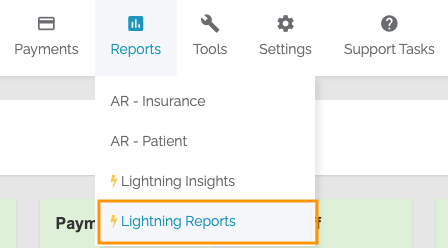
Default Settings and Filters
- FROM and THRU - Date range for the report
- MTD - Month-to-Date
- YTD - Year-to-Date
- LAST MO - Previous month
- PROV and LOCN - Filter by Provider and Location
Report Buttons
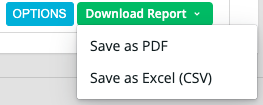
- OPTIONS - Additional filters for the report
- Download Report - Download as PDF or CSV
Report Types
Accounts Receivable Aging - Insurance
Summary of AR Charges and Percentages per day range by Insurance.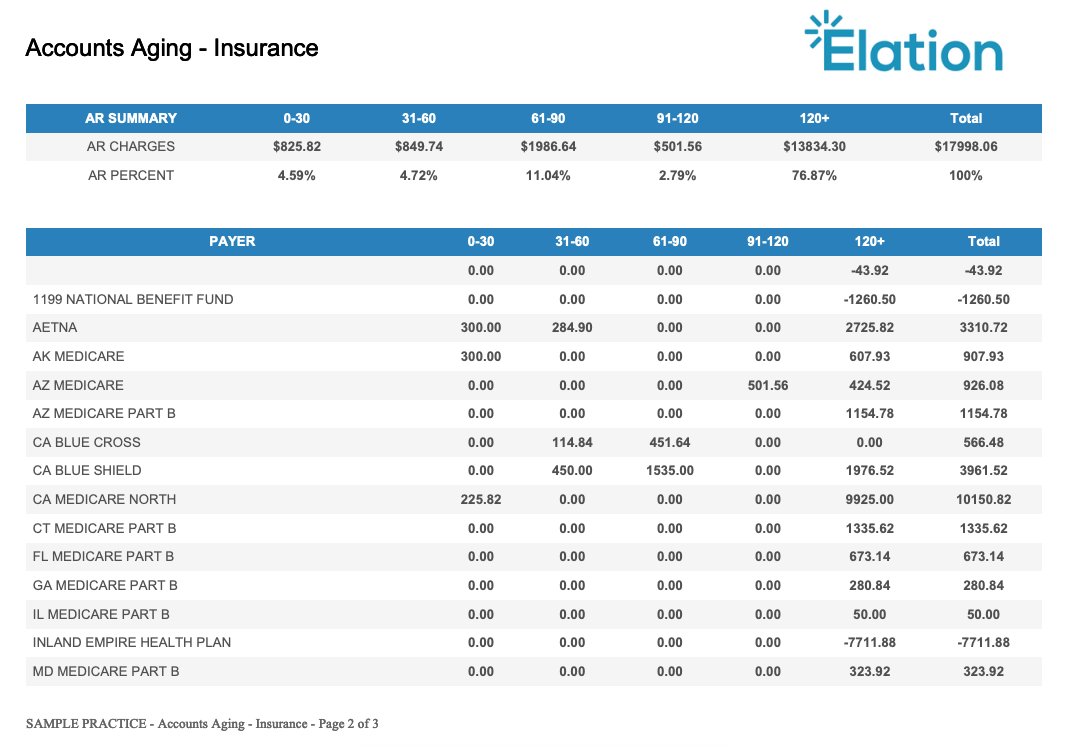
Accounts Receivable Aging - Location
Summary by Service Location.Accounts Receivable Aging - Patient
Summary by Patient.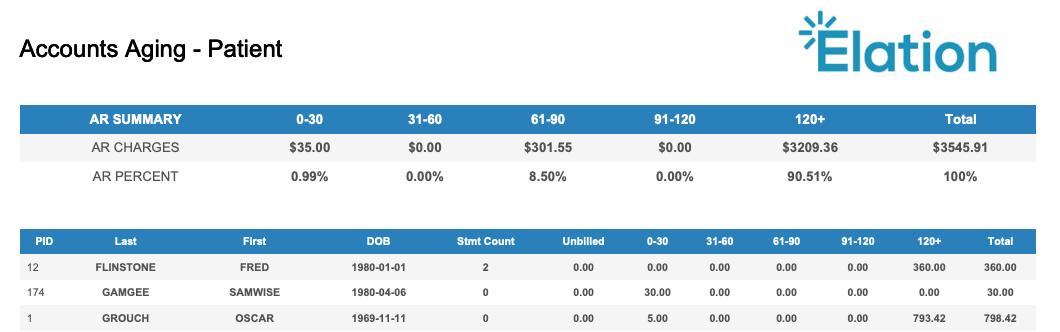
Accounts Receivable Aging - Provider
Summary by Provider.Charges and Financial Transactions Report
Comprehensive summary of all Financial Transactions. Can be filtered by Patient, Date type, Balance Responsibility, and CPT/DX/Modifiers.Claim Activity Report
Breakdown of claims with DOS, Date Posted, CPT, Charge, Amount Paid, Adjustments, Balance, and Responsibility.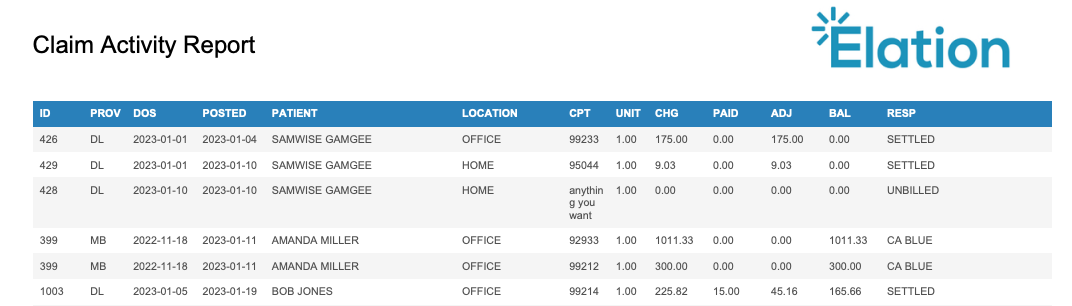
Deposit Report
List of all payments from Insurance and Patients including Payment ID, Type, Payer, Dates, Method, Check #, and Amount.Diagnosis, Modifier, and Procedure Lookup Report
Search by specific CPT, DX, or Modifier.
Patient Balance Report
Patient list with insurance and financial data. Can be limited to patients with balances.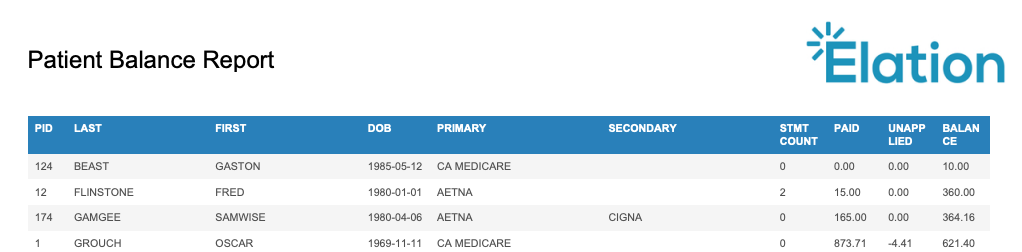
Provider Payments Report
Payments applied per Rendering Provider.Provider Productivity Report
Breakdown of Units, RVU, Charges, Adjustments, Write-offs, and Payments per Provider.Referring Provider Report
Revenue generated per Referring Provider with claim payment details.Refund Report
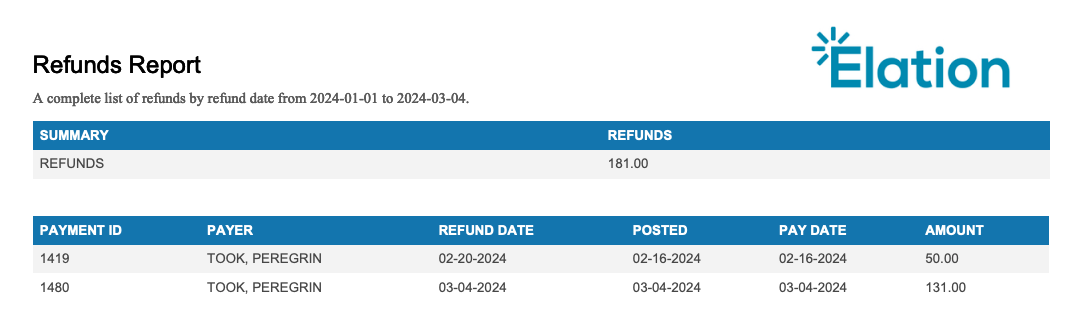
Refunds processed via Integrated Refunds including Payment ID, Payer, Dates, and Amount.