Overview
What is an NDC?
A National Drug Code (NDC) is a unique identifier for medications. NDCs are required on claims when billing for certain injectable drugs, vaccines, and other medications administered in the office.Why is Adding an NDC important?
Many payers require NDC information for drug-related claims. Including the correct NDC ensures proper reimbursement and helps avoid claim denials.The NDC editor can be accessed on ANY Superbill that has at least one claim line.
Workflow Instructions
Adding an NDC to a Claim
-
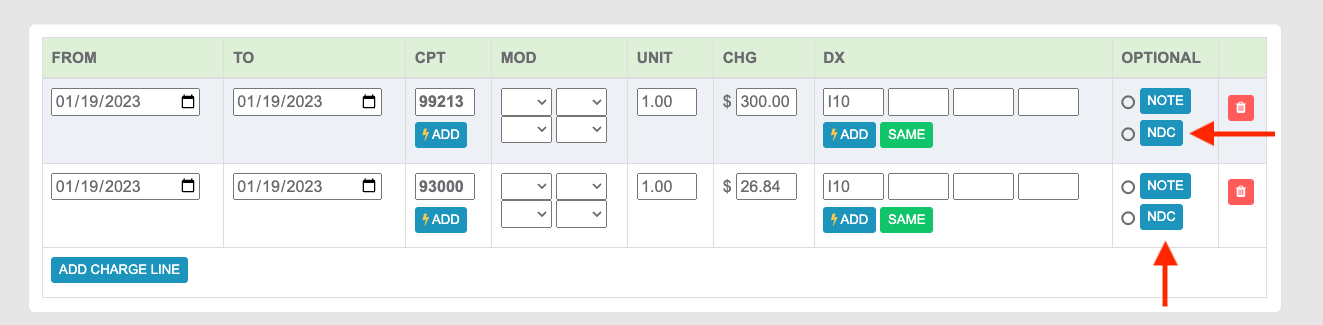
Click NDC - On the Superbill’s Claim lines, under the Optional column, select NDC.
Managing Saved NDCs
-
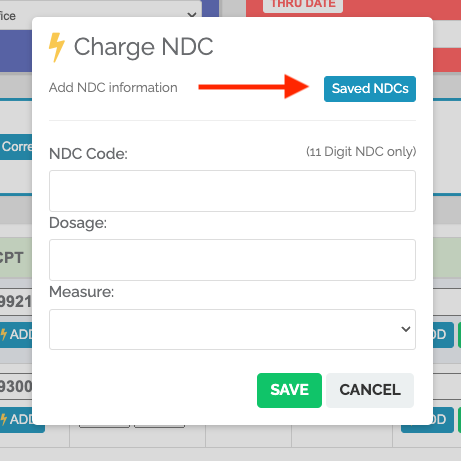
View and Create NDCs - To create new NDCs to be saved and to view your Saved NDCs, select Saved NDCs.
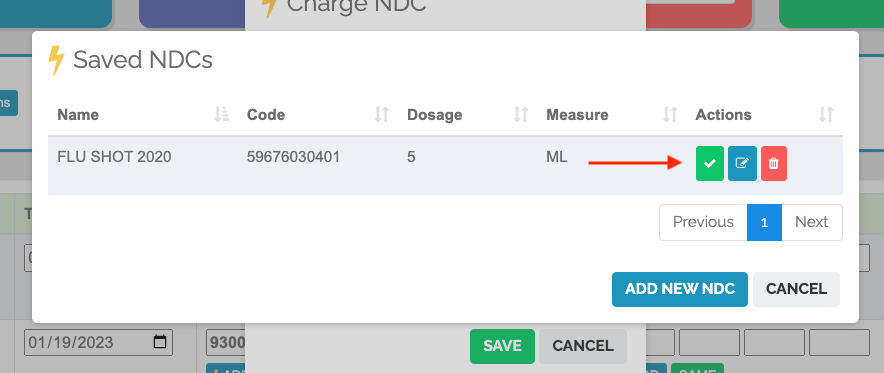
- Add the NDC to the Claim Line
- Edit the NDC
- Delete an NDC
Adding a New NDC to Saved Codes
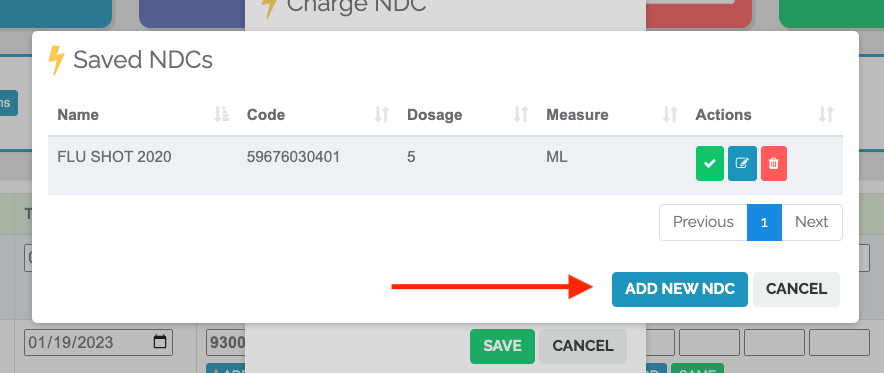
ADD NEW NDC unlocks the fields to add an NDC to your saved codes. The list of already-saved NDCs will still be visible. Once you’ve added the info for the NDC, make sure to Save.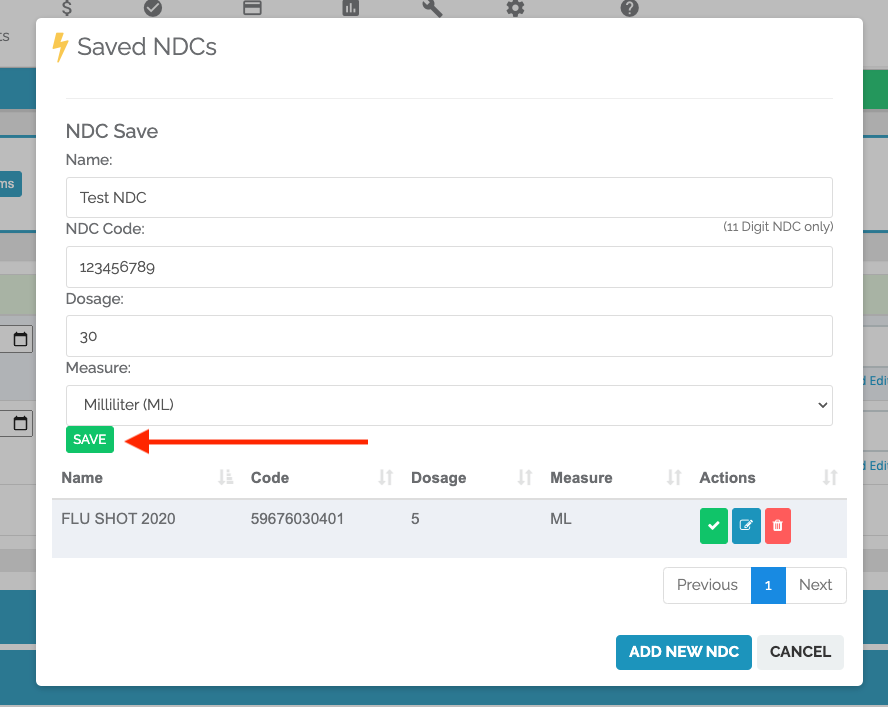
Applying an NDC to the Superbill
-
Add the NDC - Click the ✅ on the NDC you’d like to add.