
Overview
What is ⚡️Apply Patient Payments?
The ⚡️Apply Patient Payments tool automatically applies unapplied patient payments to their outstanding balances. It intelligently matches payments to claims based on date of service and applies remainders to the oldest balances.Why use ⚡️Apply Patient Payments?
This automated tool saves time by eliminating the need to manually apply each patient payment. It ensures payments are correctly matched to claims and helps maintain accurate accounts receivable.Workflow Instructions
Using ⚡️Apply Patient Payments
- Navigate - Select the Send Statements page from the Patient drop-down menu.
You will NOT need to send statements to use the automated ⚡️Apply Patient Payments tool.
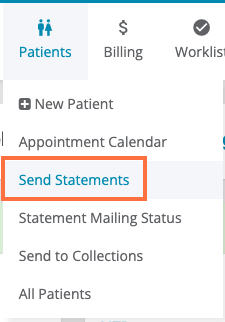
-
Run the Tool - Click the ⚡️Apply Patient Payments button.
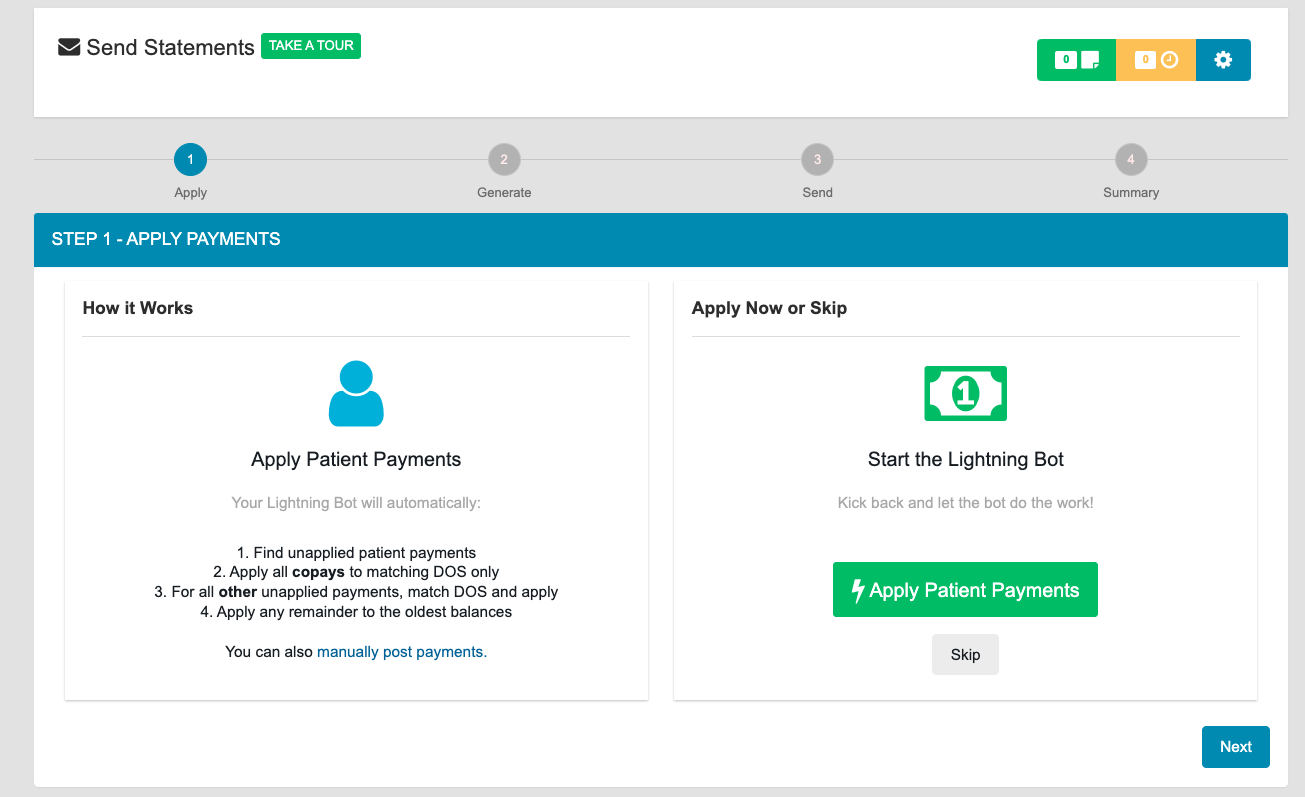
What ⚡️Apply Patient Payments Does
The tool performs the following actions in order:- Find unapplied patient payments - Identifies all payments that haven’t been applied to claims
- Apply copays to matching DOS only - Copays collected on a Superbill that has yet to be Settled will be reserved for use on that Superbill
- Match and apply other payments - For all other unapplied payments, matches date of service and applies
- Apply remainder to oldest balances - Any remaining payment amounts are applied to the oldest outstanding balances