Overview
What are Collaborative Billing Fields?
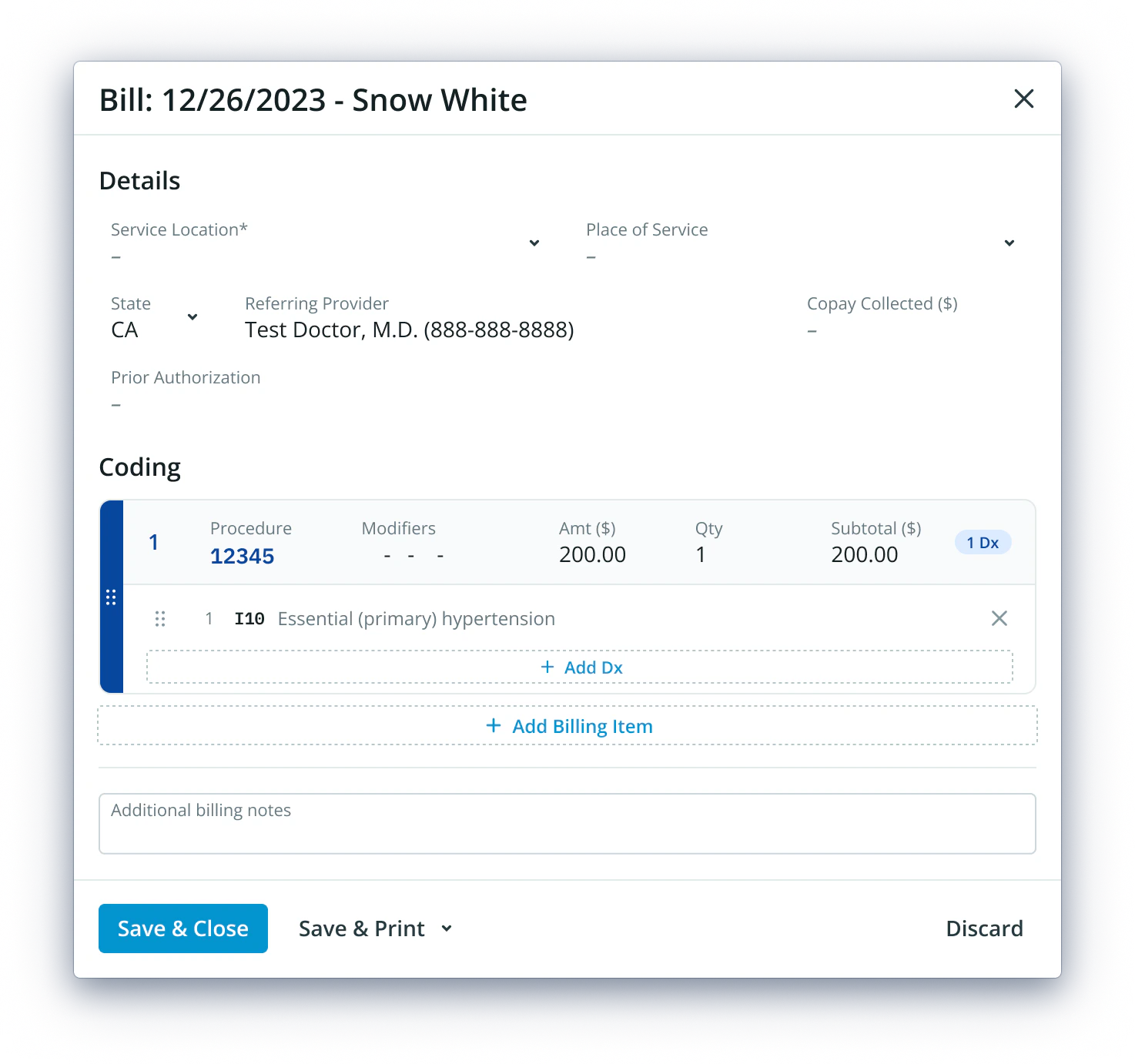
Additional Billing Fields introduces new Provider Fields into both the EHR and Elation Billing:- Supervising Provider - Available in Elation Billing by default, new to EHR
- Billing Provider / Incident To - For designating incident-to encounters
- Ordering Provider - For specifying who ordered a service
- Prior Authorization - Available in Elation Billing by default, new to EHR
Why are Collaborative Billing Fields important?
These fields ensure that claims include all required provider information, which is necessary for proper reimbursement, especially for incident-to billing and supervised services.Workflow Instructions
Enabling Additional Billing Fields in the EHR
- Navigate to EHR Settings - Navigate to your practice’s EHR Practice Settings → Practice Settings → Billing.
- Toggle Additional Fields - Navigate down the page to Additional Billing Fields and enable the field(s) you’d like to be available on the Visit Note.
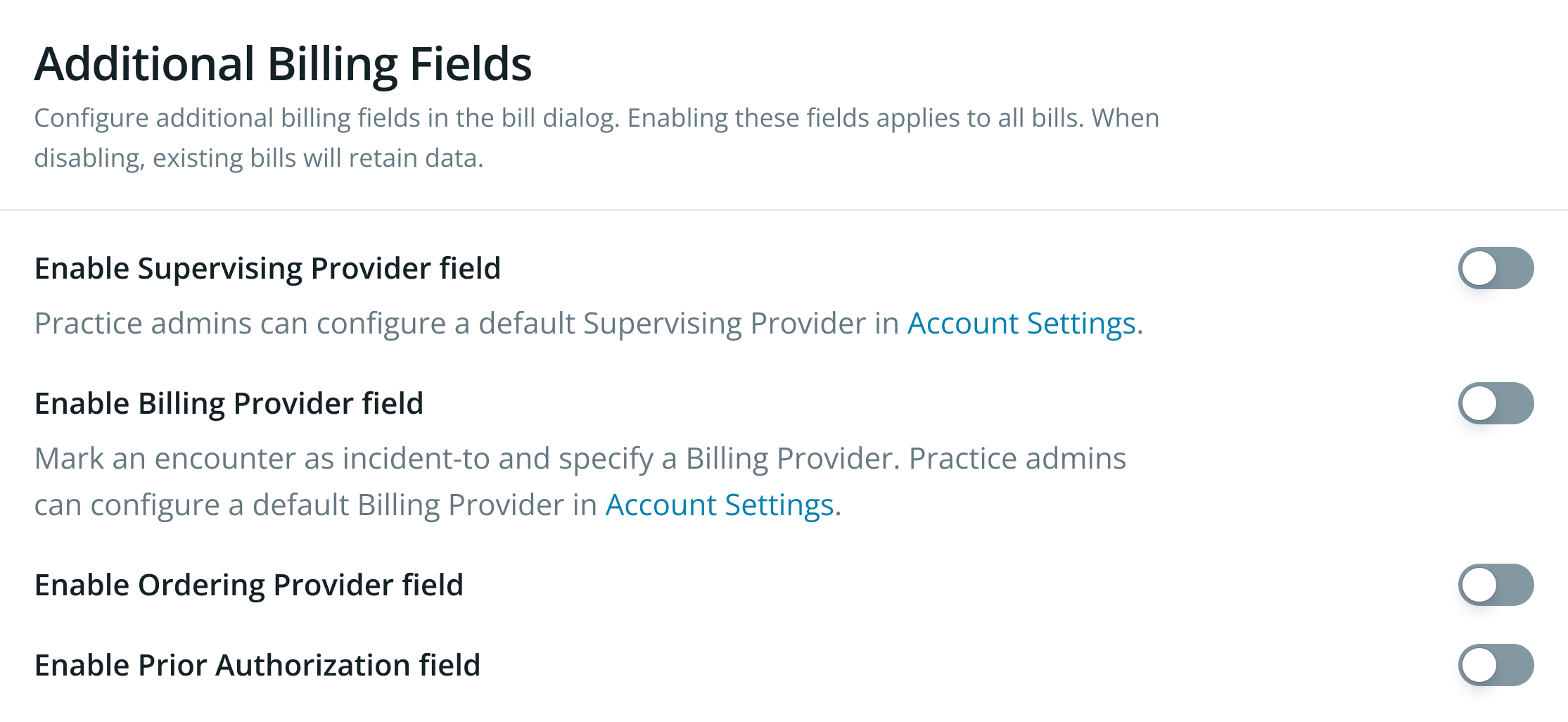
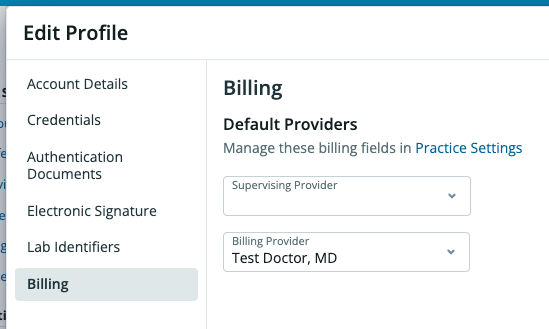
- Establish Default Providers (Optional, Admin Only) - To establish a default Supervising and/or Billing Provider:
- Within the EHR Settings, navigate to Manage Accounts
- Under Providers, select Edit on the Provider you’d like to update
- Select the Billing tab
- Establish the default Provider(s)
- Click Save
Enabling Additional Billing Fields in Elation Billing
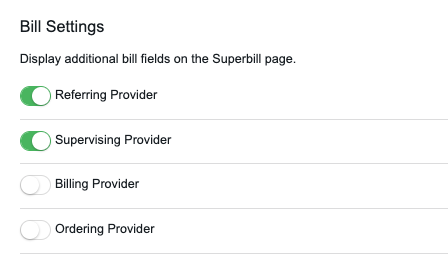
- Navigate to Elation Billing Settings - Navigate to Elation Billing Settings → Practice Settings → Billing Rules.
- Toggle Fields - Select the fields you’d like to be available on the Superbill.
Using Additional Billing Fields in the EHR
Any combination of these four fields can be enabled. The information in these fields will also populate on the Superbill when pushed from EHR into Elation Billing.
Supervising Provider
Enabling Supervising Provider will display this field in the Billing Information of the Visit Note: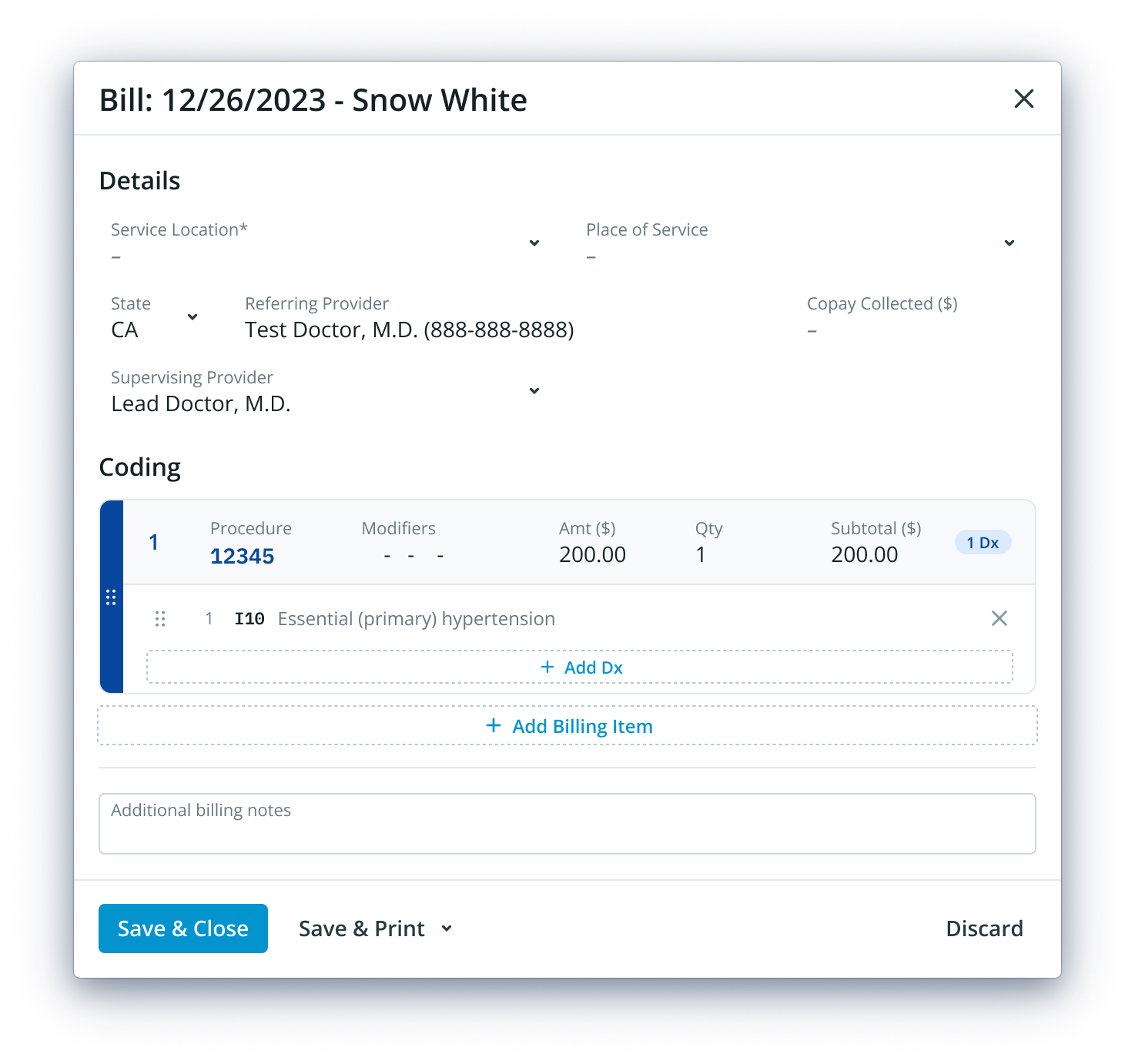
Billing Provider / Incident To
Enabling Billing Provider will allow a Visit Note’s bill to be marked as an Incident-To encounter, allowing the Billing Provider to be listed: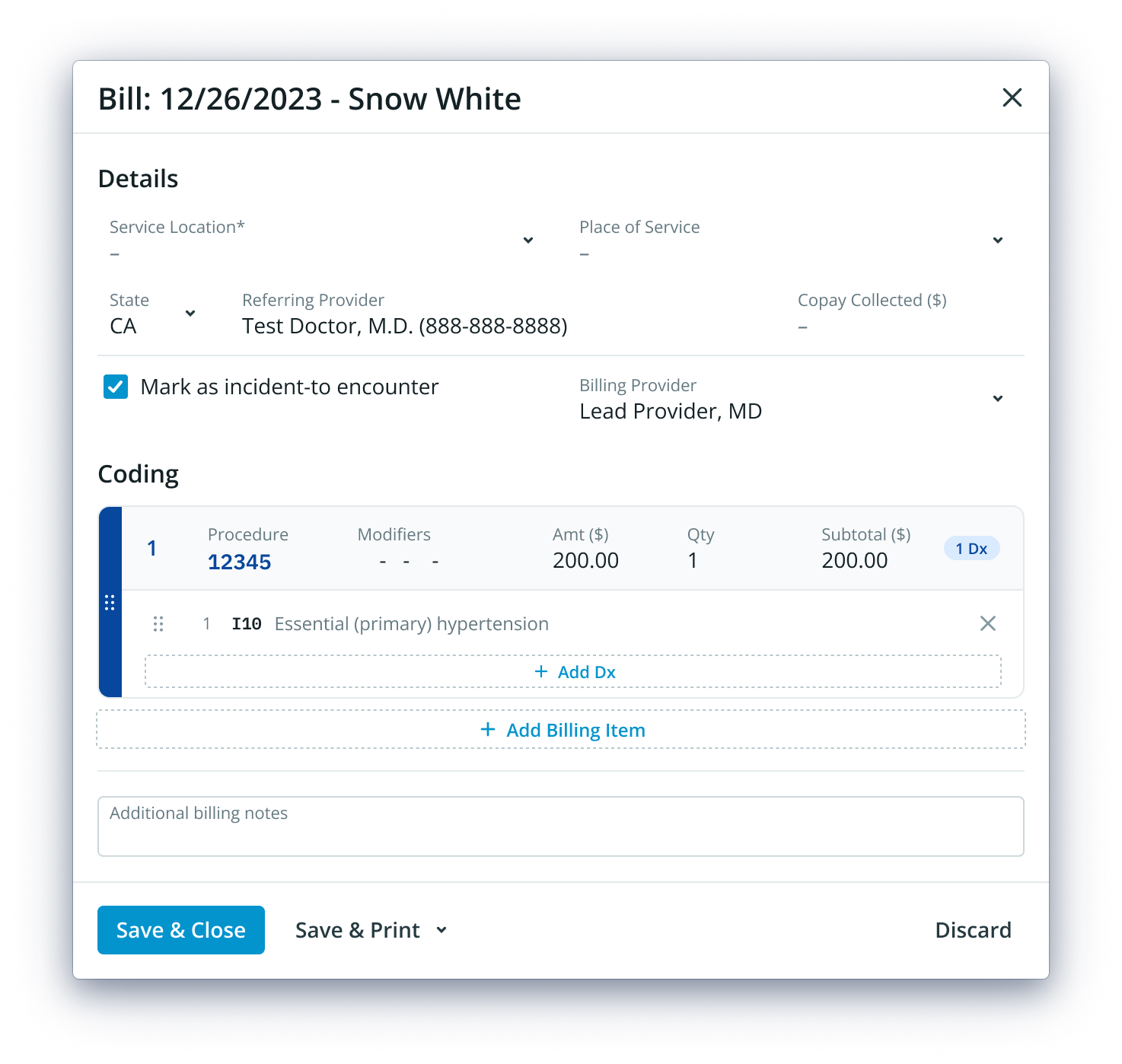
Ordering Provider
Enabling Ordering Provider will display this field in the Billing Information of the Visit Note: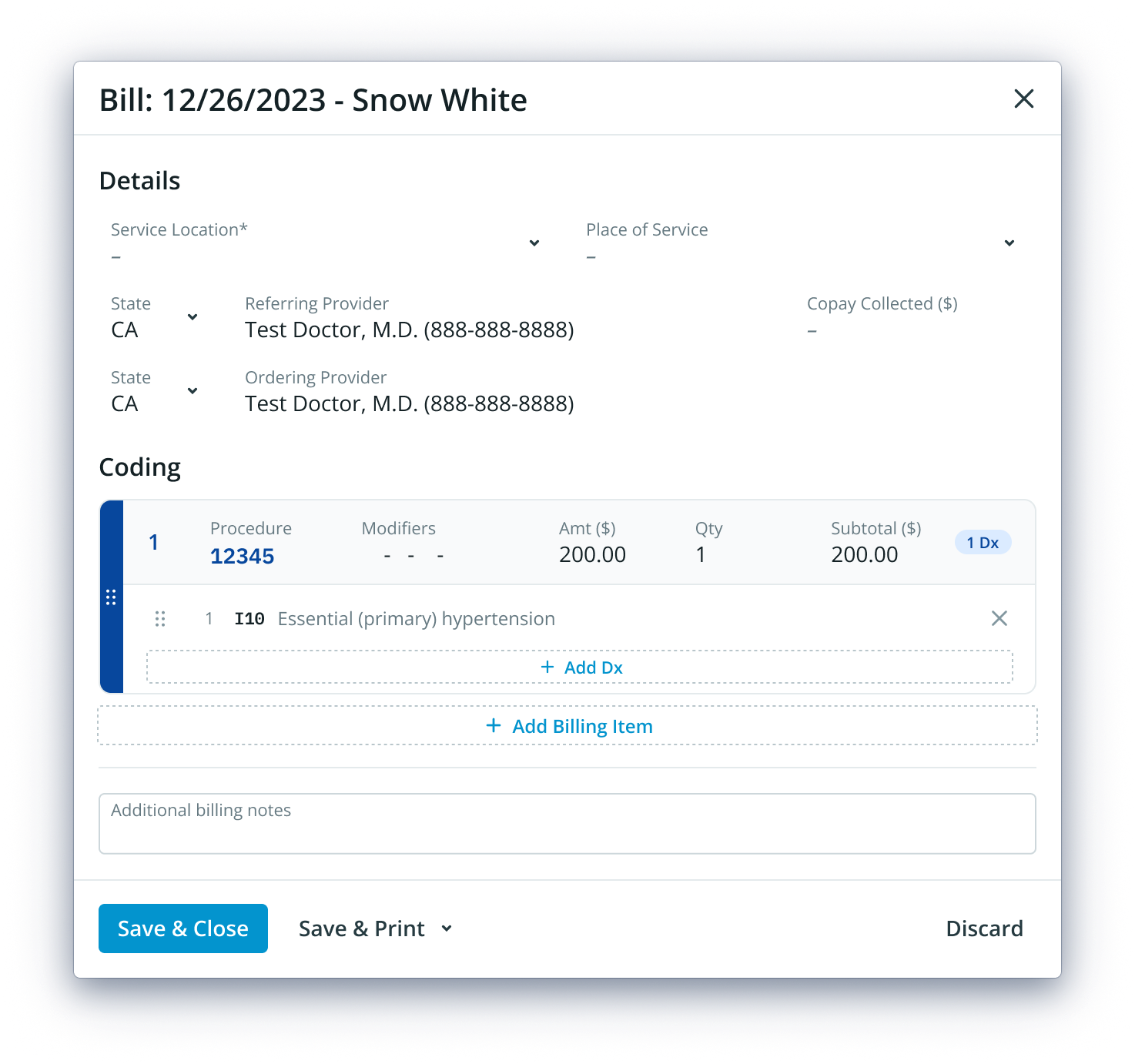
Prior Authorization
Enabling Prior Authorization will display this field in the Billing Information of the Visit Note: