Overview
What is Claim History?
Claim History provides a complete record of all actions and status changes for a claim, including submission dates, payer responses, rejections, payments, and adjustments.Why is Claim History important?
Reviewing claim history helps you understand why a claim was denied, track the progression of a claim through the billing cycle, and gather documentation for appeals.Workflow Instructions
Finding Claim History
The Claim History can be found in multiple places:- The Claims Manager
- Superbill’s Page
- Patient’s Page
- Payment’s Page

From the Claims Manager
In the Claims Manager, the Claim History button is the first (far-left) button under the More column.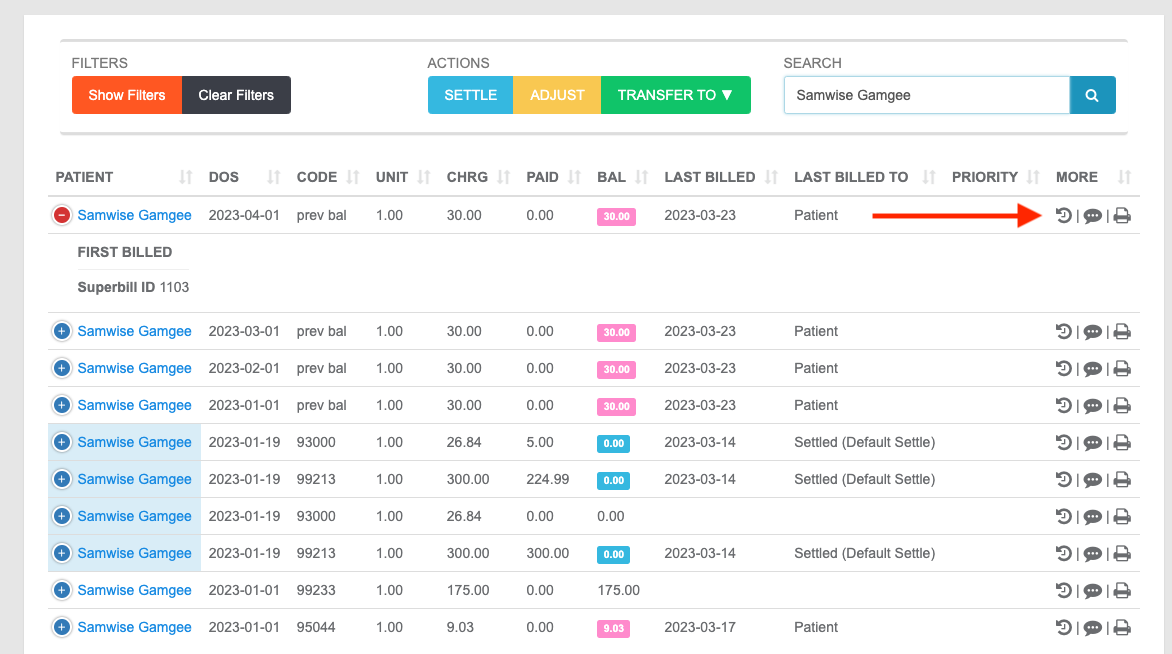
From the Superbill
On a Superbill, the Claim History button is towards the top-center of the page, on the upper-right corner of the Superbill Info panel, preceded by Files.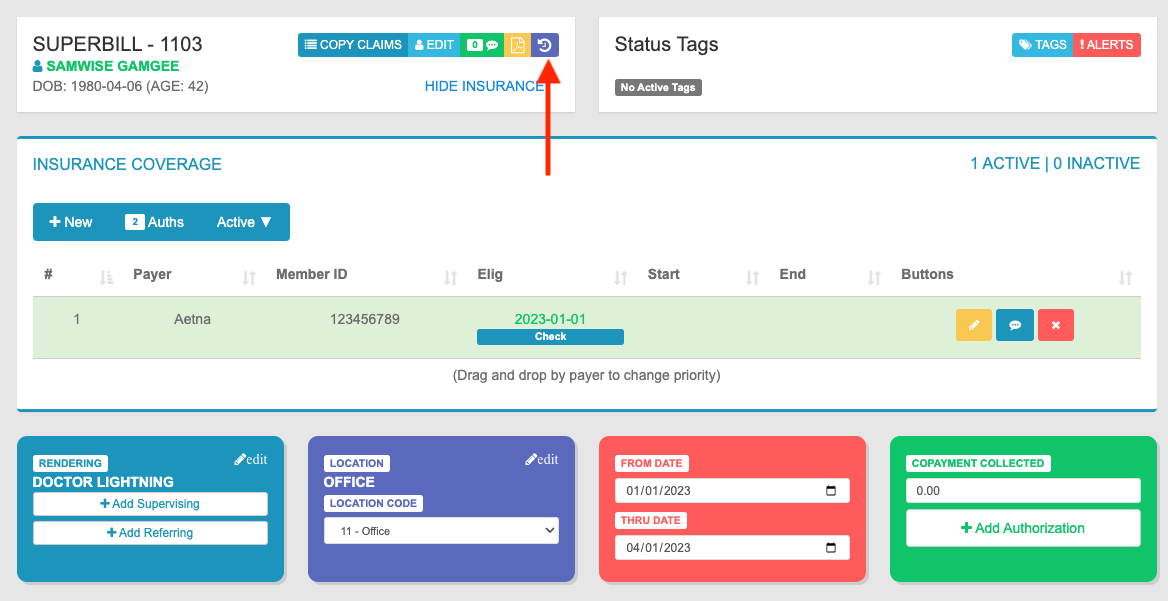
From the Patient Page
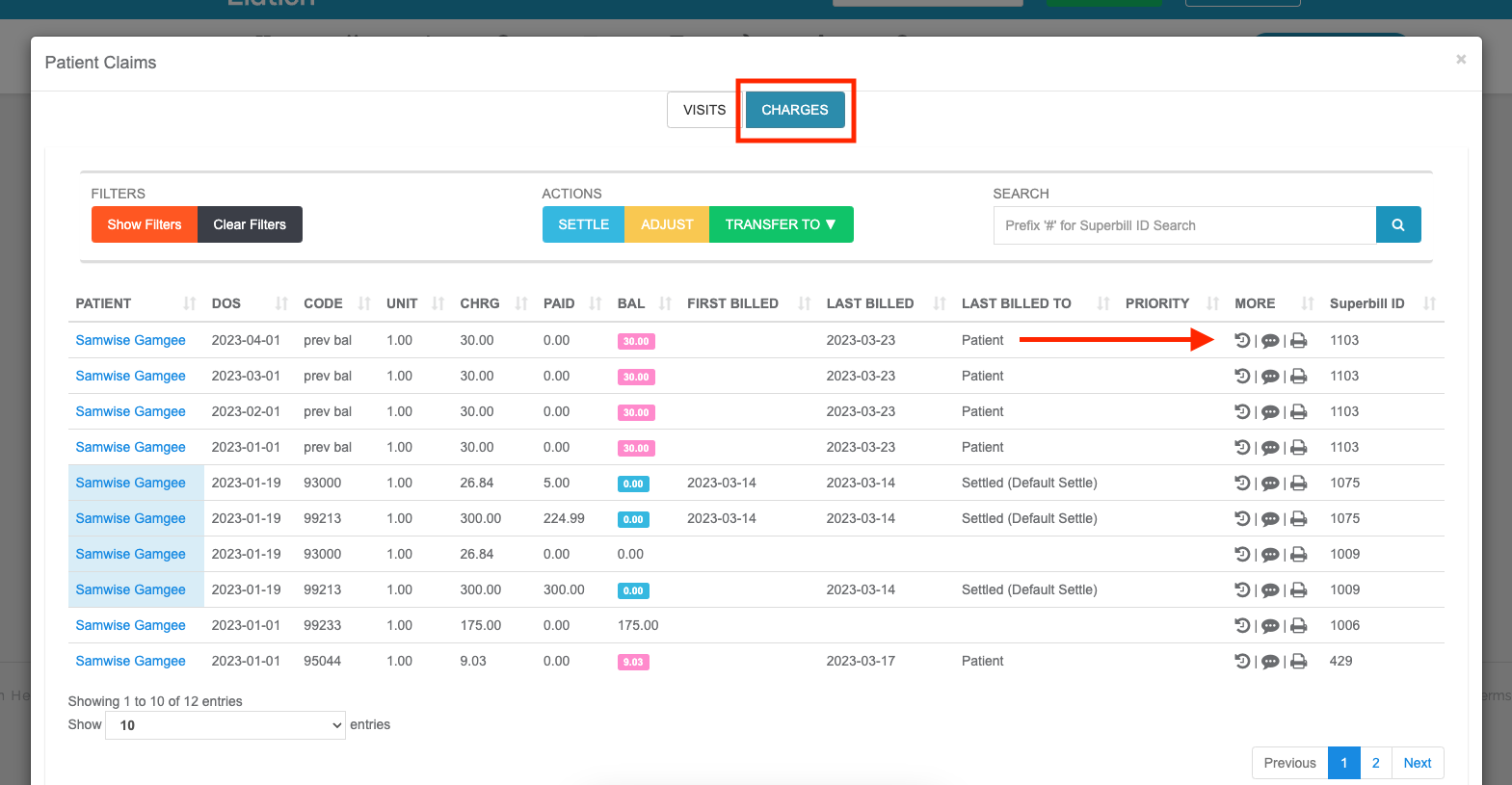
- Navigate - From the Patient’s page, select the Claims button, followed by the Charges tab.
- Access History - The Claim History button is the first (far-left) button under the More column.
From the Payment Page
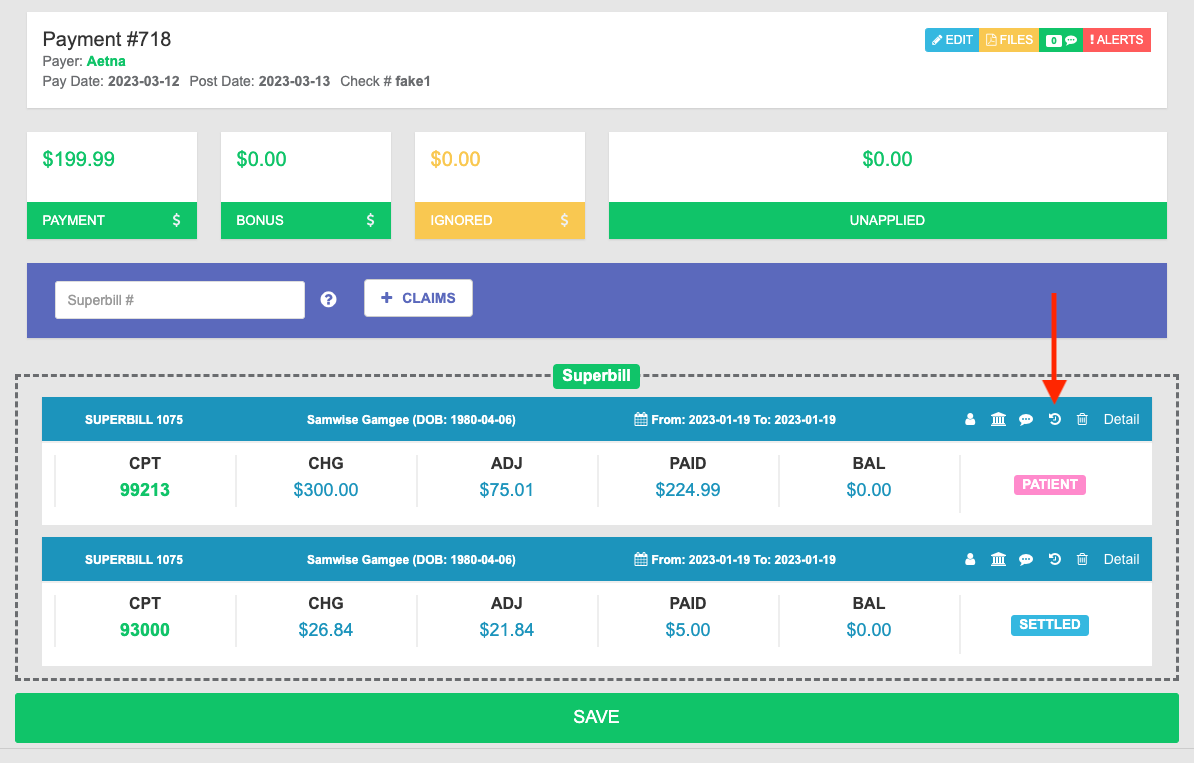
On a Payment, the Claim History button is found in the Superbill information line, preceded by Notes and followed by Delete.