
Overview
What is Activate Online Payments?
Activating online payments enables your practice to accept credit card payments from patients through Stripe integration. This allows for convenient payment collection via the Collect Now button and through the online patient payment portal at ElationPay.com.Why is Activating Online Payments important?
Online payments streamline the collection process, reduce manual payment handling, and provide patients with convenient payment options. Payments can be collected in person, via email statements, or through the online portal.Workflow Instructions
Elation EHR + Billing Practices
If your practice is an Elation EHR + Billing user, you will activate Stripe through the EHR instead. This process takes about 10 minutes and you can skip Step 2 below. See EHR Stripe Instructions for details.
Elation Billing Legacy Practices
Before You Start
Visit Stripe.com and create and activate an account for your practice. We partner with Stripe to simplify payment processing.-
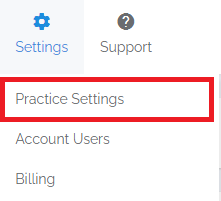
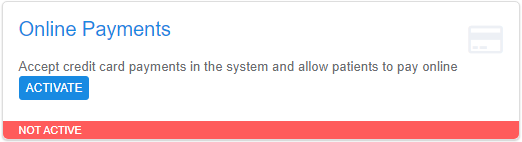
Navigate - Click on the Practice Settings option under the Settings drop-down menu.
-
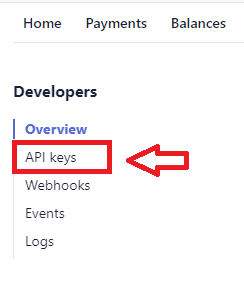
Get Your API Keys - Log into Stripe.com and click on Developers in the upper right, then on API Keys.

-
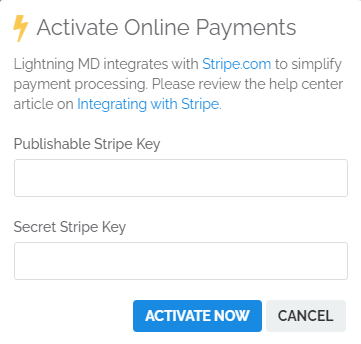
Enter Your API Keys - Enter your API Keys into the billing software and click ACTIVATE NOW. The billing software will verify the keys and activate online payment processing for your account.
-
Use Online Payments - Once activated:
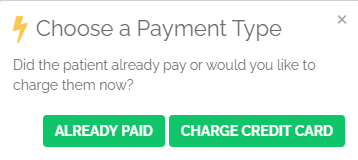
- When you click the COLLECT NOW button on a patient profile, you will have the choice of charging a credit card

- Patient statements will reference the online payment portal at ELATIONPAY.COM
- You can view payments processed in the billing software when you log into your Stripe account
At this time, patient refunds are processed directly in Stripe. See Stripe refund instructions for details.