
Overview
What are Downcoded Claims?
A downcoded claim is when a payer pays for a lower-level, less complex, or less expensive service than what your practice submitted. This results in lower reimbursement. The most common way to know about this is through your electronic remittances (ERAs).How Does Elation Monitor for Downcoded Claims?
Elation reviews ERAs and identifies claims that have been downcoded. This applies to Evaluation and Management (E/M) CPT Codes beginning with 992:- 99215, 99214, 99213, 99212
- 99205, 99204, 99203
Workflow Instructions
Filtering for Downcoded Claims in the Worklist
Downcoded claims are automatically tagged as Downcoded. Use the Search bar to filter the Worklist by this tag.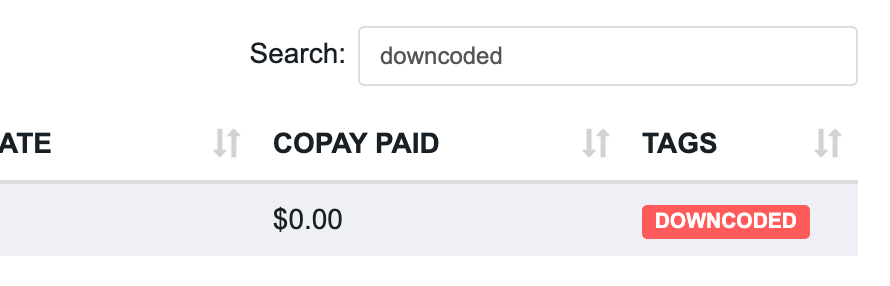
Search for 'Downcoded' claims in the Worklist. Resulting claims will be tagged as 'Downcoded'
Viewing Downcoded Claim Alerts on the Superbill
On the Superbill page, an alert at the top notifies you when a payer has downcoded a claim and shows the resulting paid amount.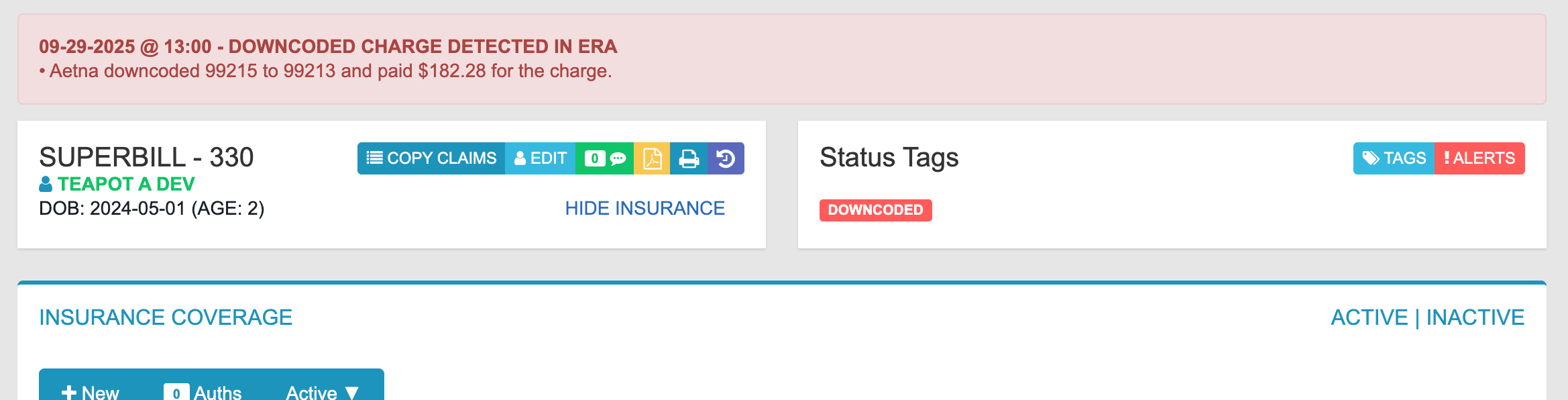
An alert is displayed at the top of the Superbill page of a downcoded claim.
Viewing Downcoded Claim Alerts on the Payment
On the Payment page, an alert shows which claim was affected and the resulting paid amount.
An alert is displayed at the top of the Payment page containing a downcoded claim.