
Overview
What is Collecting a Patient Payment in Elation Billing?
For Elation EHR + Billing practices, there are several ways to initiate patient payment collection from Elation Billing. All paths lead back to the EHR for payment processing.At this time, opening the Patient Payment Request dialogue from Elation Billing will not automatically open a dialogue for that specific patient. This workflow will be streamlined in the near future.
Workflow Instructions
Collect From the Patient’s Page
-
Within the patient’s Elation Billing page, select the Collect Now button.
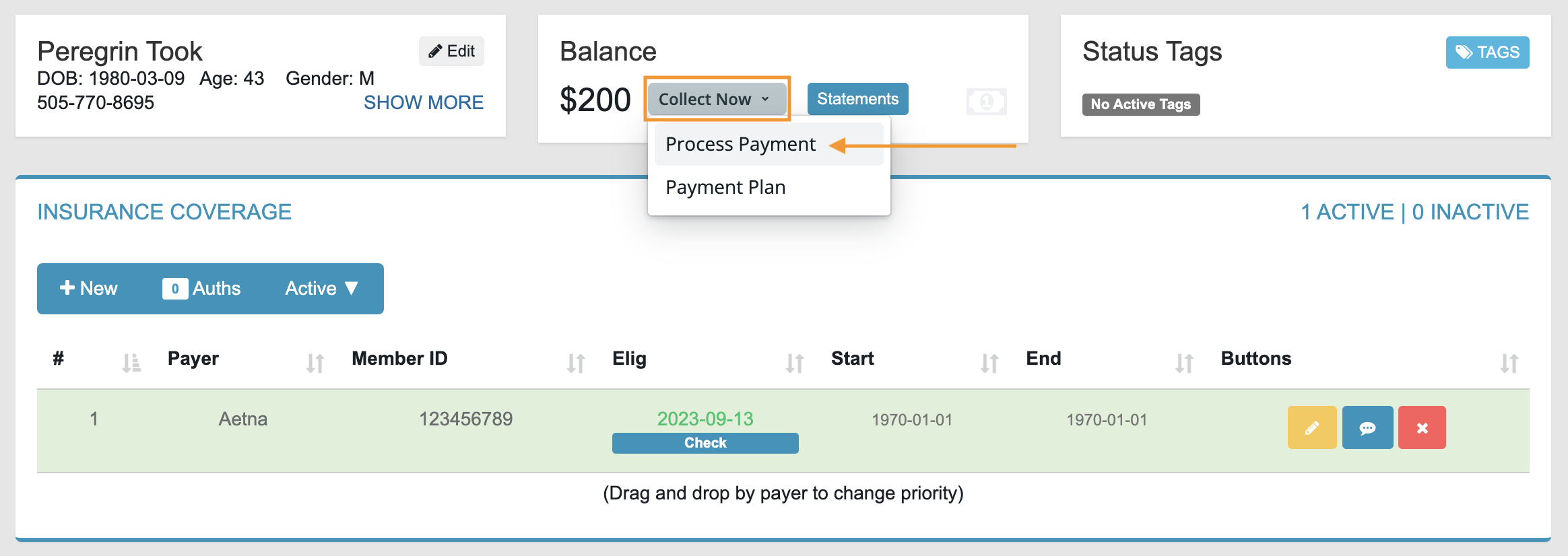
- Select Process Payment to automatically open the Patient Payment tool in the EHR.
- Follow the instructions in Collecting a Patient Payment in the EHR.
Collect From the Superbill
- In the Copayment Collected panel, select Collect Now to automatically open the EHR’s Patient Payment tool.
-
Make sure the Date of Payment matches the Date of Service, then follow the EHR payment instructions.
If dates don’t match, the copay will not automatically apply to the claim once balance responsibility transfers to the patient. Copays can always be applied manually.