What’s New?
Elation Health is excited to announce our latest updates designed to enhance your experience with our EHR, Billing, Note Assist, and Developer Platform services. All of our releases focus on reducing documentation burden, streamlining workflows, and improving efficiency. Here’s what’s new:Elation EHR updates
A central place for product updates
You can find all the latest Elation product updates in one easy-to-access location—right inside your workflow. We know in-app messages and pop-ups don’t always come at the right time. That’s why we’ve added a permanent Resource Center, where you can catch up on new features and enhancements whenever it works for you. This means fewer interruptions and more control—so you can stay informed, adopt new tools at your own pace, and get the most out of Elation.Pediatric tools available now!
Our pediatric toolkit is designed for safety, accuracy, and engagement, empowering you to nurture every child’s health journey. You can check out the Pediatrics Guide for more details.Streamline referrals with enhanced growth charts
Easily attach growth charts to provider letters and referrals—now beyond just patient letters—with exact percentile displays, expanded sharing and printing options, streamlined visual upgrades, and several additional enhancements that further improve pediatric workflows. Learn more about these updates in this Help Center Article.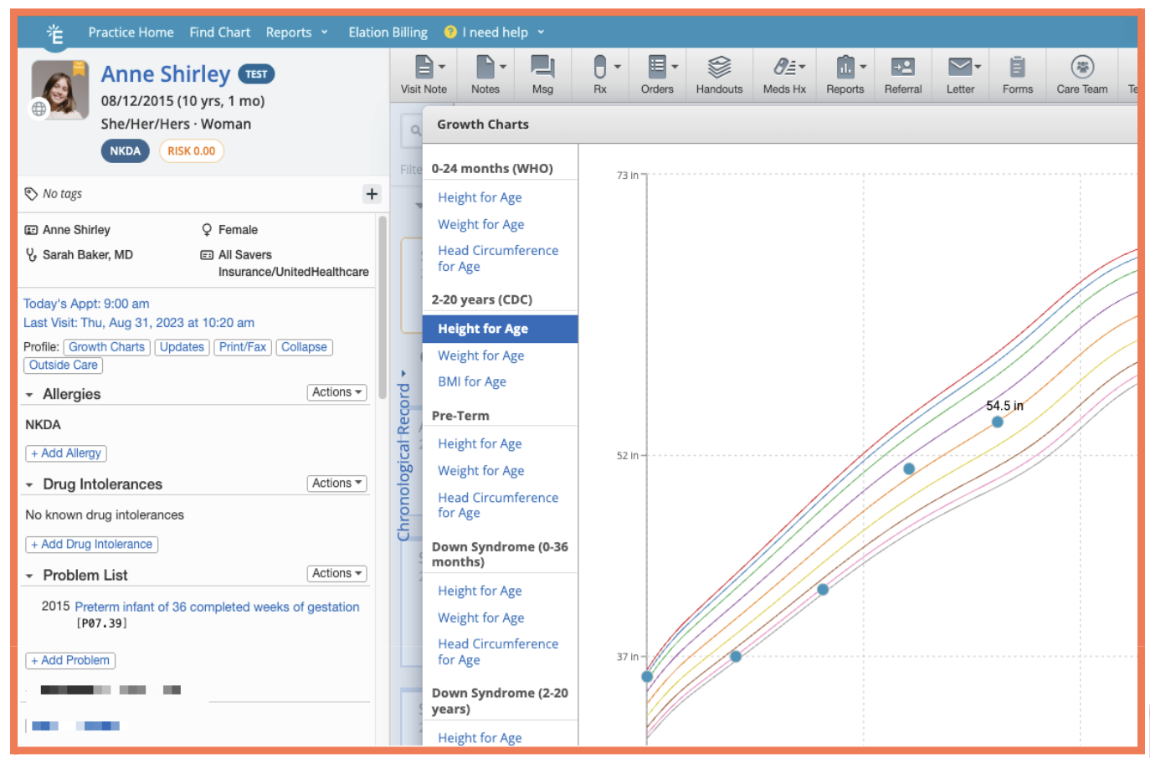
Enhance pediatric safety with weight-based dosing
Our new in-form pediatric dosing calculator streamlines the weight-based dosing process by surfacing the patient’s weight, computing the correct SIG and quantity, and pre-populating concentrations where available. Learn more in this Help Center Article.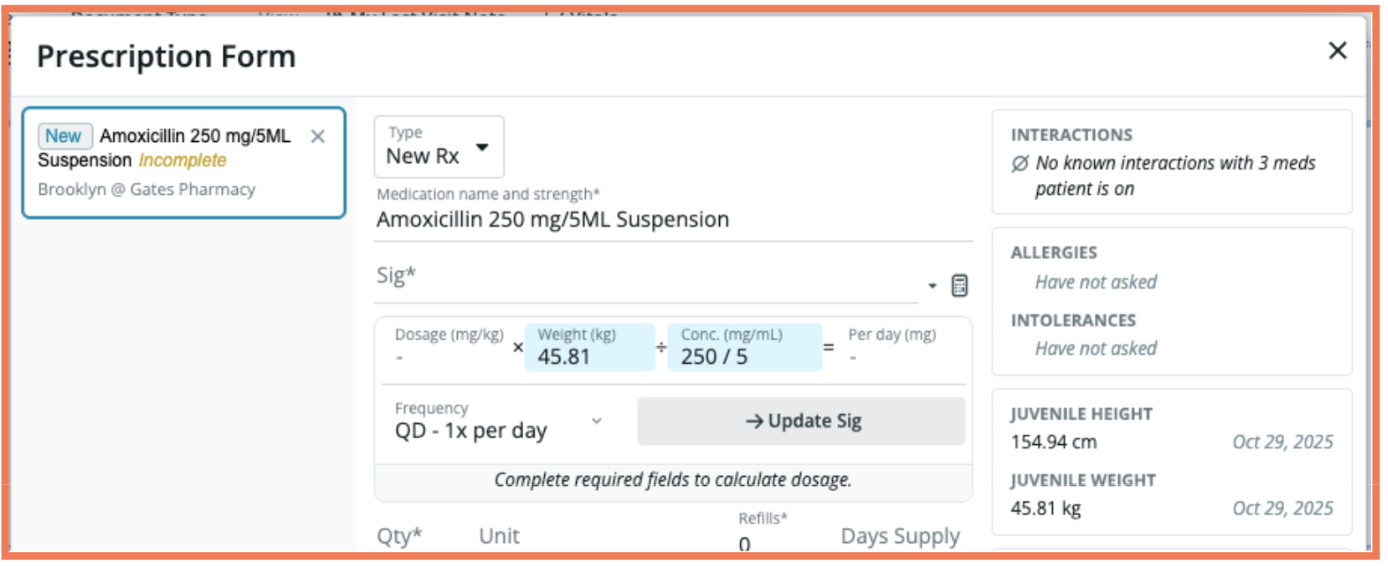
Gather pediatric data before the visit
Complete the new NICHQ Vanderbilt ADHD PARENT and follow-up PARENT screeners in-visit or send them as Patient Forms to caregivers ahead of time, with results that are easily exportable into the Visit Note. Learn how in this Help Center Article.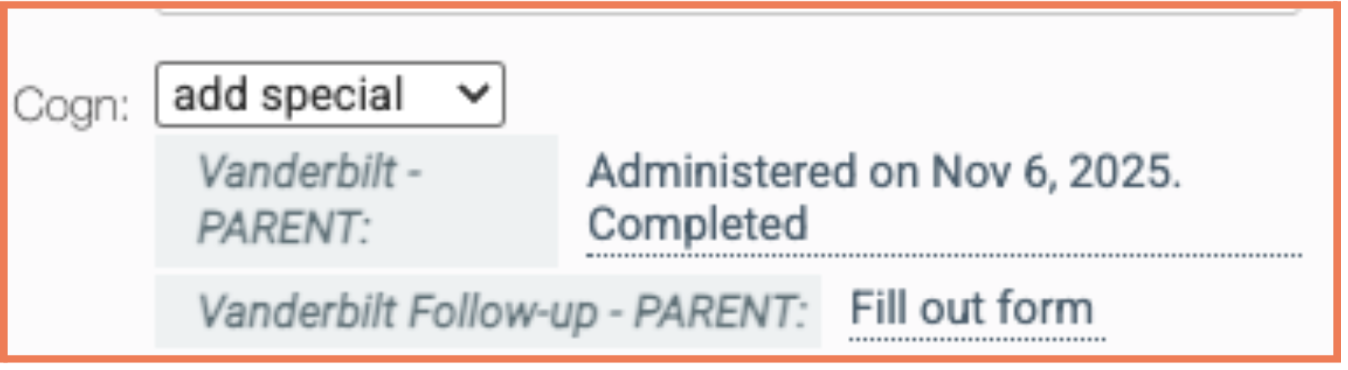
Document Well-Child Visits quickly
Elation Note now includes Well-Child Check (WCC) templates for patients from newborn through 18 years old with developmentally appropriate questions. Learn more about selecting visit note templates in this Help Center Article.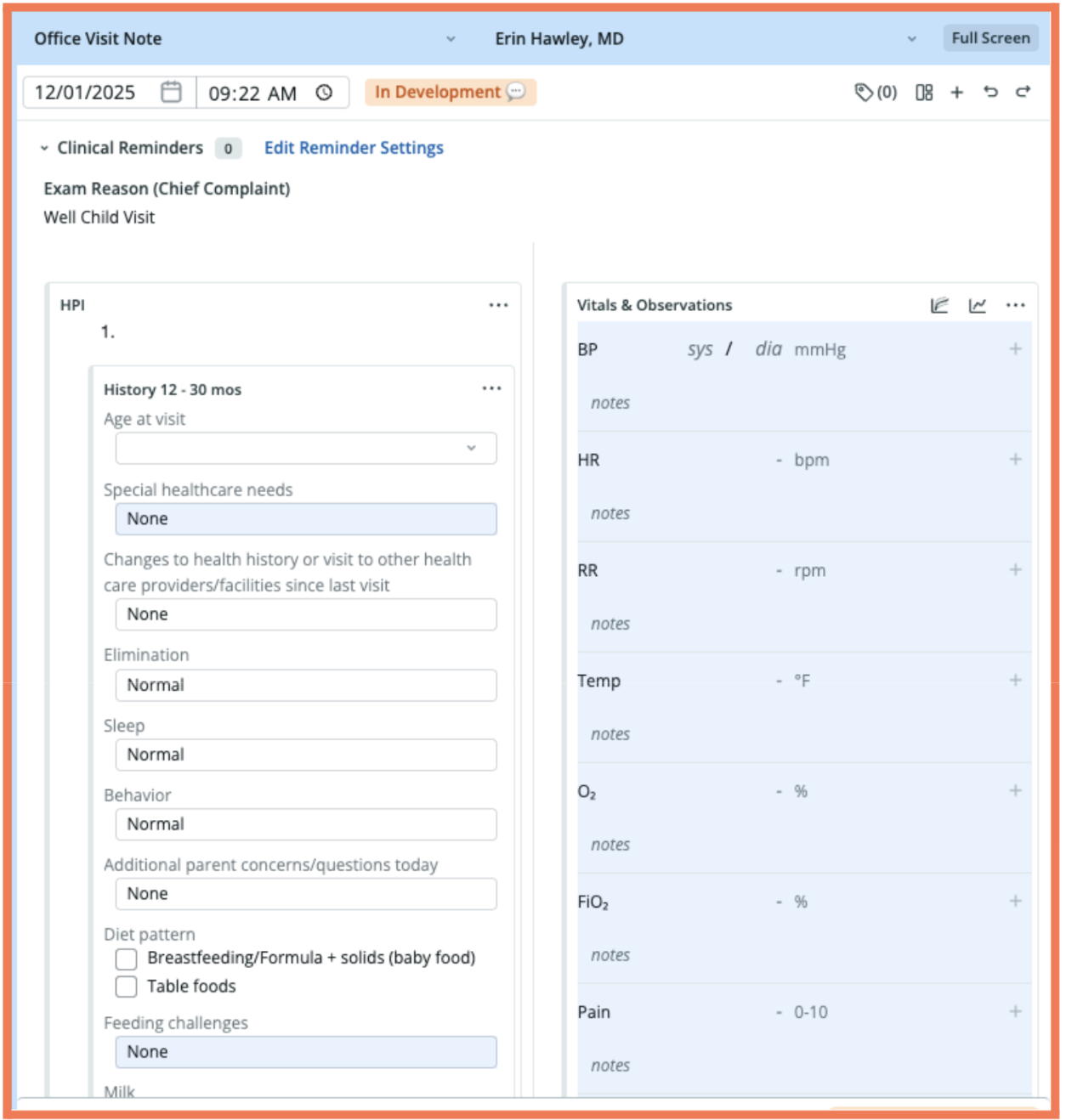
Membership management just got easier
Elation’s new DPC membership features simplify enrollment and payments — reducing vendor complexity and giving practices more time to focus on patient care.Patient self-enrollment
Lets patients join your membership plans through a seamless, integrated workflow that reduces staff workload and accelerates onboarding. For more details, check out our Help Center Article.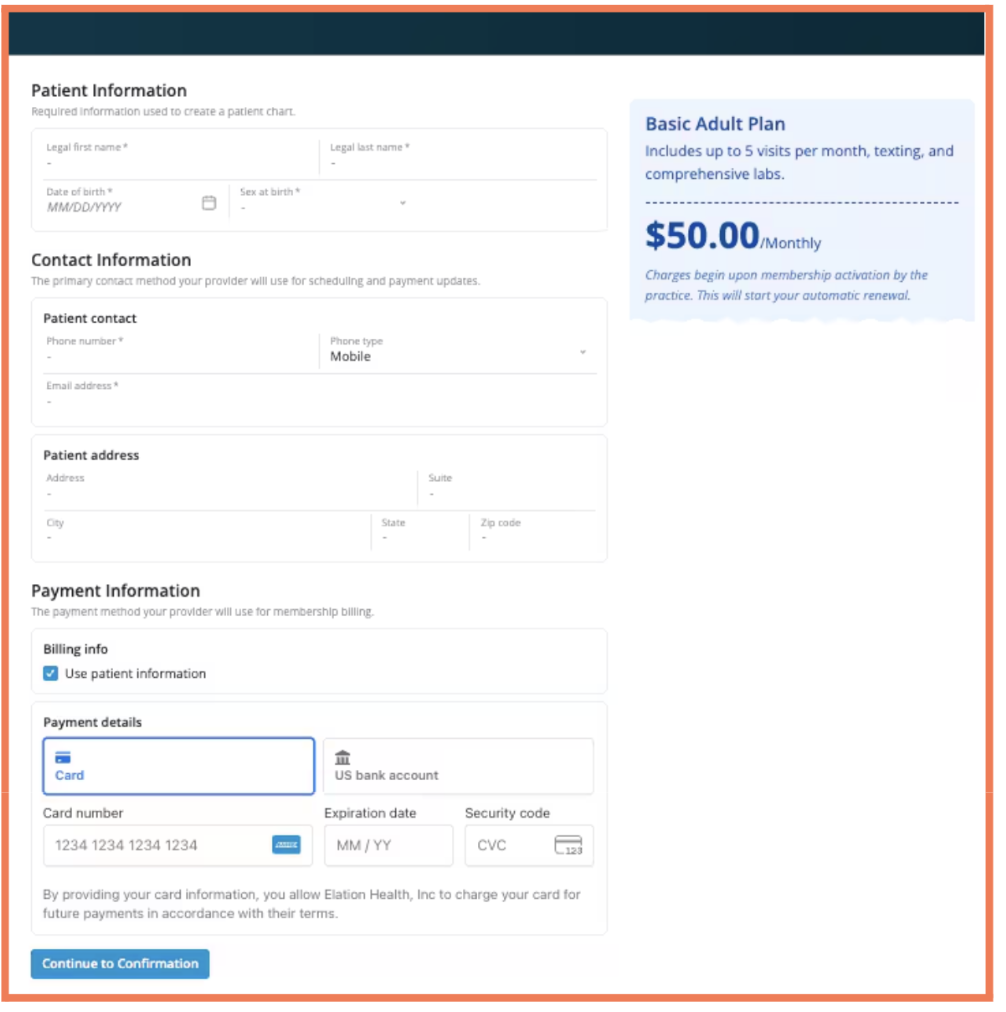
ACH payment support now available
ACH (Automated Clearing House) Payments provide a cost-effective, automated way to collect membership fees. Learn how in our Patient Payments Guide.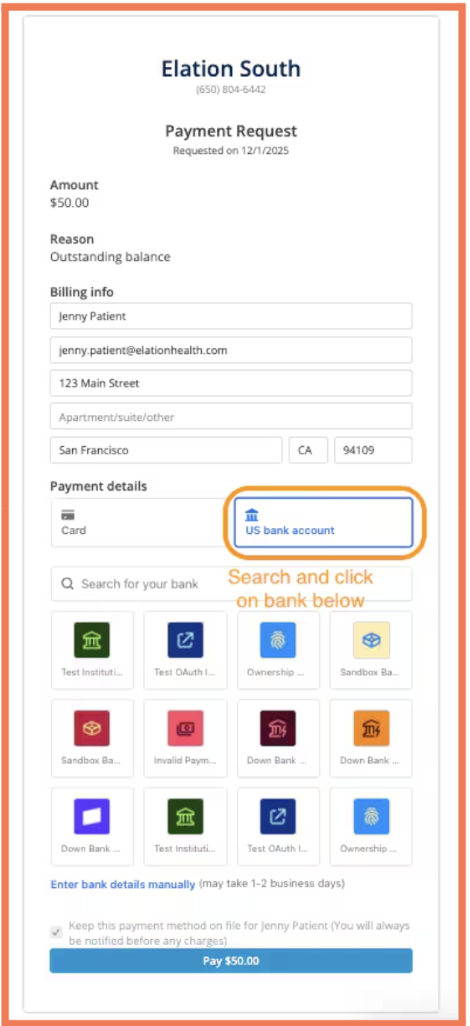
Maximize context with Clinical Insights
Clinical Insights now includes vaccination history context to better support your most common health maintenance and immunization questions. With vaccination details consolidated in one view, and the experience now running twice as fast, you can assess immunization status quickly and make decisions without slowing down your visit flow. Visit the Chronological Records Guide for more details.Integrate Cardiac, Pulmonary, and Sleep Orders
Elation Note now includes Cardiac, Pulmonary, and Sleep Order Blocks, letting you create, edit, and track diagnostic orders directly in the visit note. These blocks streamline documentation with real-time visibility and point-of-care ordering, making it easier to manage active diagnostics with clear, up-to-date status indicators. Check out the Elation Note Guide for more.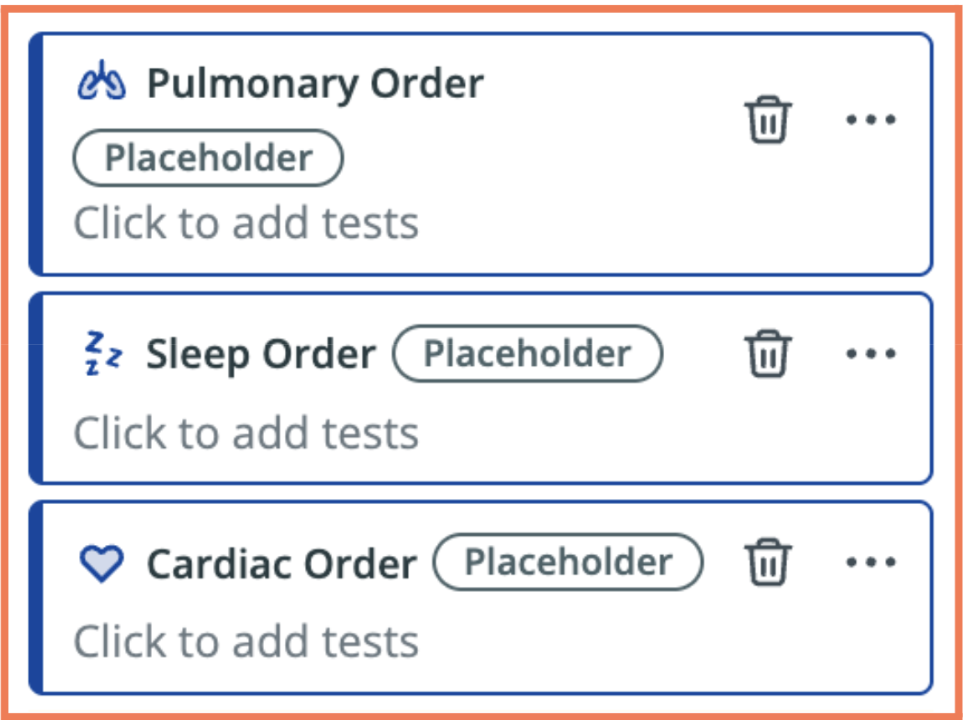
Elevate your medication workflows
Elation’s updated Med Reconciliation experience brings clarity and control to your medication workflows by unifying documentation, prescribing, and AI-guided decision support—all in one streamlined view. Check out our Help Center Article for more information.Redesigned med reconciliation in Elation Note
Clearly distinguishes a patient’s full Reconciled Medications history from current Rx Orders, helping you document confidently and keep both records aligned. (Full guidance available in the Help Center.)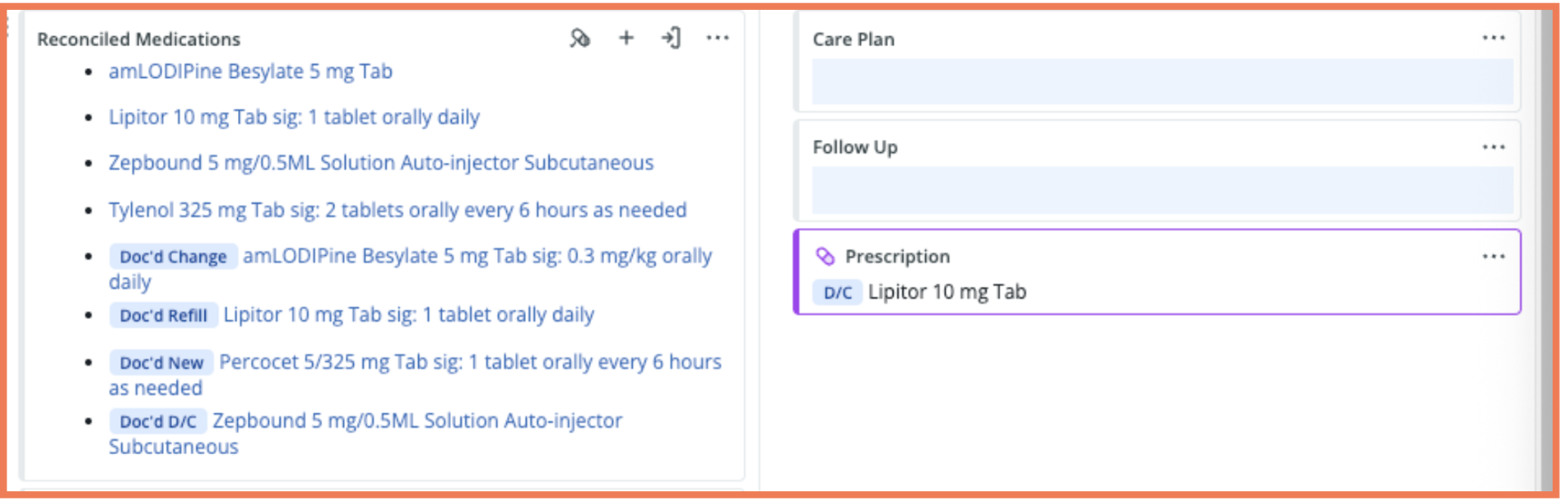
In-workflow med reconciliation feedback
Lets you quickly rate and respond to the AI’s “Likely Not Taking” suggestions, giving us real-world insight that continuously sharpens accuracy and improves the reconciliation experience for every practice. (Learn more in the Help Center.)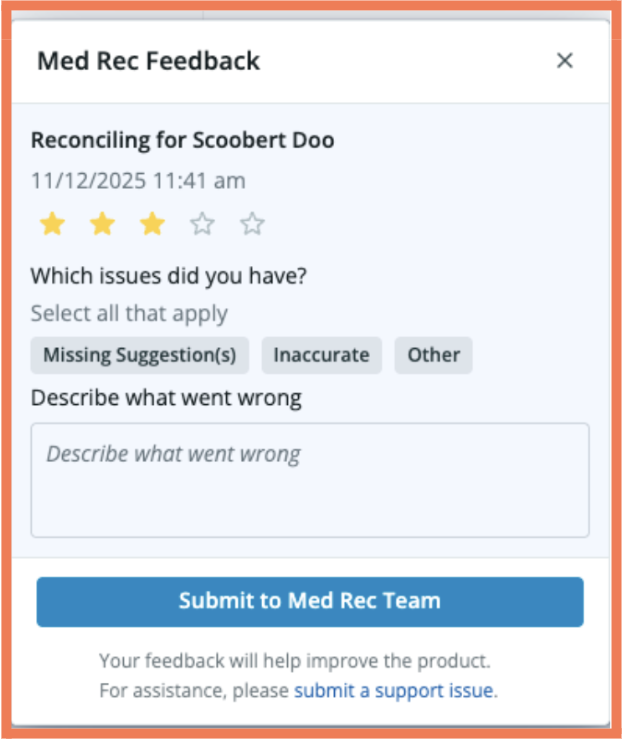
Draft replies faster with Wordsmith
Wordsmith now supports drafting replies to patient and provider letters directly from Practice Home and the Patient Chart. Previously used for outbound letters, this expanded capability brings AI-powered assistance into your most common communication workflows—helping you move through correspondence faster while staying fully in control. Check out the Letters and Referral Guide for more information.Note Assist updates
A smarter, more concise Note Assist is here
A new improved Note Assist documentation experience is now available! Instead of updating notes incrementally during the encounter, Note Assist now creates your entire note in a single, streamlined pass at the end of the visit. Built directly from customer feedback, the enhanced note generation is faster and delivers better organized, more concise visit notes with significantly less duplication. The new experience is automatically on for all Note Assist users. For setup tips and details, see our Note Assist Guide. What customers are saying about Note Assist’s upgrade:- You just made my day! Note Assist filtered out the non- relevant chit chat, captured all of the salient issues, and saved me 20+ minutes.
- SOOOO much better! I actually did a head-to-head, had two scribes going and I didn’t even look at the Heidi one. Elation had everything I needed. It was so good.
Elation Billing updates
Elation Billing now supports multi-TIN practices!
Elation Billing now fully supports multi-TIN workflows, allowing you to manage distinct TIN/NPI/Taxonomy combinations and complete EDI enrollments for each entity directly in the platform. Once entities are set up and linked to service locations or providers, claims are automatically generated with the correct details—streamlining workflows, reducing denials, and making it easier to scale across service lines, locations, or states. Learn more with this Help Center Article.Developer Platform updates
Sparklines bring your patient data to life
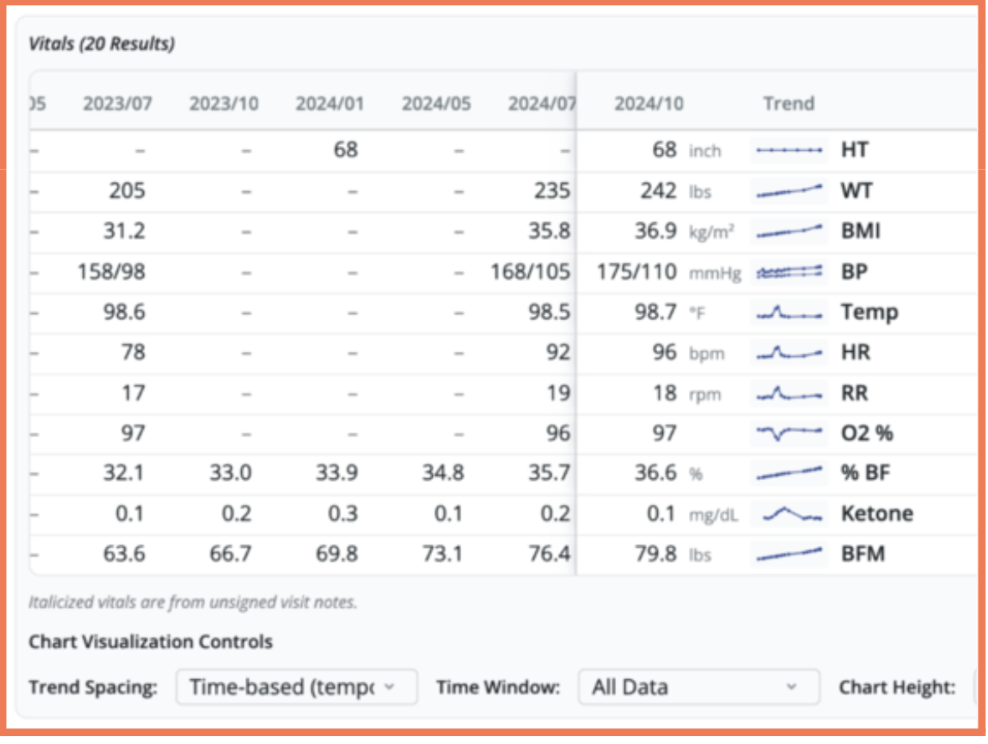
The Magic Table now includes inline, row-level visualizations, or sparklines, for your patient’s trended vitals and labs, making it easier to spot changes at a glance. This enhancement builds on the recent redesign that improved readability by aligning the chronology with how you naturally think: newest values to the right. By visually highlighting trends directly in the patient chart, you can reduce cognitive load and identify patterns faster during chart review and at the point of care.