What’s New?
Elation Health is excited to announce our latest updates designed to enhance your experience with our EHR, Billing, Note Assist, and Developer Platform services. All of our releases focus on reducing documentation burden, streamlining workflows, and improving efficiency. Here’s what’s new:Elation EHR
Choose Which In-App Messages You Receive
Practices can now opt out of non-urgent promotional messages while continuing to receive important system alerts. This gives your team more control over your workspace and helps clinicians stay focused on patient care. To update your preferences, click I need help -> Contact Elation Support.Sign Reports Directly from the Home Screen
Clinicians can now review and sign reports directly from Practice Home without opening each patient chart. This streamlined workflow reduces clicks and helps you clear their inbox faster. Please visit our Requiring Action Guide for more information on using the enhanced report inbox.Fewer Electronic Prior Authorization Delays
Patient demographics will now automatically align with prescription eligibility records before submitting electronic prior authorizations. This helps prevent matching errors—especially for patients with hyphenated or multiple last names—so medications are approved with fewer delays. Please visit our Prescriptions Guide for more information on our prescribing workflows.Customize Membership Payment Labels
Practices can now replace the default “payment reason” text for Membership Plans with their own custom wording. This helps ensure receipts and payment pages match your practice’s contracts, compliance requirements, and patient communication style. Please visit our Membership Management Guide for more information on updating your membership plan settings.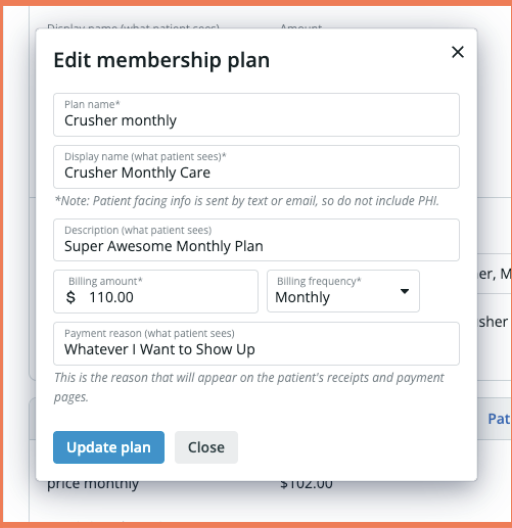
Store Multiple Patient Payment Methods
Practices can now save multiple payment methods per patient—including credit cards and ACH bank accounts—and set a default option. Staff can quickly switch to another saved method if a payment fails, helping prevent billing interruptions.disruptions from failed transactions by allowing staff to quickly select an alternative saved method. Please visit our Help Center for more information on managing patient demographics and payments.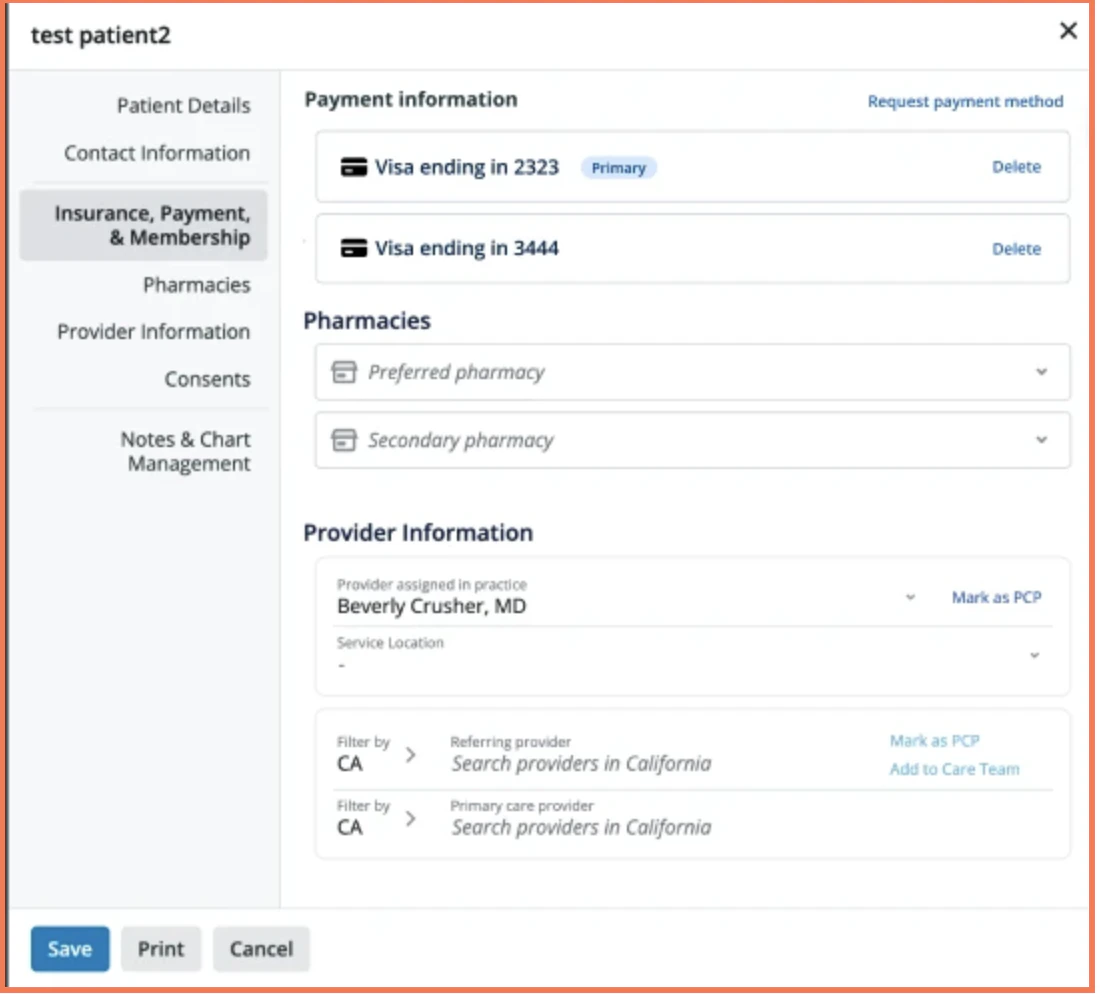
Split Membership Payments Across Multiple Cards
Patients can now automatically split recurring membership payments across multiple payment methods—such as an HSA/FSA card and a secondary credit card. This eliminates the need for staff to process separate charges and helps patients make full use of their health savings benefits while keeping membership billing automatic and reliable. See this Membership Management Guide for more information.Note Assist
Customize AI-Generated Notes to Fit Your Style
Clinicians can now set custom instructions for Note Assist to control how AI-generated notes are structured and written. Tailor sections like HPI and A&P to match your documentation style, reducing editing time and helping you finish charts faster. This feature is available to all Note Assist customers, including both paid and freemium plans. Please visit our Note Assist Guide for more information on configuring custom instructions in Note Assist.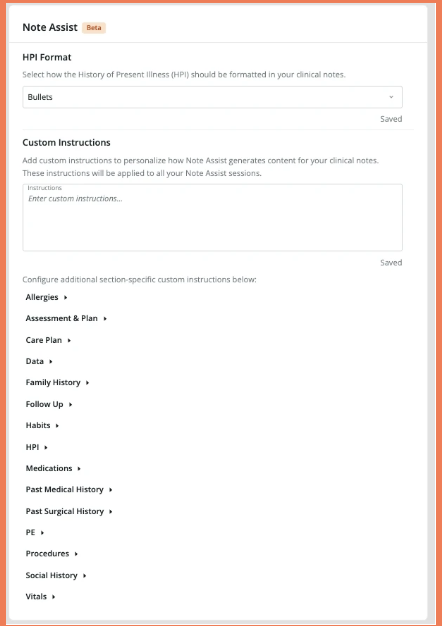
Elation Billing
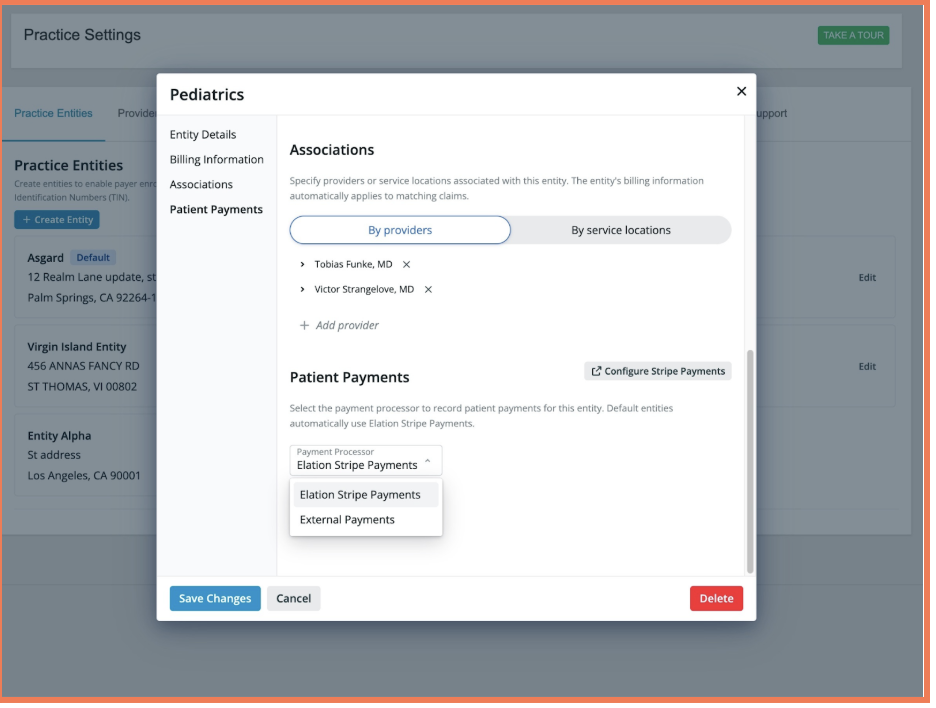
Route Payments to the Correct Practice Entity
Administrators can now link patient payments to specific legal entities, ensuring funds are only applied to claims with the matching tax ID. This provides greater accuracy and control for practices managing multiple entities. Read through this Help Center article for more information on managing multi-entity billing structures.