Overview
What are Structured Questionnaires in Elation?
Structured Questionnaires are used throughout the medical community as instruments for screening, diagnosing, monitoring and measuring various diagnoses related to a patient’s history. These are used for common screenings in health areas like social experiences, psychological state, habits, and exercise.What are the benefits of Structured Questionnaires?
These questionnaires provide a standard measuring system for medical professionals to reference and assess the scores across a standard baseline/scale. Having standardized scores provides medical professionals with a way to concisely analyze the symptoms that help guide treatment and future assessment. These scores are documented in Elation as structured data, which provides expanded opportunities for utilization within the platform such as easy updating and seamless exporting to visit notes.Workflow Instructions
Using Structured Questionnaires in Elation
There are two ways to record Structured Questionnaires in Elation, depending on the amount of required information for the specific questionnaire. In the Clinical Profile, click add special to access the questionnaire options for each section.| 1 | Go to the section of the Clinical Profile you want to utilize a questionnaire -> click add special -> select the questionnaire. If there is only one question to the questionnaire, you can select the response from the dropdown in the Clinical Profile. 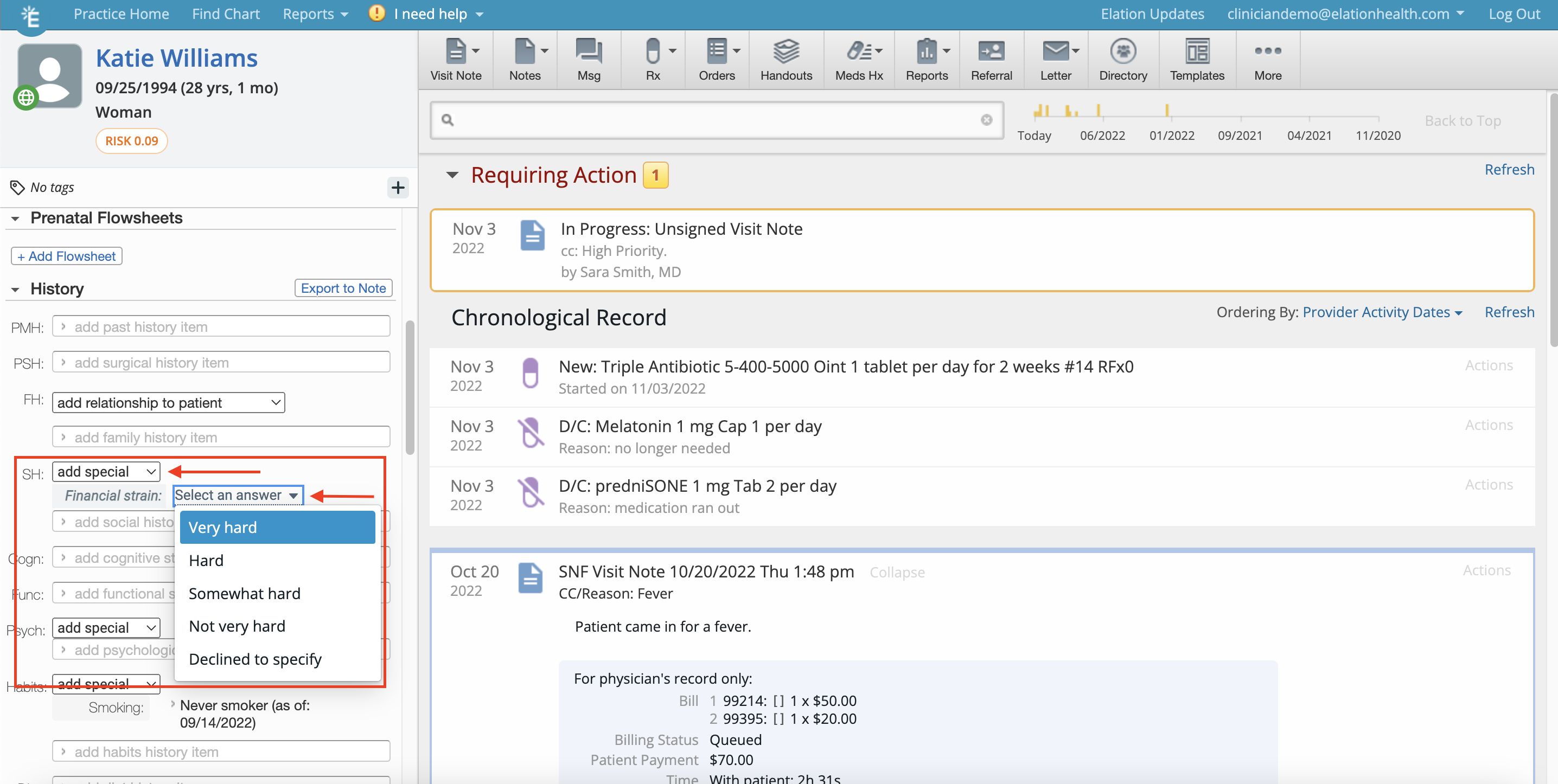 |
|---|---|
| 2 | If there are multiple questions, click Fill out form to open the questionnaire form. 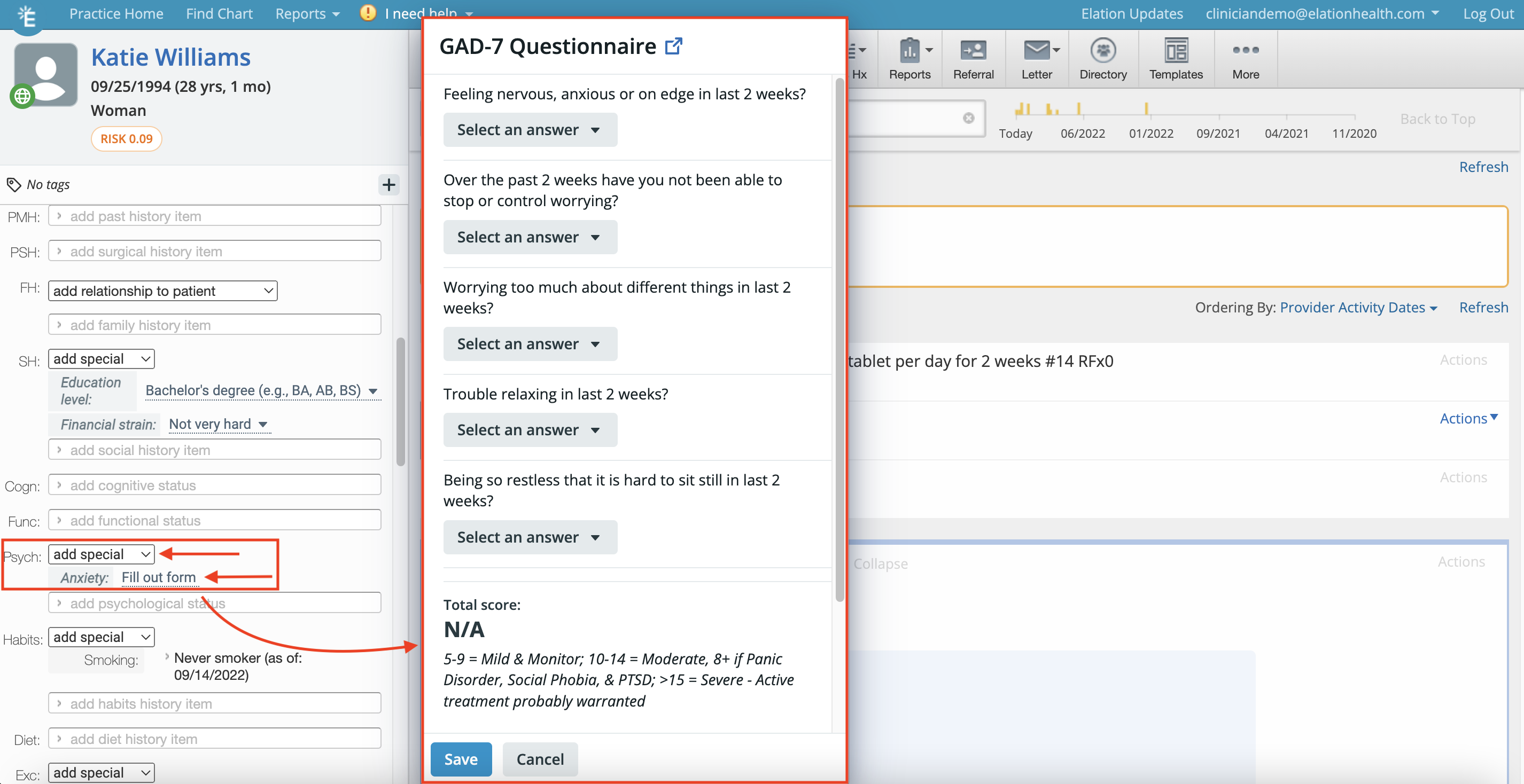 |
| 3 | Click Save to save the patient’s responses. |
The Structured Questionnaire answers/scores will appear in the Clinical Profile under each section in the order they have been selected.
Exporting questionnaire results to a visit note
To export questionnaire results, click Actions -> Export to Note.- If there’s an existing visit note draft, the results will be exported to the existing draft.
- If there’s no existing visit note draft, a new visit note draft will be opened and the results will be exported to the new draft.
Glossary of Questionnaires
Social History (SH)
The questionnaires under the Social History (SH) section capture the standardized scores for assessments related to a patient’s social history in the areas listed below. Please reference the topics below for more detail on each questionnaire.- Education level
- What is the highest grade or level of school you have completed or the highest degree you have received?
- Financial strain
- How hard is it for you to pay for the very basics like food, housing, medical care, and heating?
- Exposure to violence (Humiliation, Afraid, Rape, Kick - HARK)
- The Accountable Health Communities Health-Related Social Needs Screening Tool (AHC-HRSN)
- This screening tool can help detect patients’ needs in these 5 core domains that community services can help with:
- Housing instability
- Food insecurity
- Transportation problems
- Utility help needs
- Interpersonal safety
- This screening tool can help detect patients’ needs in these 5 core domains that community services can help with:
- Social connection (National Health & Nutrition Examination Survey - NHANES)
Cognitive (Cogn)
The new questionnaires under the Cognitive (Cogn) section capture the standardized scores for assessments related to a patient’s cognitive state.- M-CHAT-R
- This screening tool can help diagnose autism.
- Mini-Cog Quick Screening for Early Dementia Detection (Mini-Cog)
- This screening tool can help detect dementia in its early stages.
- Mini Mental State Examination (MMSE)
- This screening tool can help detect cognitive impairment with older, community dwelling, hospitalized and institutionalized adults.
- Montreal Cognitive Assessment (MOCA)
- This screening tool can help detect mild cognitive dysfunction.
- Vanderbilt - PARENT (NICHQ Vanderbilt - PARENT Informant)
- This screening tool can help diagnose and monitor symptoms of Attention-Deficit/Hyperactivity Disorder (ADHD) and related conditions in children.
- Vanderbilt Follow-up - PARENT (NICHQ Vanderbilt Follow-up - PARENT Informant)
- This screening tool can help monitor treatment effectiveness for children with Attention-Deficit/Hyperactivity Disorder (ADHD).
- Vanderbilt - PARENT (NICHQ Vanderbilt - TEACHER Informant)
- This screening tool can help diagnose and monitor symptoms of Attention-Deficit/Hyperactivity Disorder (ADHD) and related conditions in children.
- Vanderbilt Follow-up - PARENT (NICHQ Vanderbilt Follow-up - TEACHER Informant)
- This screening tool can help monitor treatment effectiveness for children with Attention-Deficit/Hyperactivity Disorder (ADHD).
Functional (Func)
The new questionnaires under the Functional (Func) section capture the standardized scores for assessments related to a patient’s functional state.- Activities of Daily Living (KATZ-ADL) Index
- This screening tool can help assess basic activities of daily living.
- SWYC (Survey of Well-being of Young Children)
- These screenings, from 2 months to 5 years old, access childhood milestones.
- World Health Organization Disability Assessment Schedule 2.0 (WHODAS 2.0)
- This screening tool can help measure health and disability across cultures.
Psychological (Psych)
The questionnaires under the Psychology (Psych) section capture the standardized scores for assessments related to a patient’s psychological history in the areas listed below. Please reference the topics below for more detail on each questionnaire.- AMA Caregiver Self-Assessment
- This screening tool can detect the well-being of caregivers
- Anxiety (GAD-7 Questionnaire)
- Positive and Negative Symptoms of Schizophrenia Scale (PANNS-6)
- This screening tool can help assess the severity of core symptoms of schizophrenia.
- PTSD Checklist for DSM-5 (PCL-5)
- This screening tool can help assess the presence and severity of Post Traumatic Stress Disorder (PTSD) symptoms.
- Depression (PHQ-2 Questionnaire)
- Depression (PHQ-4 Questionnaire)
- Depression (PHQ-9 Questionnaire)
- Patient Mania Questionnaire (PMQ-9)
- This screening tool can help assess and monitor manic symptoms.
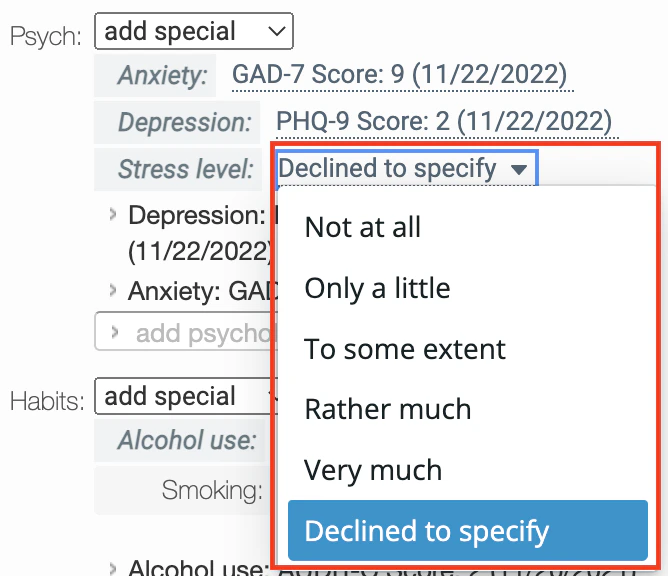
- Stress Level
- Do you feel stress - tense, restless, nervous, or anxious, or unable to sleep at night because your mind is troubled all the time - these days?
- Yale-Brown Obsessive Compulsive Scale (Y-BOCS)
- This Obsessive Compulsive Disorder (OCD) screening tool can help determine the severity of OCD symptoms.
Habits
The questionnaires under the patient’s substance use habits (Habits) section capture the standardized scores for assessments related to a patient’s substance use history in the areas listed below. Please reference the topics below for more detail on each questionnaire.- Alcohol Use (AUDIT-C Questionnaire)
- NIDA Quick Screen 1.0 (NIDA)
- Smoking Status
- You must click + Add Smoking Statu s** to record information regarding a patient’s smoking status. To update a status, click into the text of the previous score/status.

Exercise
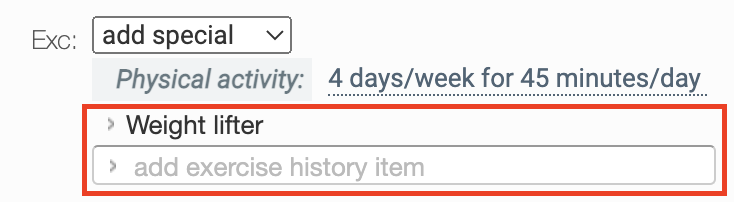
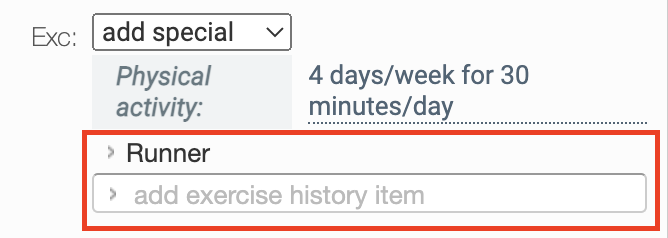
The questionnaires under the patient’s Exercise section capture the standardized scores for assessments related to a patient’s physical activity history in the areas listed below. Please reference the topic below for more detail on the questionnaire in this section.- Physical Activity
- How many days/week and minutes per/day do you exercise?
Frequently Asked Questions
How do I add a new Structured Questionnaire entry if there is already an existing entry?
You can add a new Structured Questionnaire entry to the patient’s chart by clicking into the text of the previous answer in the Clinical Profile (left column of the chart). This allows you to update the information for the patient.- If you are looking to keep past answers and scores from previously answered questionnaires for Stress level, Smoking status, and Exercise, you will need to document the answers and scores as free text line items by following the steps below before updating the answer/score
- Highlight a past answer/score with your mouse cursor
- Right click on the highlighted answer/score
- Select Copy to copy the past answer/score
- Click into the text box below where “add [habits] history item” is displayed
- Right click in the empty field and select Paste to paste the previous answer/score.
- The GAD-7, PHQs, and Alcohol use questionnaires will automatically save the past answers.
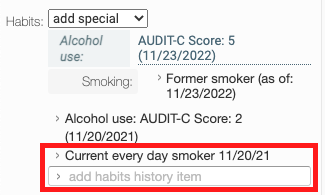
Can I create my own Structured Questionnaire?
No, currently the only available Structured Questionnaires are the ones that have been created by Elation. However, you can free text information into the text fields under each section if you need more flexibility with recording this information.