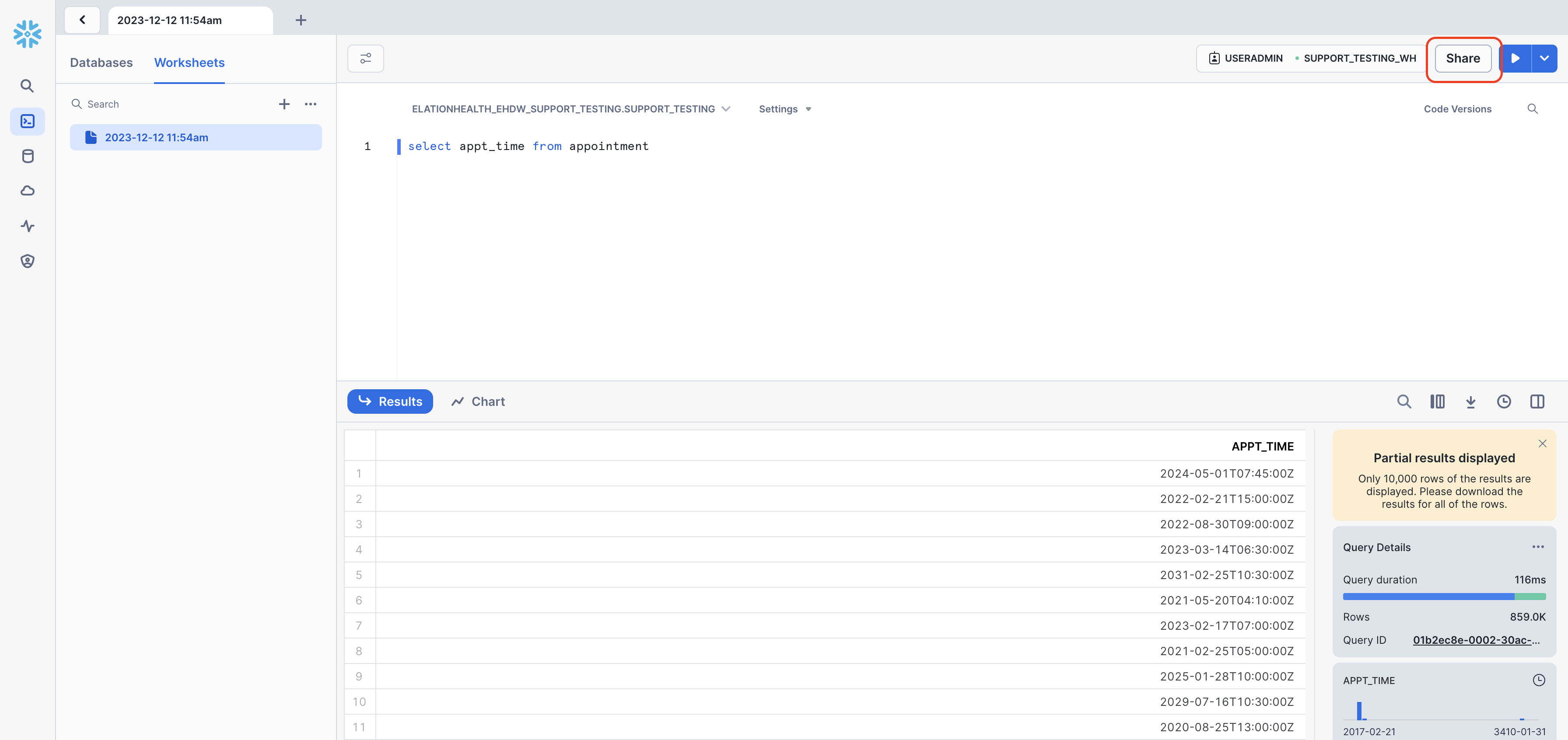
You can share worksheets with multiple users on your Snowflake account.Step 1: Access worksheets and write you query
Once you have your report ready to share click on the “Share” located on the right hand side of your screen
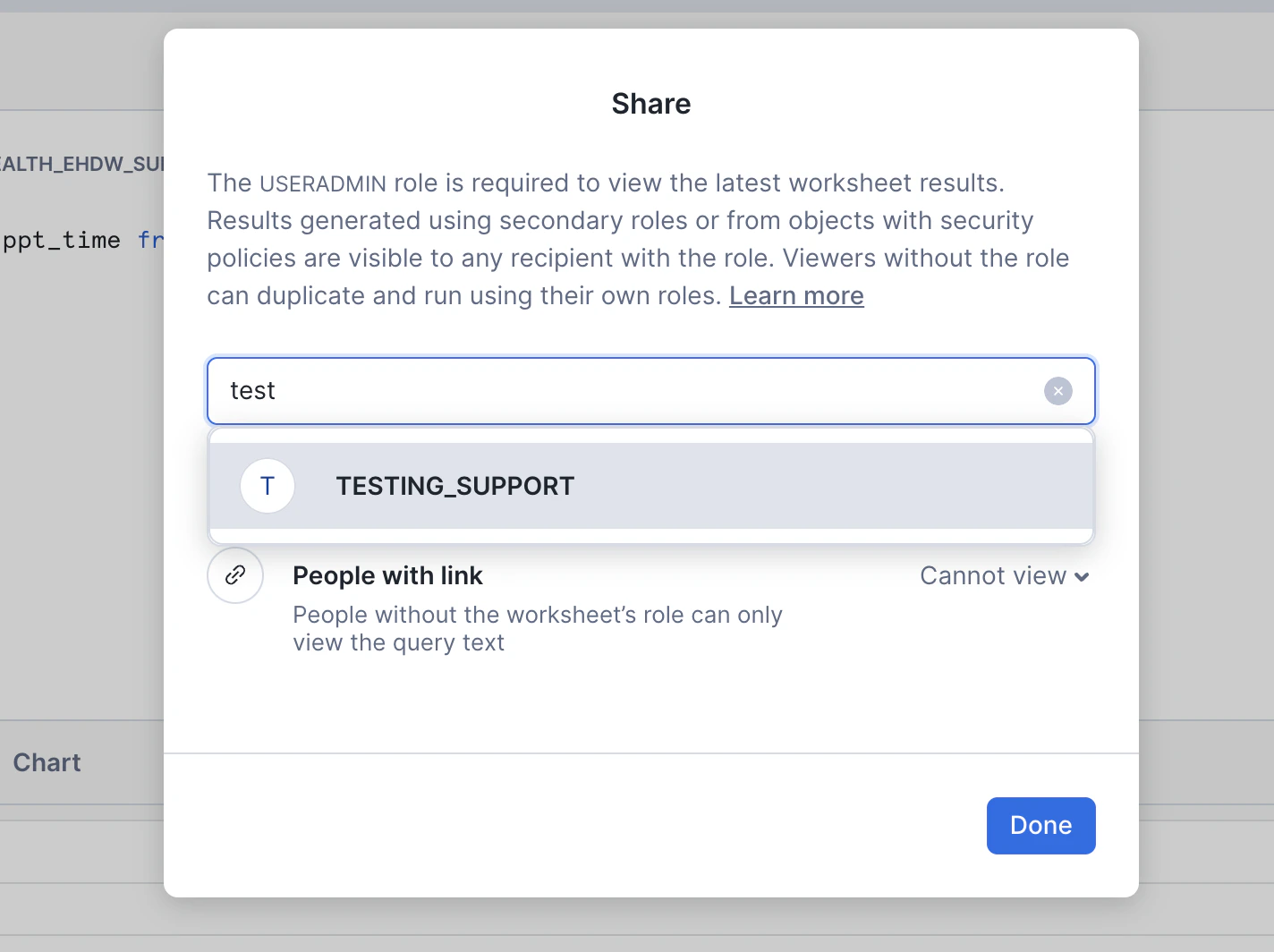
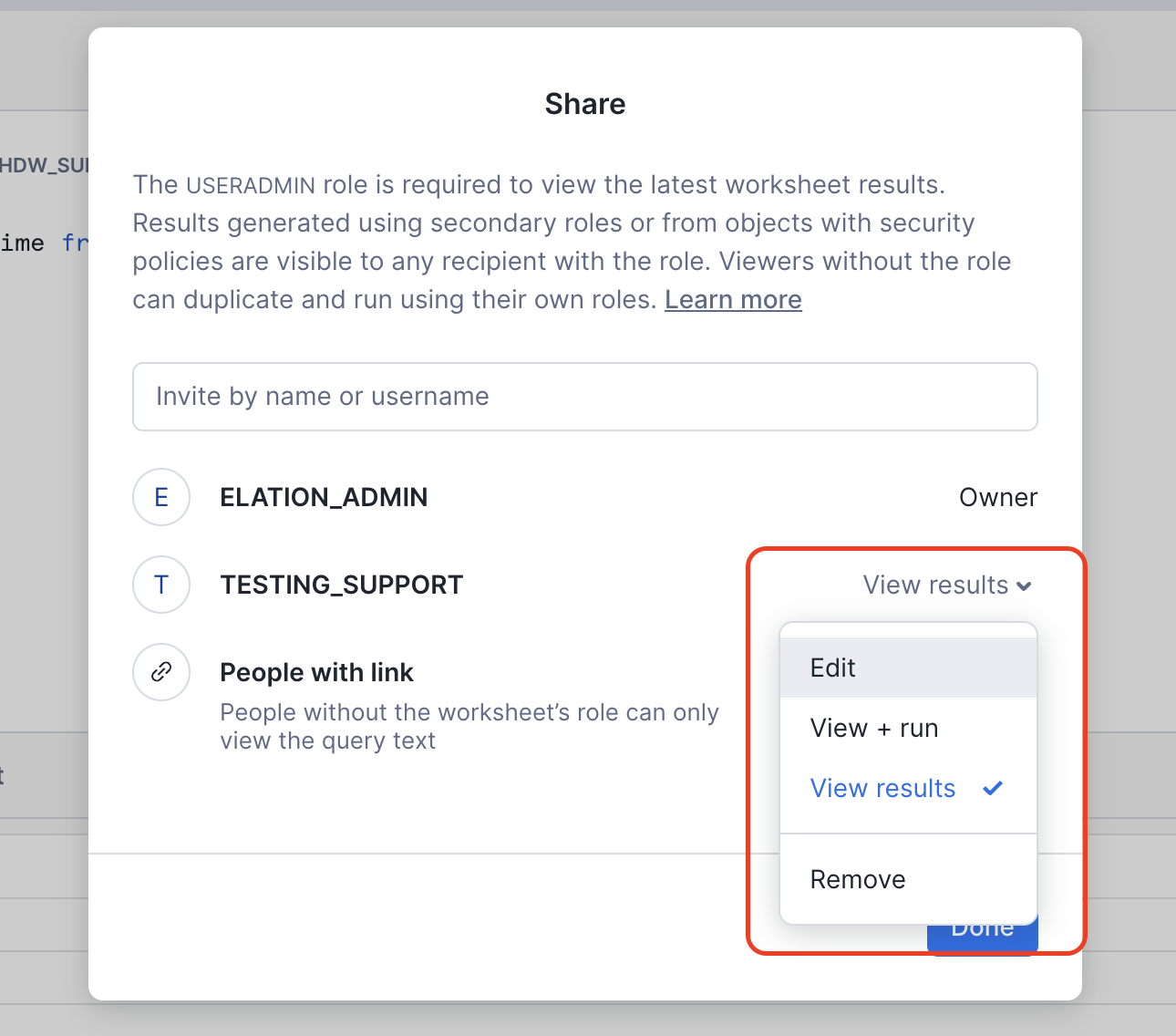
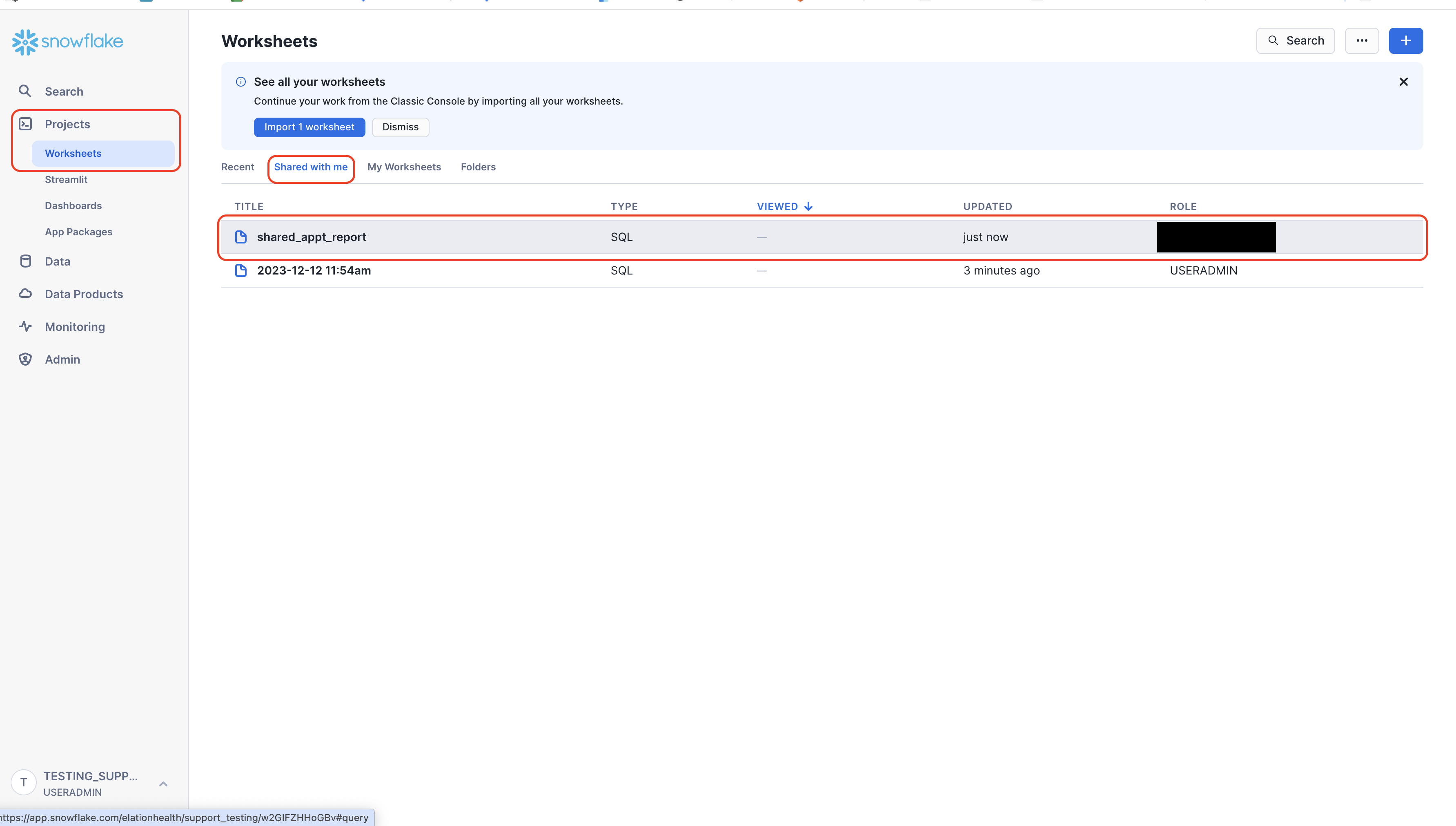
Step 2: Enter the name of the person(s) you are attempting to share the worksheet withStep 3: Choose the type of access to the report you want to give the userI am granting this user only View results meaning they can only see the current results and cannot Edit the query or do additional runs.Your Worksheet has now been shared!Step 4: How the recipient can view the shared reportNext time the user you shared the worksheet with logs in they will be able to view your worksheet by going to Projects > Worksheets > Shared with meIf you have any questions please contact Elation Support Portal
Was this page helpful?
⌘I
Assistant
Responses are generated using AI and may contain mistakes.