
View last refresh date from the UI
Start by accessing your data by- Viewing left navigation bar
- Clicking on Data > Databases
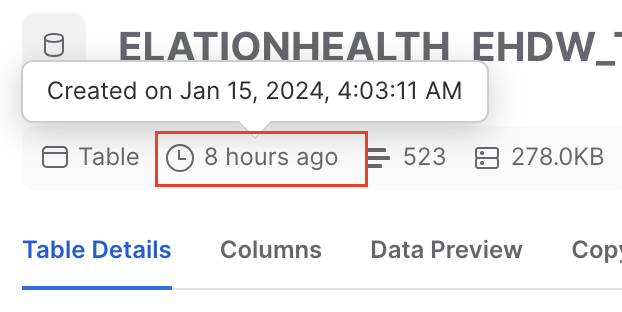
- Click on any table in the ELATIONHEALTHEHDW database
- Then hover over the clock icon located underneath the header.
View last refresh data via query
You can also run the below query to get insight into when your data was last refreshed. This method relies on thehdb_last_sync column, which is present on every table in your Hosted Database.
hdb_last_sync records when Elation’s internal data store last refreshed a row from the source application. It does not represent when your Hosted Database as a whole completed its most recent refresh, nor the exact moment an individual record became available in your account.This assumes your practice most often modifies appointments, visit note, or patient information and results the last time any of those tables were last_modified.
If you have any questions about this topic please reach out to Elation Support Portal with the subject line HDB - <your_question>