
Setup
- Order Test Management is available to all practices. Elation enables it by default.
- If the Admin only toggle at the top right of the page is on, only Admin Level Users can add, edit, or delete tests. Other users can view the list, but the add, edit, and delete buttons are unavailable.
Opening Order Test Management
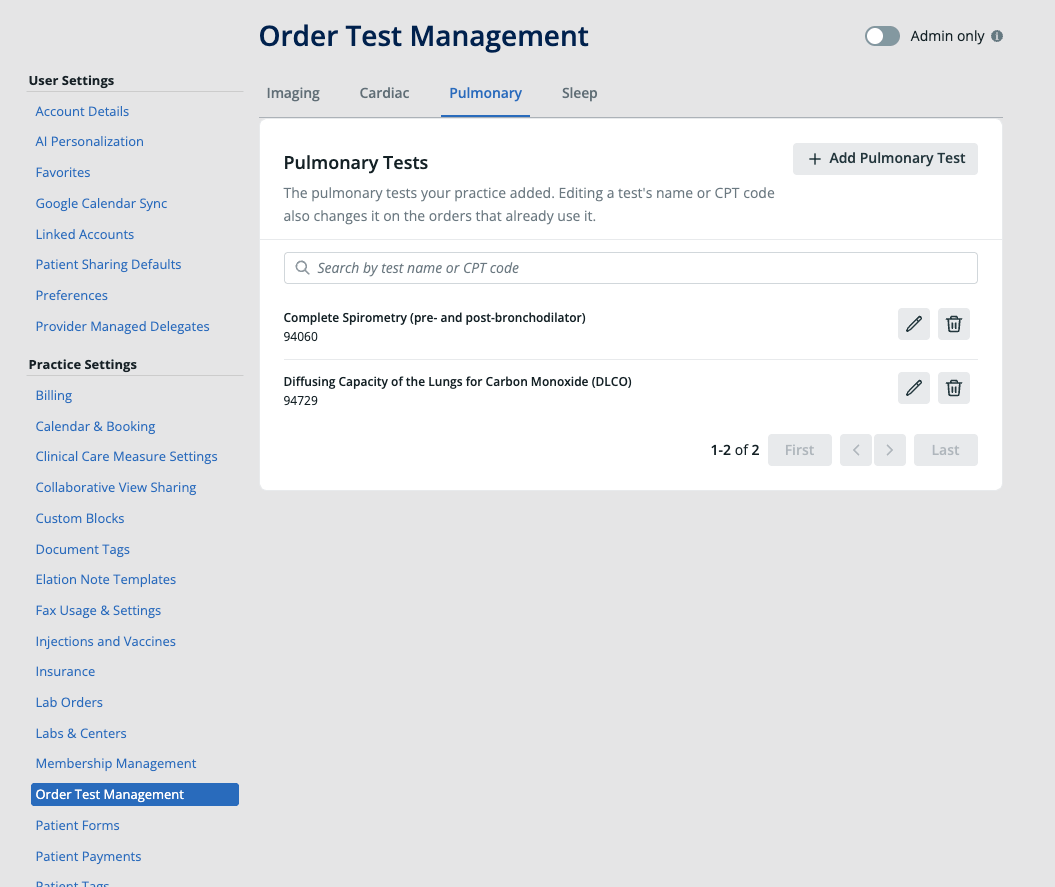
- Click Settings.
- Under Practice Settings, click Order Test Management.
- Click the tab for the order type you want to manage: Imaging, Cardiac, Pulmonary, or Sleep.
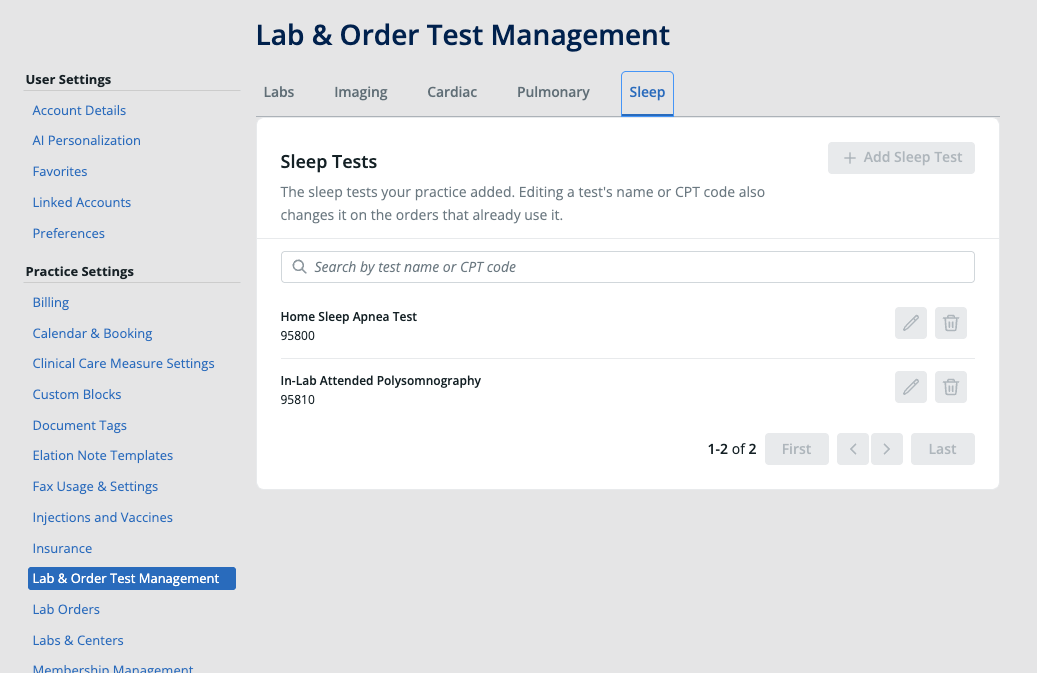
In some practices, this section is labeled Lab & Order Test Management and includes an additional Labs tab. The Imaging, Cardiac, Pulmonary, and Sleep tabs work the same way under either label.
Opening Order Test Management from an order form
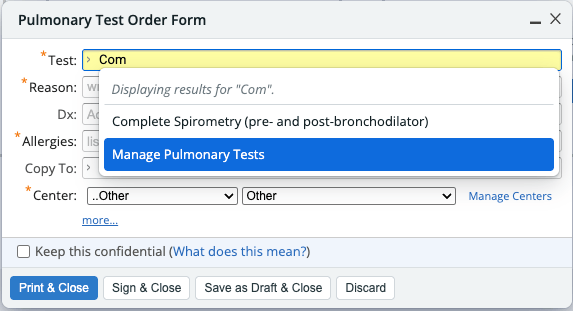
You can also go straight to the matching tab from an imaging, cardiac, pulmonary, or sleep order form:- In the order form, click the Test field (the Cons/Test field on the Sleep Order Form).
- In the dropdown, click Manage [Order type] Tests, such as Manage Pulmonary Tests.
Adding a test
- Open the tab for the order type.
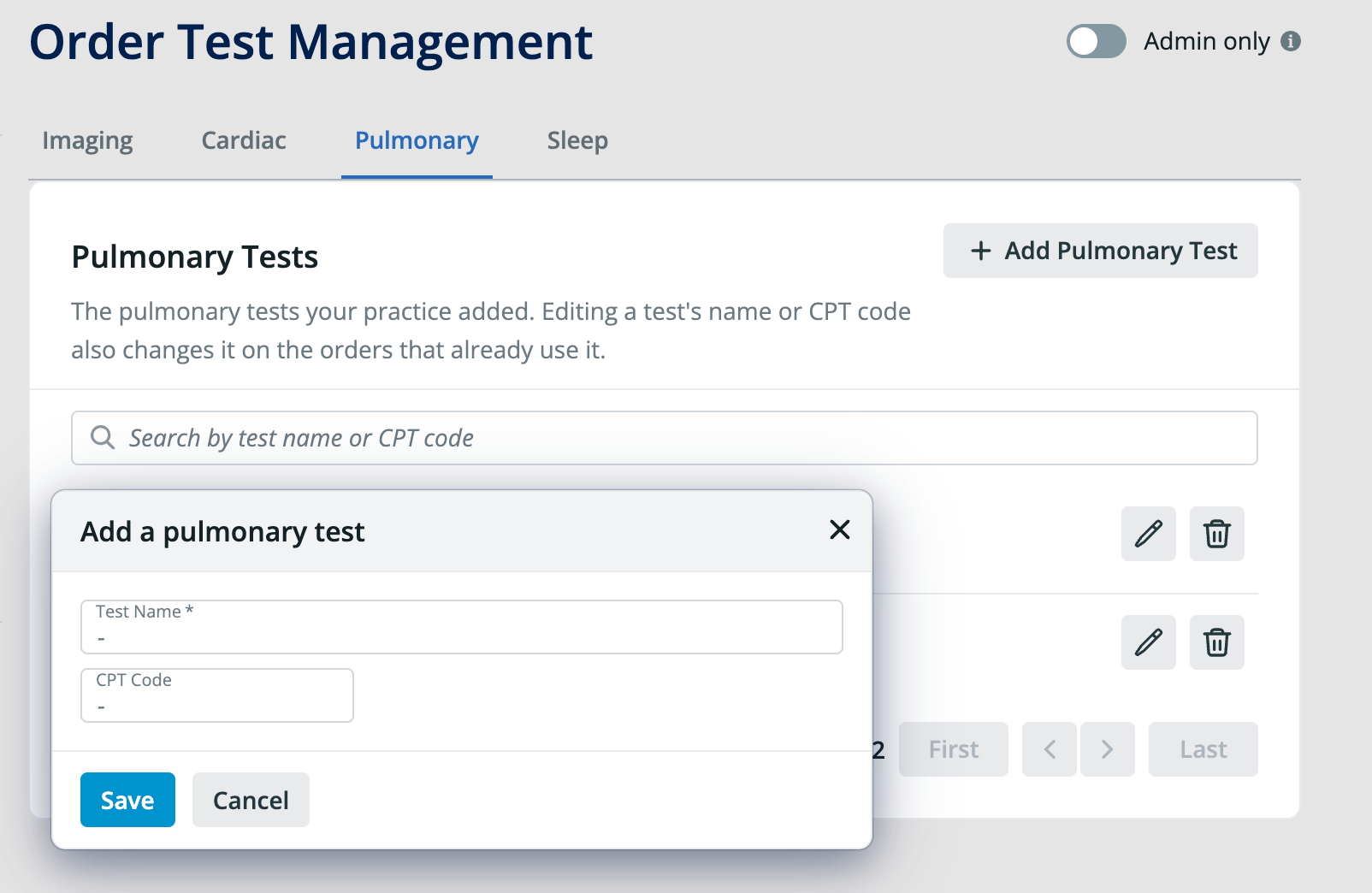
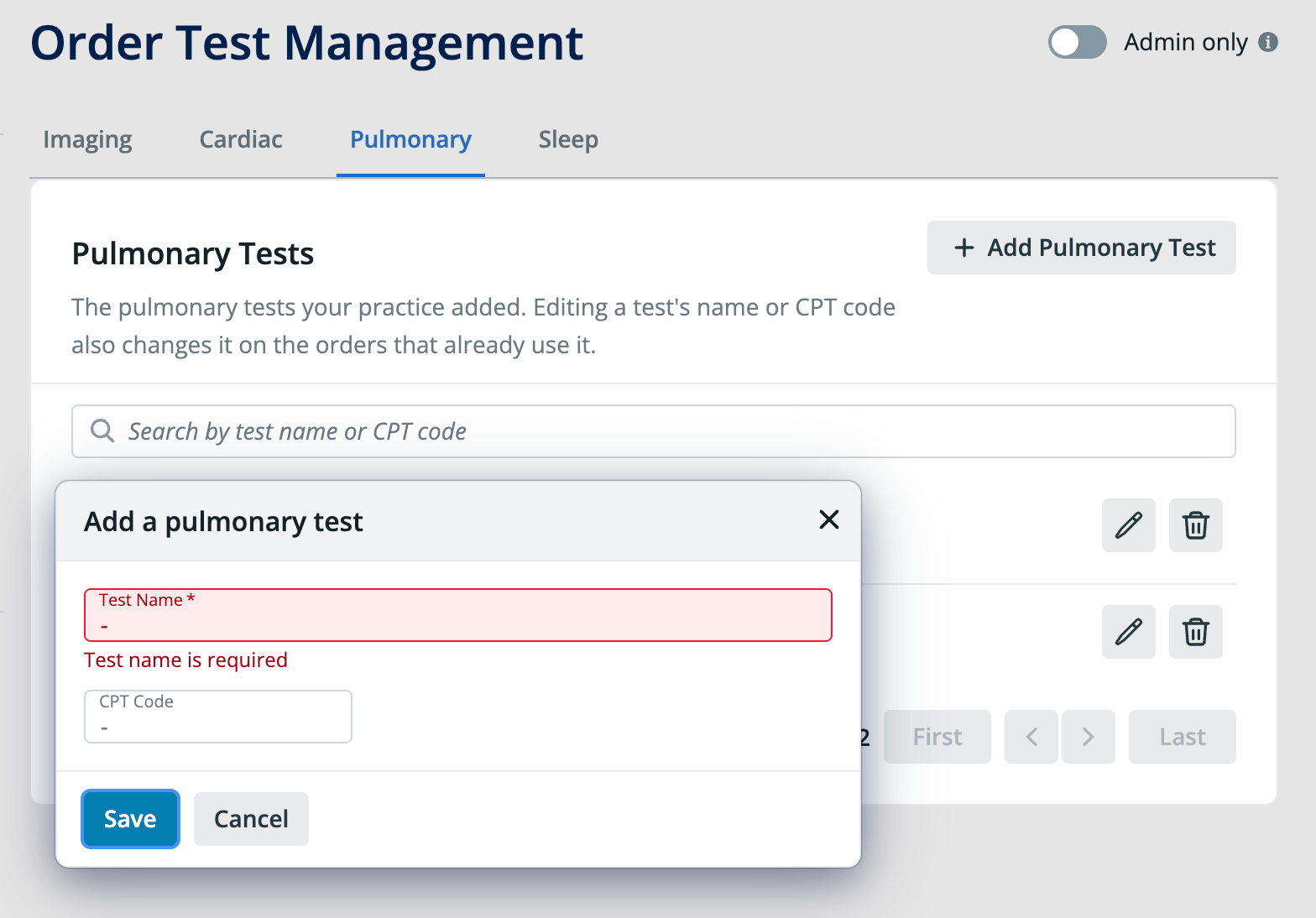
- Click Add [Order type] Test, such as Add Pulmonary Test.
- Enter the Test Name. This field is required.
- Optional: Enter the CPT Code for the test.
- Click Save.
Editing a test name or CPT code
- Open the tab for the order type.
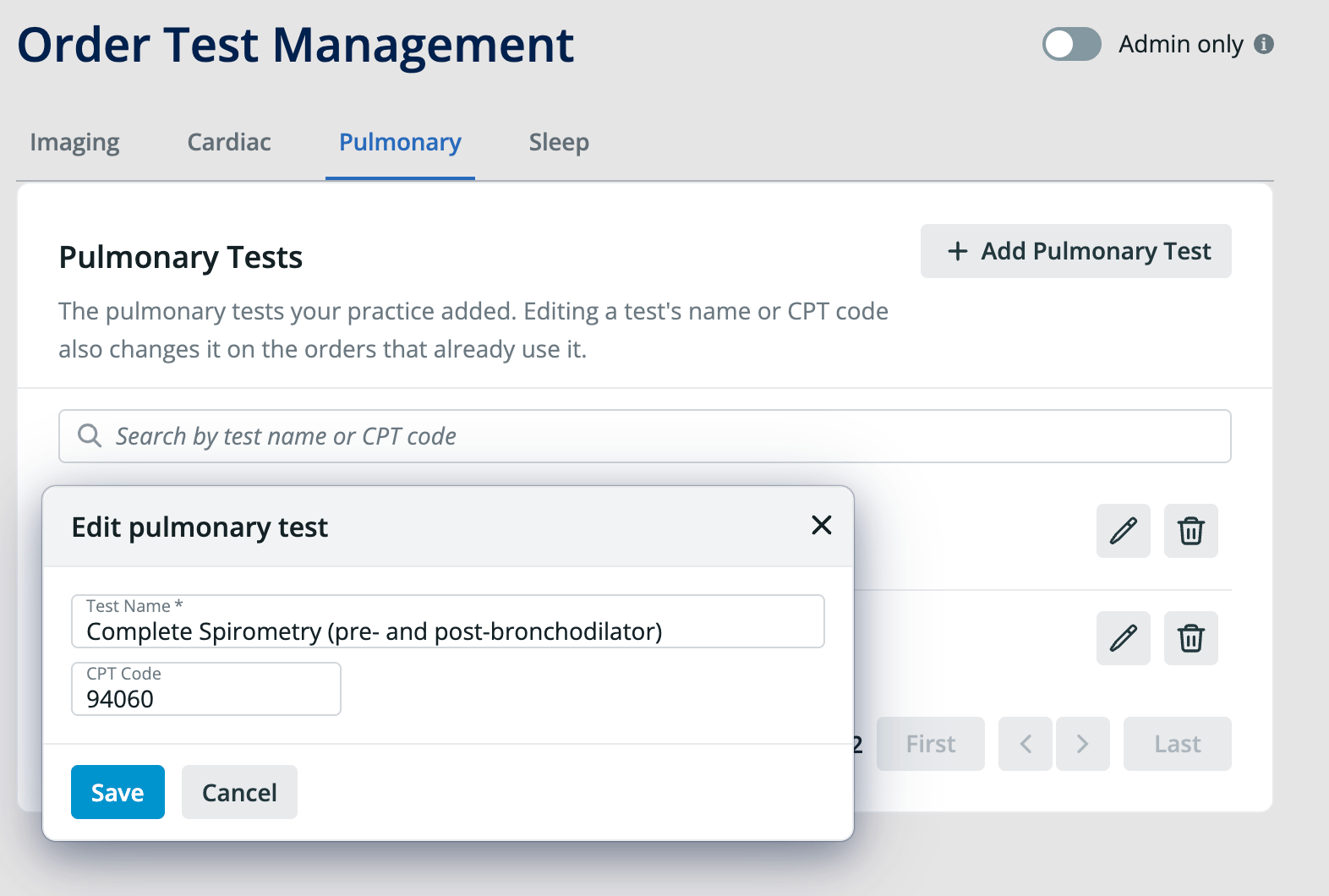
- Find the test and click the edit (pencil) icon next to it.
- Update the Test Name, the CPT Code, or both.
- Click Save.
Deleting a test
- Open the tab for the order type.
- Find the test and click the delete (trash can) icon next to it.
Frequently Asked Questions
Why can’t I add, edit, or delete tests?
The Admin only toggle is likely on for the Order Test Management page. When it is on, only Admin Level Users can make changes. Ask an Admin Level User in your practice to make the change or to turn off the toggle. Learn more in User Accounts Guide — Administrative privileges.I misspelled a test. Can I fix it?
Yes. Click the edit (pencil) icon next to the test, correct the name, and click Save. The corrected name also appears on orders that already use the test.Do I have to add a CPT code?
No. Test Name is the only required field. Adding a CPT code keeps the correct code attached to the test each time someone orders it.Can I manage lab tests here?
This guide covers imaging, cardiac, pulmonary, and sleep tests. To create lab tests, see Orders Guide — Creating tests for Order Forms.Related Articles
- Orders Guide — Creating tests for Order Forms
- Order Forms Introduction — Ordering medical tests for your patients
- Order Forms Guide — Ordering imaging (radiology) tests with the Imaging Order Form
- Order Forms Guide — Ordering cardiology tests using the Cardiac Order Form
- Order Forms Guide — Ordering pulmonary tests using the Pulmonary Order Form
- Order Forms Guide — Ordering sleep tests using the Sleep Order Form