What is durable medical equipment?
Durable medical equipment (DME) is equipment and supplies that are ordered by a healthcare provider for a patient for everyday or extended use. Types of DME may include oxygen equipment, wheelchairs, crutches, orthotics (such as braces and splints), or blood testing strips for diabetics. Orthotics are ordered through the same workflows described below.Why is it useful to order durable medical equipment through Elation
It is useful to order durable medical equipment through Elation because you can send the order electronically in Elation to a pharmacy or DME provider. When the DME order is sent as a letter, referral or prescription, the sent order will be documented in the Chronological Record for future reference.How to order durable medical equipment through Elation
Durable medical equipment can be electronically ordered by the prescription form sent to a pharmacy, or by an eFax through either a Provider Letter or Referral, which can be printed and given directly to the patient. You can order the DME through pharmacies or DME providers.Ordering from a pharmacy
You can order DME through a pharmacy with the same workflow you would use to send a prescription. Please follow the instructions detailed in the Prescription Form Guide- ePrescribing & Ordering Medications for how to order DME from a pharmacy.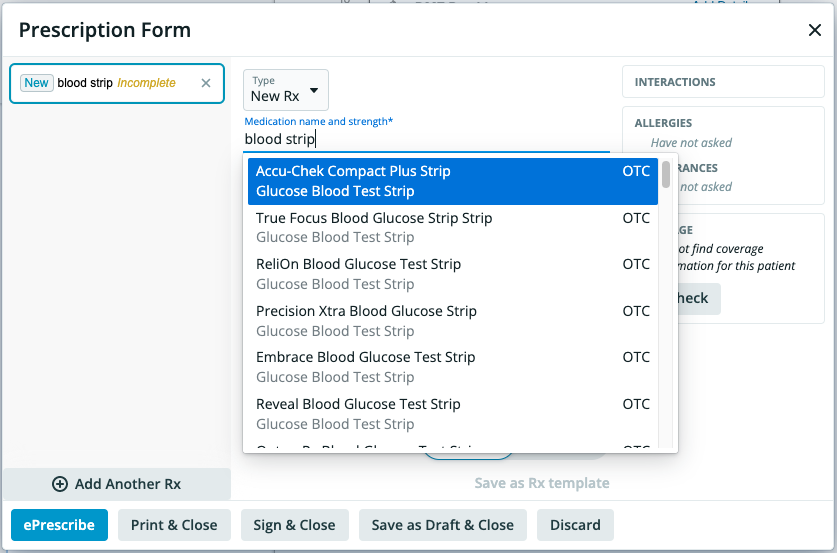
Ordering from other DME providers
You can order DME through a Provider Letter or Referral. Please follow the instructions below for how you can order DME through either of these options.- In a patient’s chart, click Referral or Letter >> to Provider
- Enter the fax number or email address that you would like to send the order to into the To field of the letter
- Fill out the appropriate information into the body of the letter
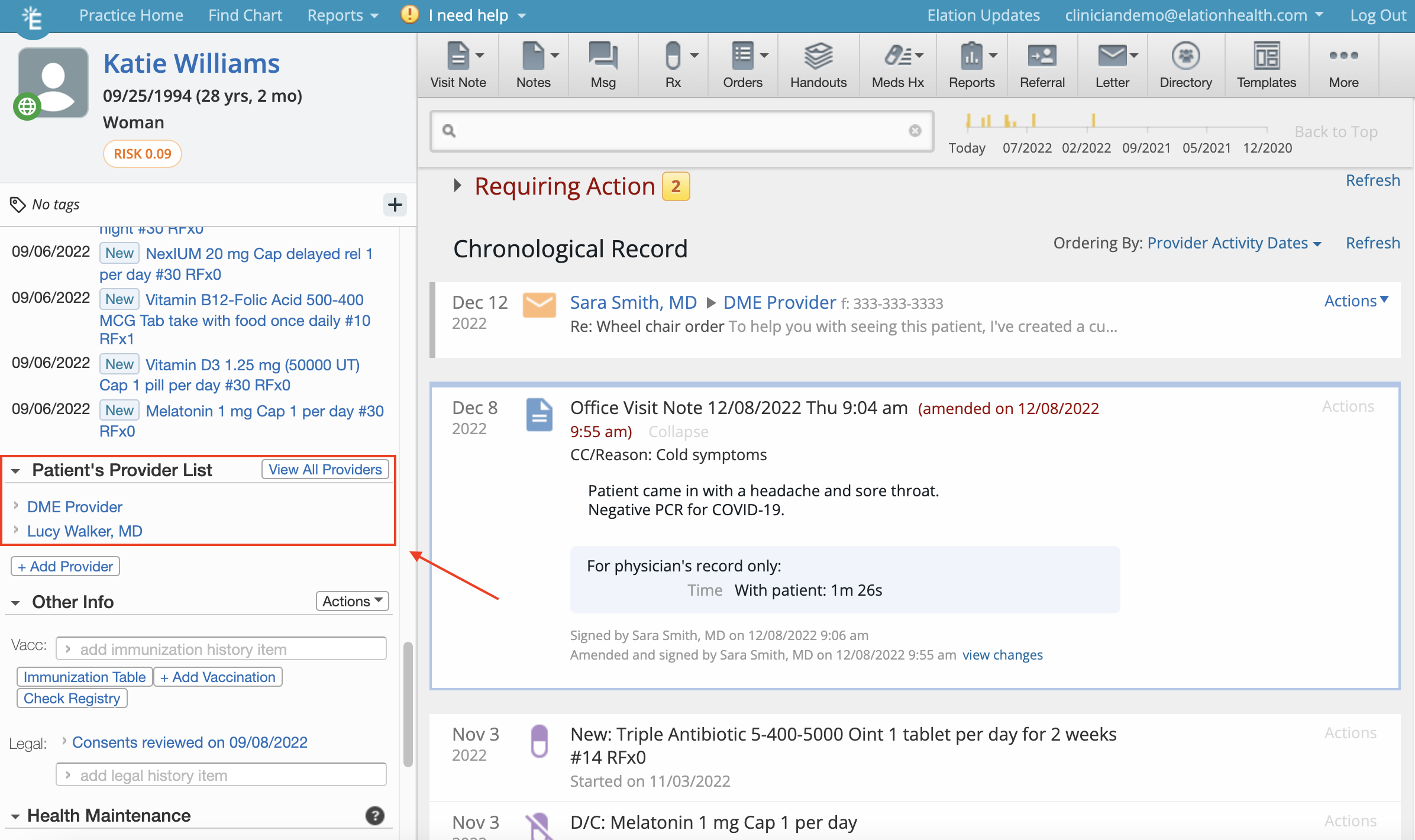
- Click Sign & Send to send this electronically, or you can click Sign & More to choose a printed option if you wish to give the order to your patient directly as a paper copy. The order will be saved to the patient’s Chronological Record as a letter for future reference.
Frequently Asked Questions
How can the DME provider contact my practice if they have questions about the order I sent?
We recommend using a Print Header that includes your practice’s phone number so that the recipient has easily available contact information for your practice directly on the order.How can I save a DME provider as a contact in Elation?
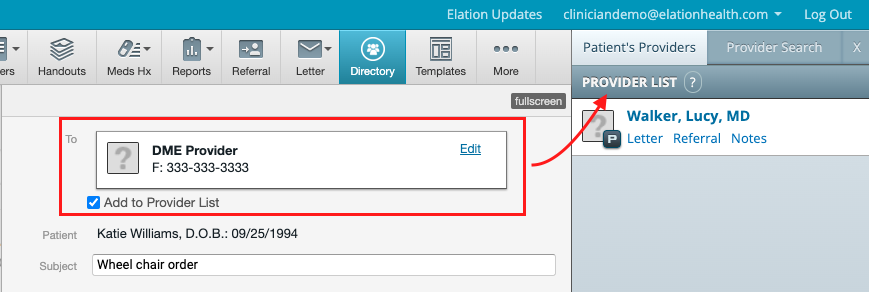
You have the option to save the contact information as a contact in the patient’s chart the first time you send a letter or referral to a DME provider in Elation. Selecting the checkbox next to “Add to Provider List” on the letter or referral will save this contact to the patient’s Directory and Provider List/Care Team. Once added, the DME provider will also appear in the Clinical Profile (left hand column of the chart) under Patient’s Provider List . Directory: