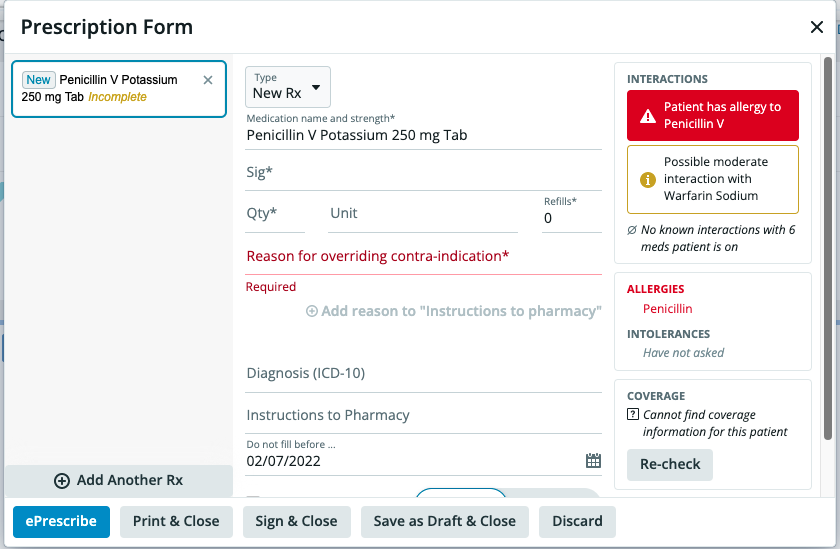
What is Drug Decision Support?
Elation’s Drug Decision Support feature displays drug to drug interactions or drug to allergy interactions directly in the prescription form when a provider is prescribing a medication. The drug interactions definitions are risk-rated from Mild > Moderate > Major. The definitions for these ratings are based on Medispan data provided by Wolters Kluwer.Why is Drug Decision Support valuable?
The Drug Decision Support feature allows providers to make informed decisions when writing prescriptions for their patients by using the allergy, drug intolerances and medications information already stored in the patient’s chart to inform providers when there is risk for drug or allergy interactions against the medication being prescribed. The alerts will also supply providers with the severity, onset and details of the interaction to allow providers to make the best choices when prescribing medications for their patients.How to turn on Drug Decision Support
To turn on the Drug Decision Support feature please follow the steps below:- Click on your email in the top right-hand corner and then click Settings
- Under User Settings, Click Preferences
- Scroll down the page until you see the section shown labelled Drug Decision Support
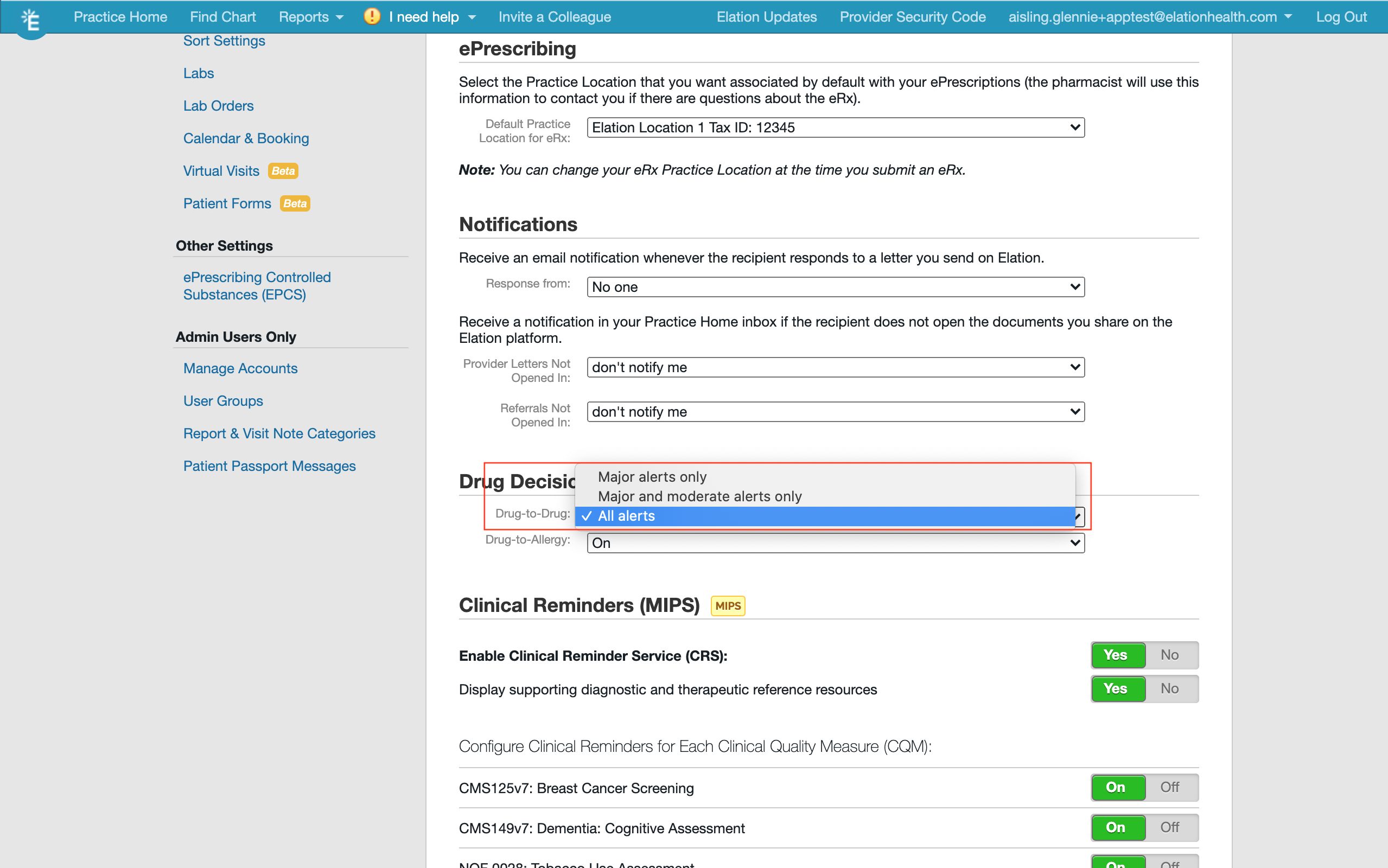
- Click on the Drug-to-Drug drop-down box and select which alert settings you would like on.
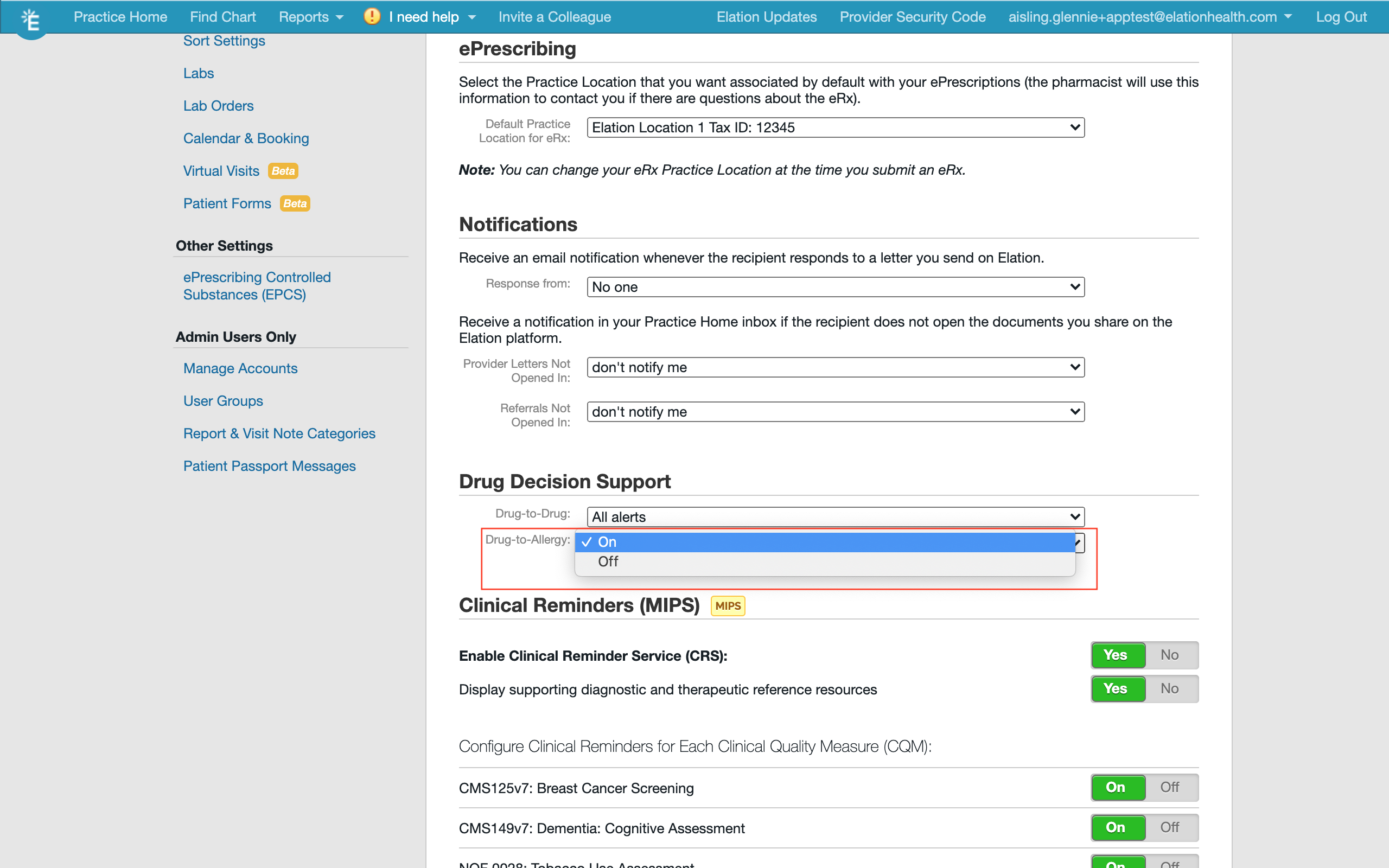
- Click on the Drug-to-Allergy drop-down box and select whether you would like Drug-to-Allergy alerts turned On or Off.
How to ensure for high quality alerts
The Drug Decision Support feature uses information documented in the Allergies , Drug Intolerances and Medication History sections of the patient’s chart to provide you with information about possible interactions against the medication you are drafting for your patient. To ensure for high quality alerts, make sure you select the allergen, ingredient or drug name from the drop down menu that appears in the *Allergy * or Substance boxes when you document *Allergies * or Drug Intolerances. When documenting a medication or writing prescriptions, always select the drug from the drop down menu (medication database). These databases supply the special codes used to compare the drugs and substances against each other.How interaction alerts are displayed
Drug-to Drug Alerts:
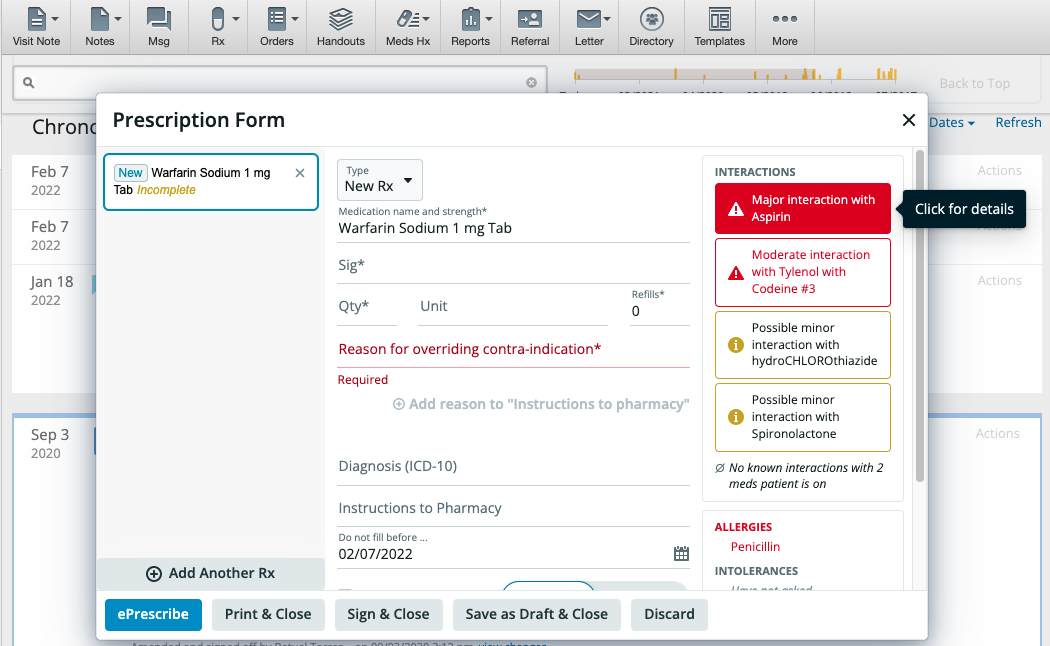
Drug-to Drug alerts will show up in the prescribing box when you select the medication. Minor alerts will show up in a box with a yellow border, Moderate alerts in a box with a red border and Major alerts in a red box.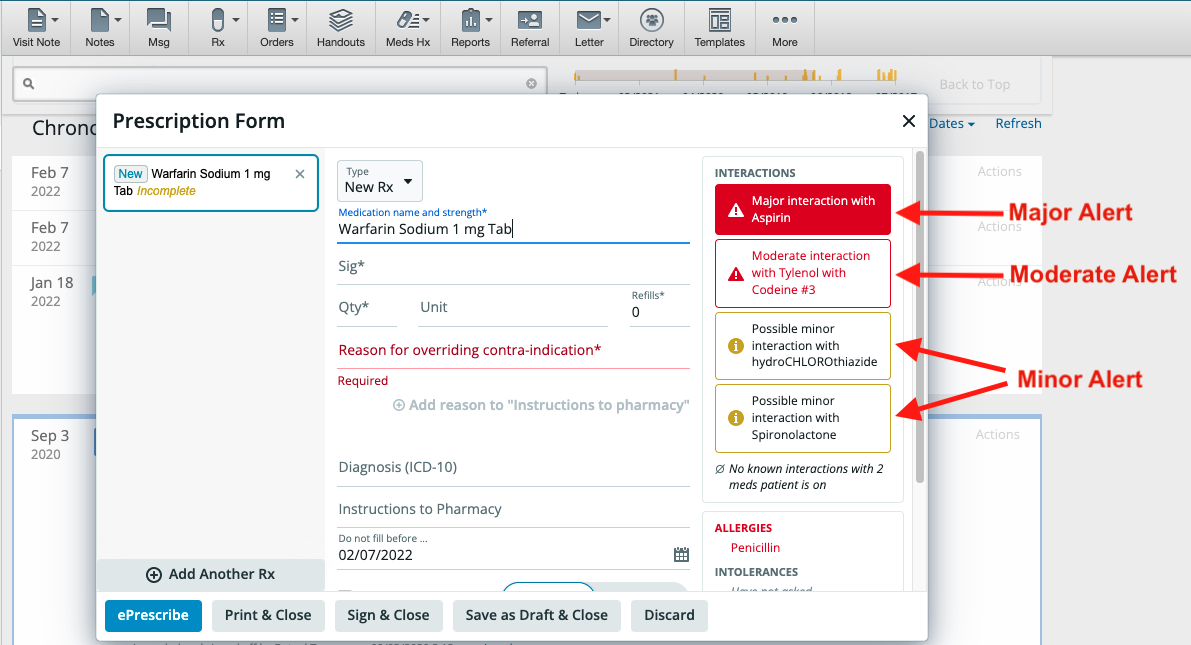
Drug-to-Allergy Alerts:
Similarly, Drug-to-Allergy alerts will show up in the prescription box with a Major red alert box.