
Recommended Reading
Please reference the Introduction to Elation’s Medication History Download feature article to learn how to download medication history for a patient.Reviewing the list of medications retrieved
After the medications have been retrieved from Surescripts, an Outstanding Item will appear at the top of the patient’s chart with a summary of how many medications were received and the details retrieved for each medication. You may review the medication information retrieved by clicking on the XX medication fills received text.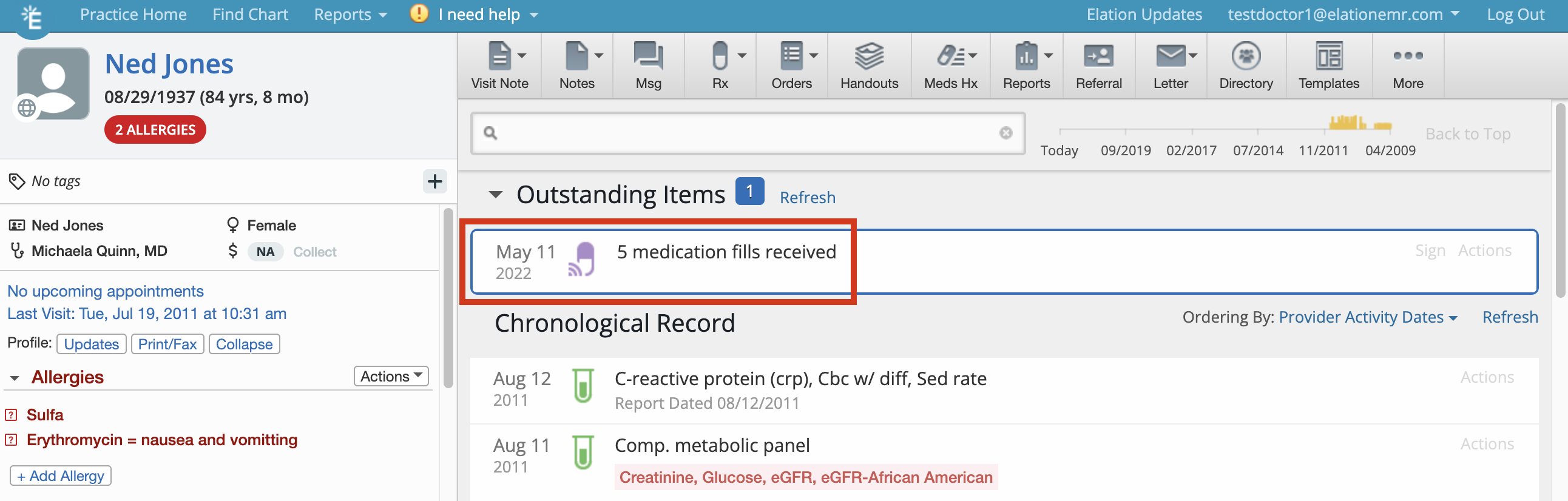
-
Highlighted medications are not a permanent part of the patient’s medication history. Highlighted medications will not display in printed or shared records. You must sign off on the highlighted medications before they become a permanent part of the patient’s medication history.
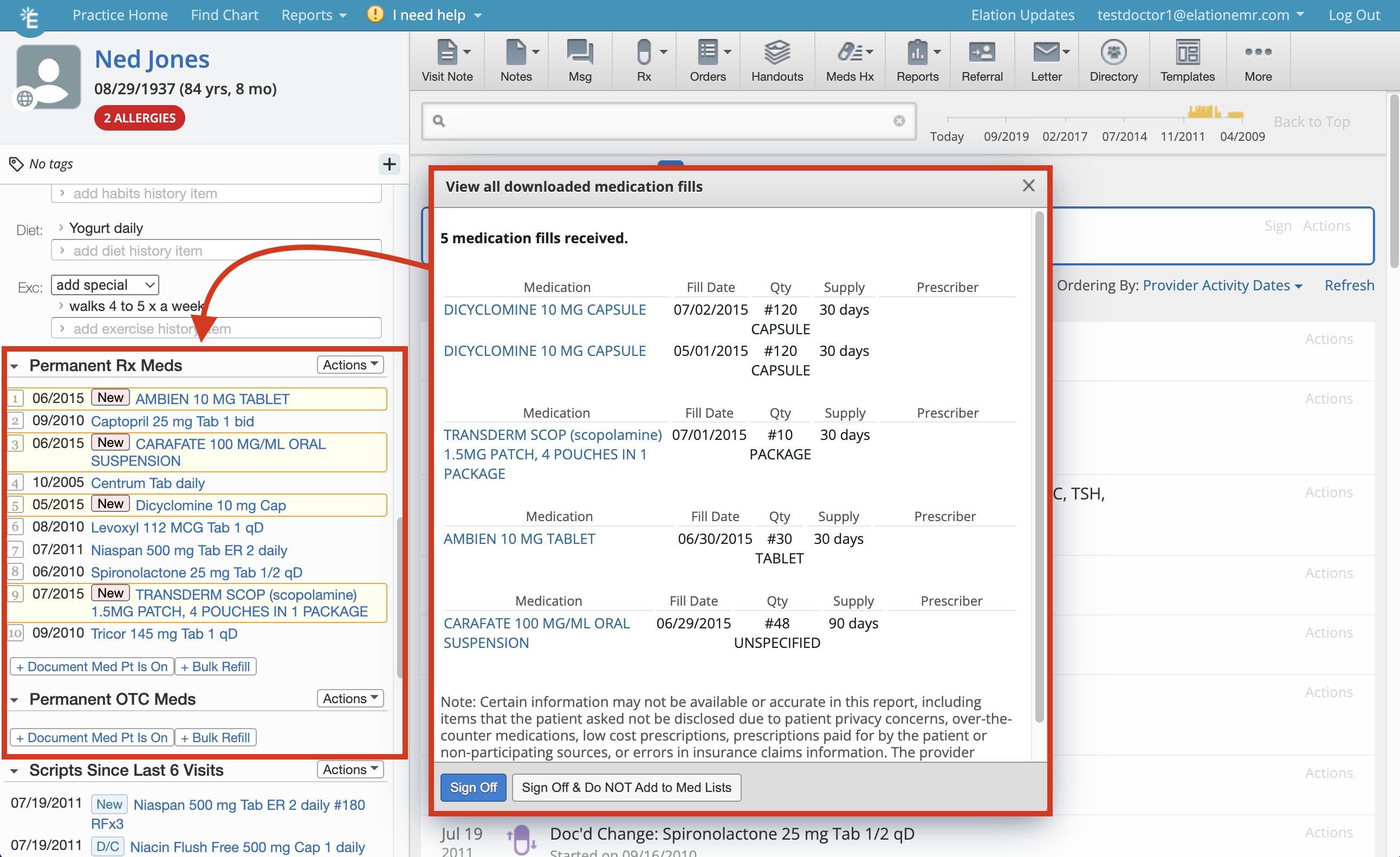
- Medication name and strength (Medication)
- Date that the patient filled the prescription and picked it up from the pharmacy (Fill Date)
- The number of pills that the pharmacist gave the patient (Qty)
- The number of days that the medication fill should last the patient before running out (Supply)
- Physician who prescribed the medication (Prescriber)
Importing or removing retrieved medications one-by-one
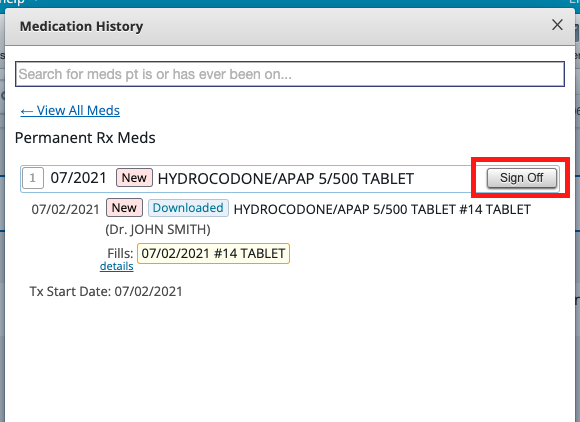
After reviewing the preview of how the retrieved medication will be reconciled with the entire Medication History (or a medication that is already documented in the patient’s chart), you accept the reconciliation by signing off on the medication. You two options for sign off:- Clicking on the Sign Off button for that treatment in the Medication History, as shown below:
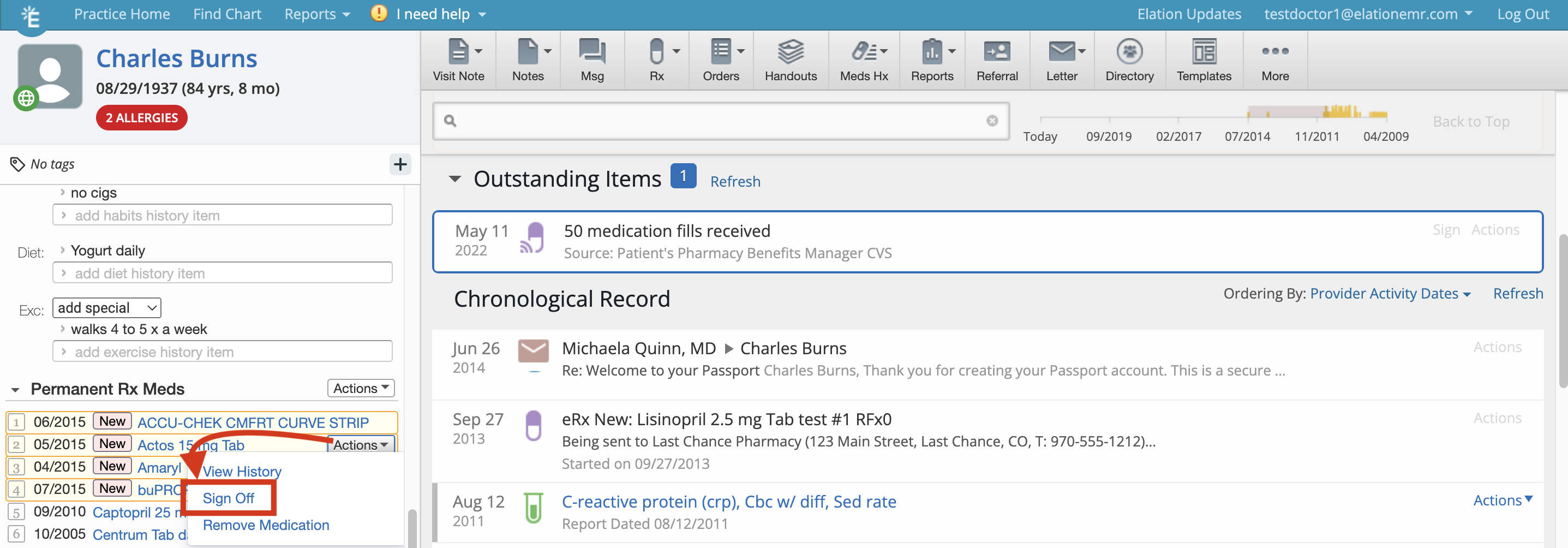
- Clicking Actions >> Sign Off in the Clinical Profile, as show below:
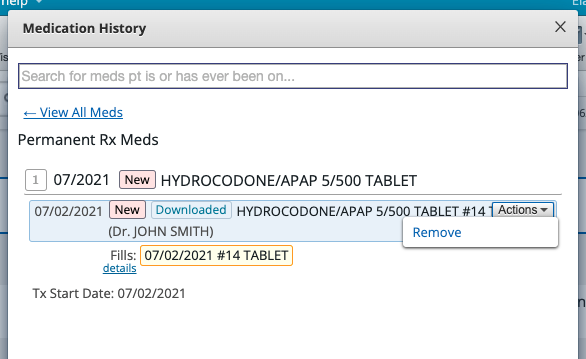
- Clicking on the Actions button next to the associated medication in the Medication History and click Remove
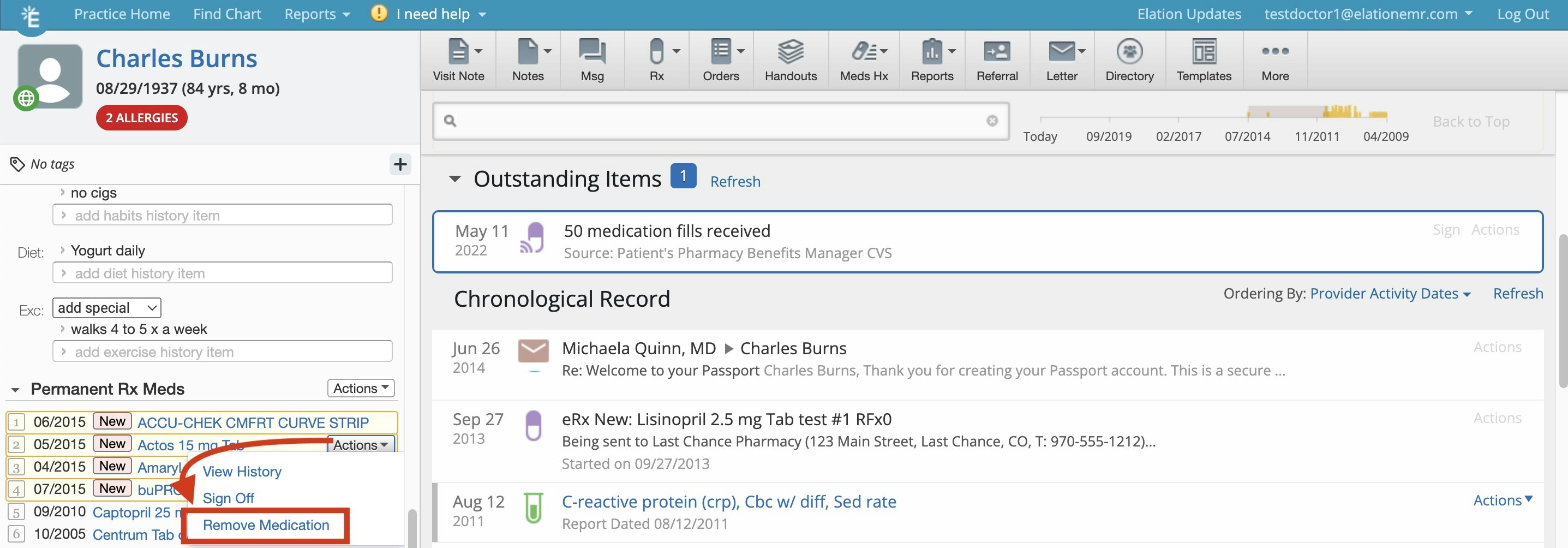
- Clicking Actions >> Remove in the Clinical Profile, as show below:
Importing retrieved medications all at once
If you would like to incorporate all of the retrieved medications with a single click, click on the Sign button that is displayed over the XX medication fills received item in the Requiring Action queue.
Duplicate medications in the medication list may be created due to the way that the PBMs provide the information . When duplicates appear we recommend merging them, instead of deleting them, to keep the medication history and fills history accurate.
Not importing any retrieved medications
If you do not wish to incorporate any downloaded medications into the patient’s medication list, click Actions -> Sign Off & Do NOT Add to Med List to simply acknowledge the medication history download but not import these medications into the chart’s med history list. This document now becomes a report.Merging and Unmerging Medications
For information on how to merge and unmerge medications, please have a look at the How to manage the patient’s medication list article.When you merge the two medications, Elation takes the name, dosage, and signature of the most recently documented scripts for the medication, and we re-purpose this as the name of the entire medication thread.
Frequently Asked Questions (FAQ)
What’s the effectiveness for medication history download?
Only 60-70% of patients in a regular fee-for-service patient panel will have medications available for download. See question #2 for more details on why this is the case.Why is the Medication History Download feature not successful for some patients?
- Surescripts does not have enough information about the patient, resulting in multiple patients that could match the criteria Elation sent to Surescripts. To avoid HIPAA violations, Surescripts defaults to not sending us information if there is ambiguity around whether we are referencing the same patient.
- A patient just changed insurance plans (even if it is a different plan with the same insurer). All of this information depends on what information is stored at the patient’s insurance plan’s pharmacy benefits management system. If there is a change in insurer or pharmacy benefits manager (this is determined by the insurer or self-insured employer), the pharmacy benefits manager will not have the patient’s medication refill history because they just started managing that patient’s medication usage.
- The patient has decided to pay for their prescriptions with cash instead of using their insurance to cover the bill. This results in the insurance company not having data about dispensed prescriptions.
- The patient’s insurer is using a Pharmacy Benefits Manager (PBM) that is out of network with Surescripts. Approximately 99% of the PBMs in the USA participate in the Surescripts network.