
Why should I convert external visit notes into Elation visit notes?
At Elation we believe that you should never sacrifice clinical effectiveness for administrative efficiency. That is why we have designed Elation to allow you to take your existing visit notes from either paper or another EMR system and seamlessly transform them into an Elation visit note. By converting your existing visit notes into Elation visit notes you will be able to add structured clinical data such as vital signs and diagnoses. You will also be able to streamline clinical communication through letters and even create a create a super bill or patient invoice from the visit note.Conversion options
There are a few ways to convert your external visit notes into Elation visit notes:- If your external visit notes are all on paper
- scan the paper notes onto your computer as PDF files using a scanner
- fax the paper notes from a physical fax machine to yourElation fax number so that your paper notes become PDF files in the Fax Inbox
- If your external visit notes are in another electronic health record system, export the visit notes from the other system as PDF files and upload the PDF files into Elation
Uploading PDF visit notes into Elation
You will use the drag-and-drop feature to upload your external visit notes into Elation.- Open the patient’s chart
- Find the old visit note you want to file into your patient’s chart on your computer
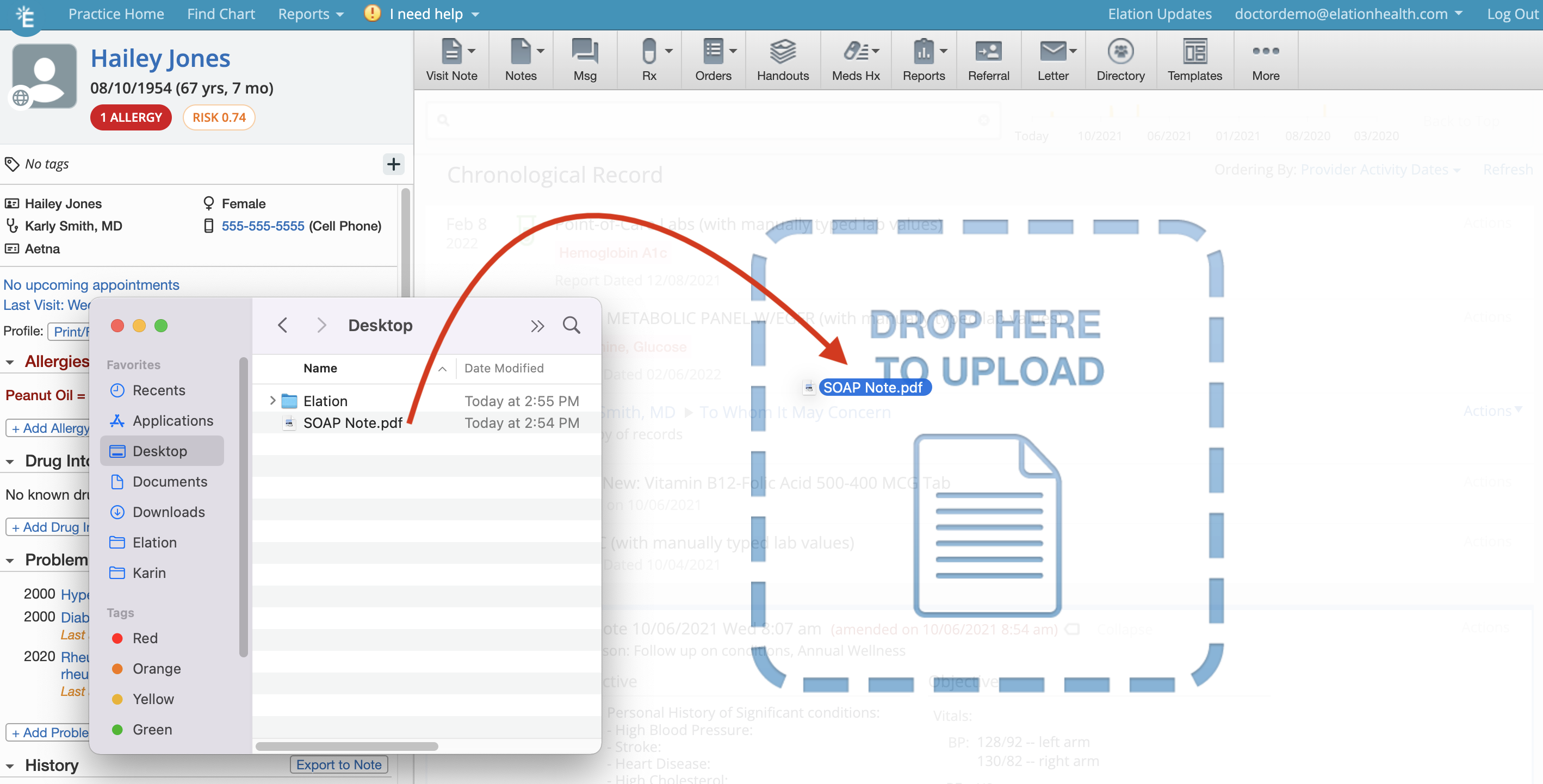
- Click on the file from your the folder on your computer, hold down on your mouse cursor and drag the file anywhere over the patient’s chart in Elation and release your mouse cursor to drop the file
- Fill out the reviewer’s name, date of document, select the document type New Visit Note and check off File on behalf of Reviewer.
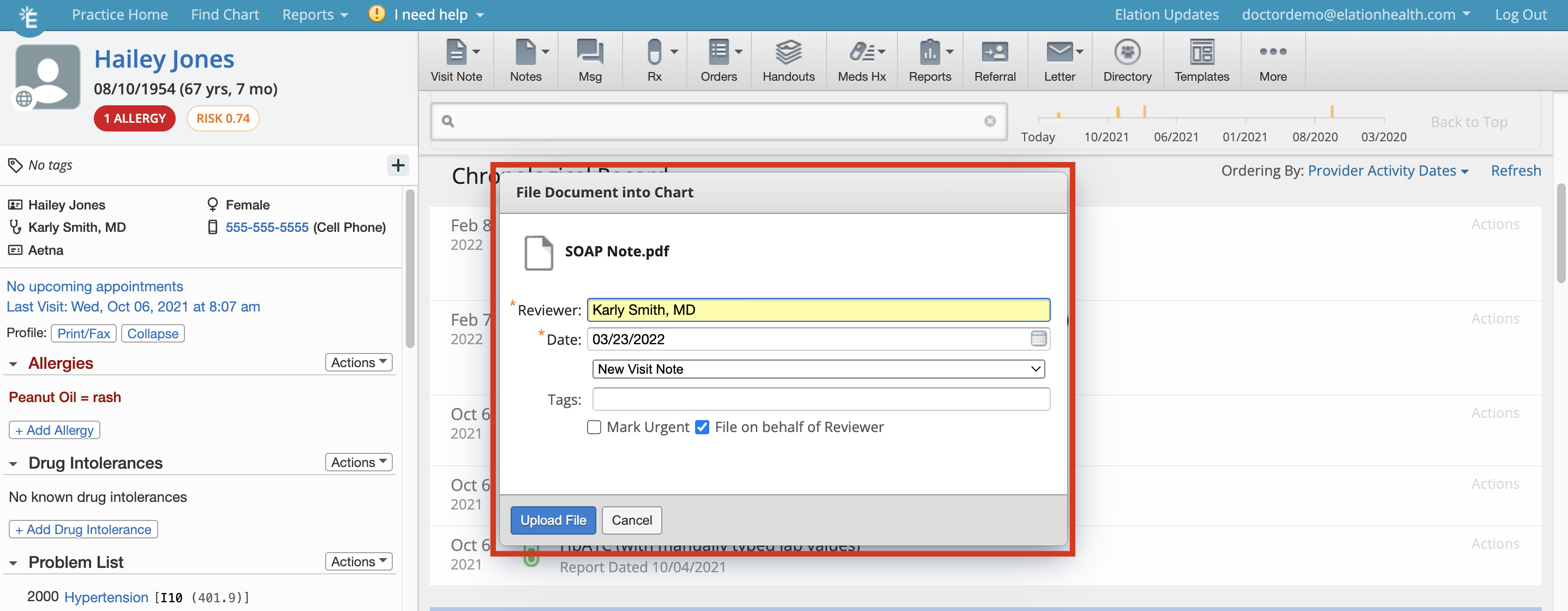
- Click Upload File when you are ready to upload the old visit note
- Wait for the document to upload and process before moving or removing it from the original location on your computer or the upload will fail.
- Once processed, the document will appear as a visit note in your patient’s Chronological Record.