
What are Visit Note Formats?
In Elation, there are 6 different Visit Note Formats that provide you with different layouts for storing clinical information when documenting a clinical encounter. Each layout has its own characteristics that makes it suitable for different documentation workflows and preferences. You can find the different visit note formats under the Visit Note button in the gray navigation bar.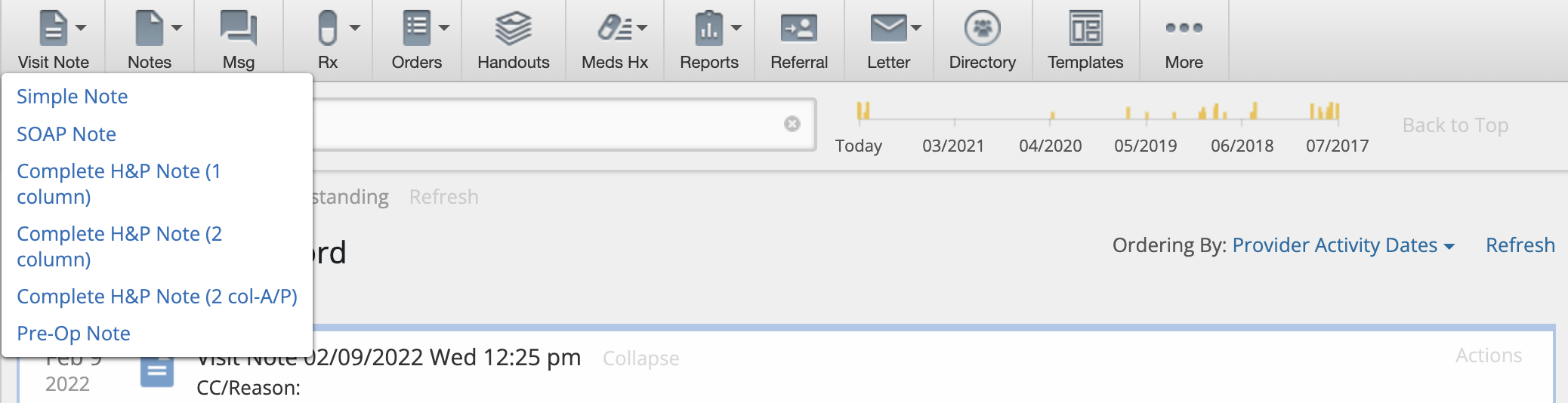
Default Sections & Fields
Every Visit Note Format has the following default sections and fields:- Visit Note Date & Time
- Visit Note Category
- Assigned Provider
- Visit Note Templates shortcut button
- Clinical Reminders section
- Exam Reason (CC) field
- Shortcuts to documenting vaccinations, creating referrals, orders and prescriptions and printing Handouts.
- Follow Up field
- Billing Information section
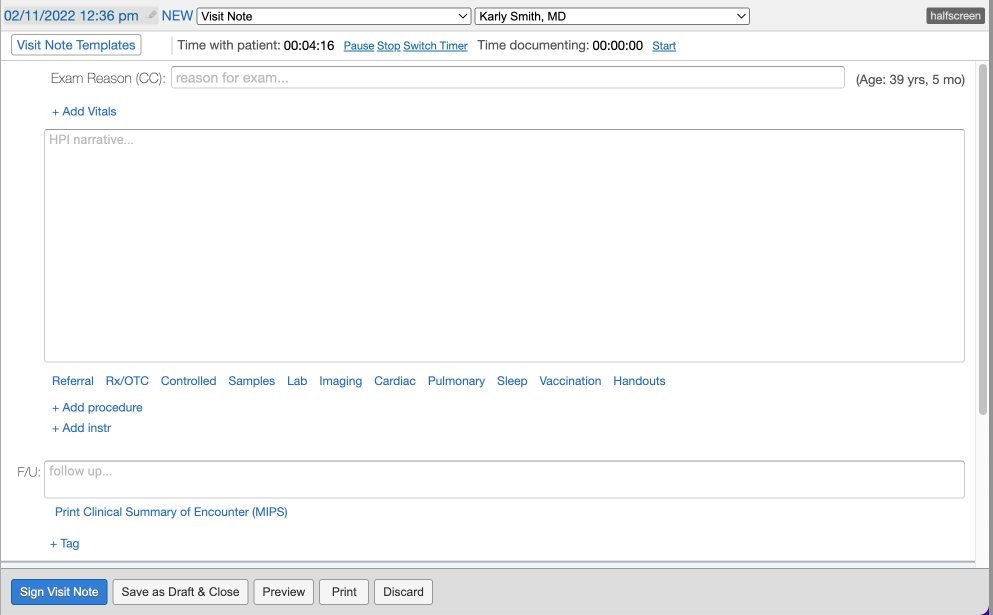
Simple Note
The Simple Note contains a single blank text box that is ideal for customers who are free-texting a long narrative or for use with dictation softwares or external templating softwares. You can also- click + Add Vitals to separately record patient vitals
- click + Add procedure button to separately record detailed procedure information
- click + Add instr to separately note instructions to patients
SOAP Note
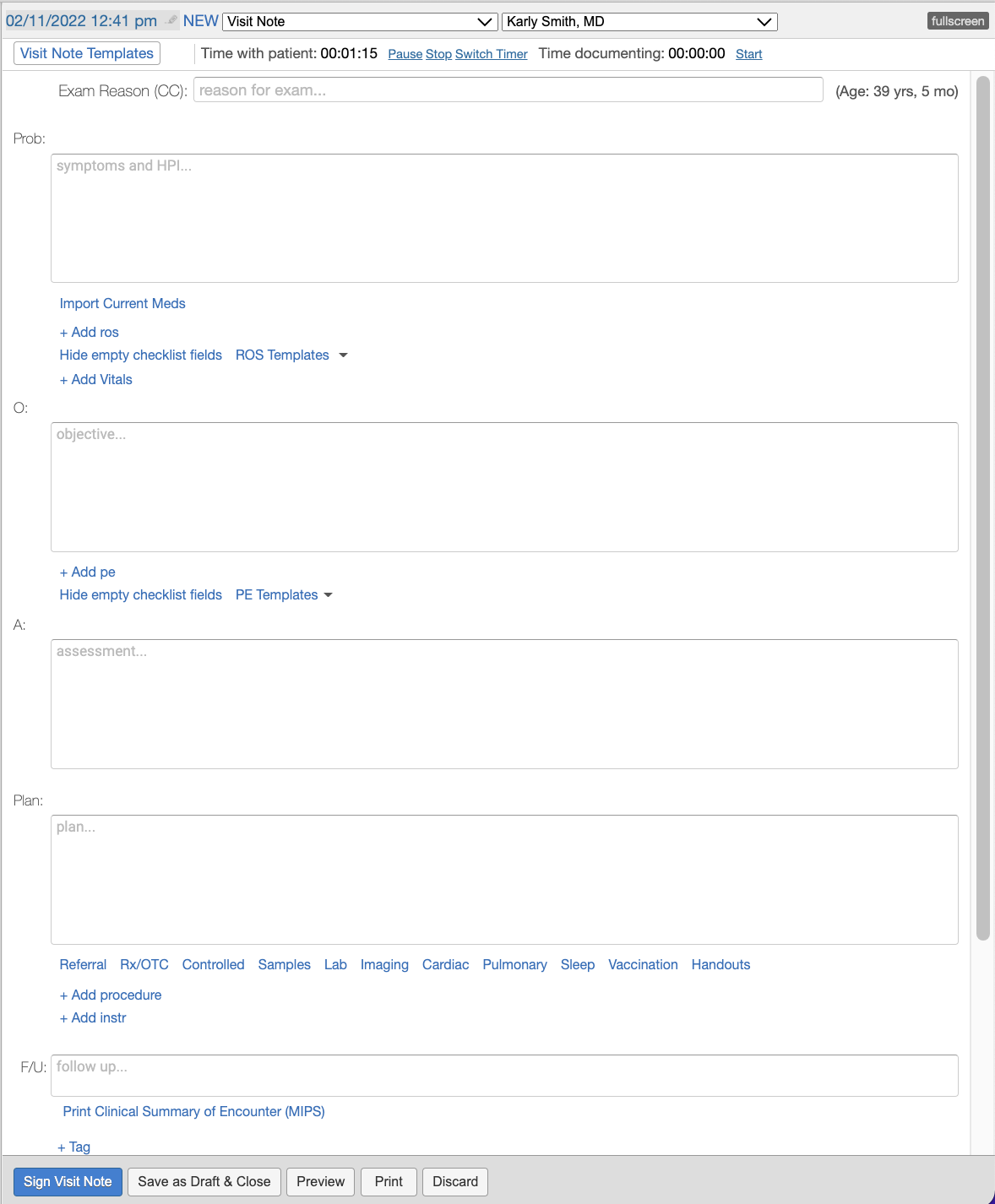
The SOAP Note is broken down into 4 text boxes, Subjective (Prob), Objective, Assessment & Plan. This allows you add more granularity to your narrative than a Simple Note would while still allowing you to easily utilize dictation softwares or external templating softwares. You can also:- click Import Current Meds to easily reference patient medication information into the Problem box
- click + ros to separately record Review of Systems information
- click + Add Vitals to separately record patient vitals
- click + pe to separately record Physical Exam information
- click + Add procedure button to separately record detailed procedure information
- click + Add instr to separately note instructions to patients
Complete H&P Note (1 column)
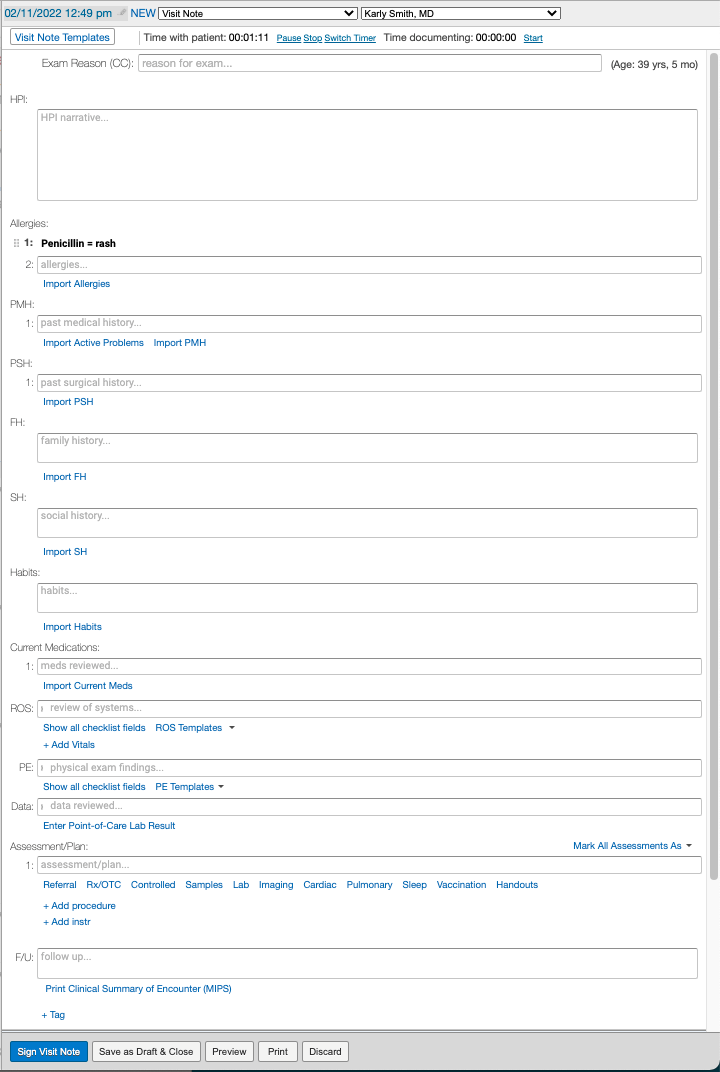
The Complete H&P Note (1 column) allows you to store detailed history and physical examination information in a single column format and allows you to import data directly from the Clinical Profile into your visit note with the various Import buttons in each section of the note. You can also:- separately record assessments with diagnosis codes
- click + Add Vitals to separately record patient vitals
- click Enter Point-of-Care Lab Results to record results from in-house labs
- click + Add procedure button to separately record detailed procedure information
- click + Add instr to separately note instructions to patients
Complete H&P Note (2 column)
The Complete H&P Note (2 column) uses the traditional SOAP methodology but offers more structure for viewing everything on a single screen by placing the Subjective data on one side and Objective, Assessment and Plan on the other.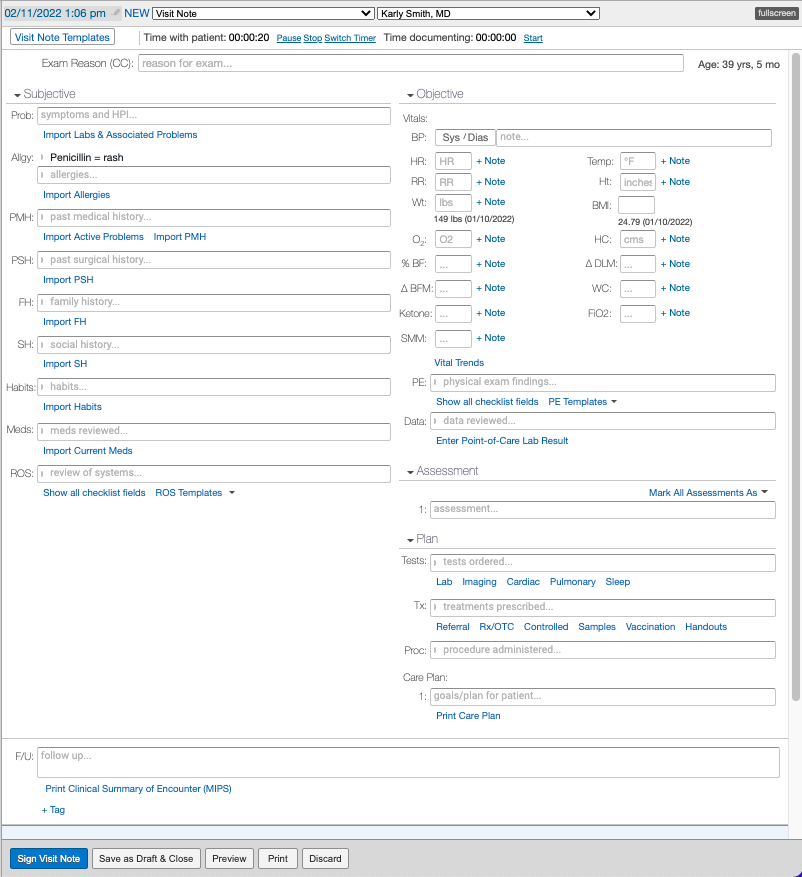
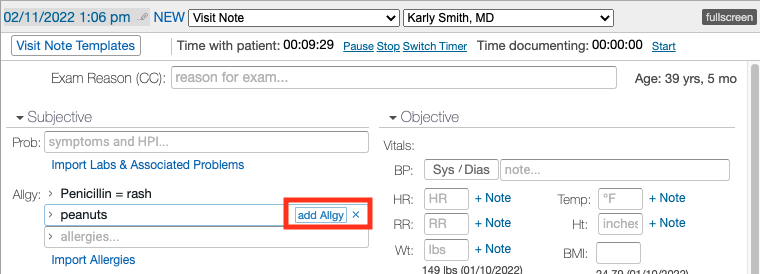
Complete H&P Note (2 col-A/P)
The Complete H&P Note (2 col-A/P) is the same as the Complete H&P Note (2 column) except the Assessment and Plan sections are combined.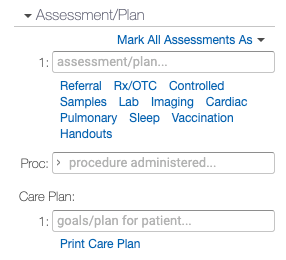
Pre-Op Note
The Pre-Op Note is the same as the Complete H&P Note (1 column) with the addition of the Date , Consultant and Attending fields to note additional details about the operation or procedure that the patient is scheduled for.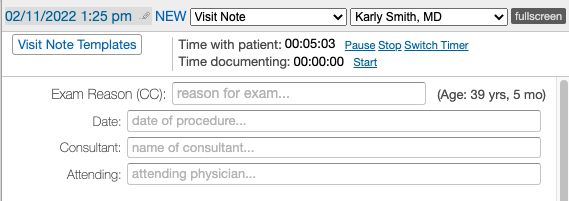
Setting Defaults
Each provider can set their default Visit Note format by going to Settings >> Preferences >> App Preferences. They can also associate default Visit Note formats by their Encounter Types (Appointment Types) in the same page or in the Calendar & Booking Settings page under each Appointment.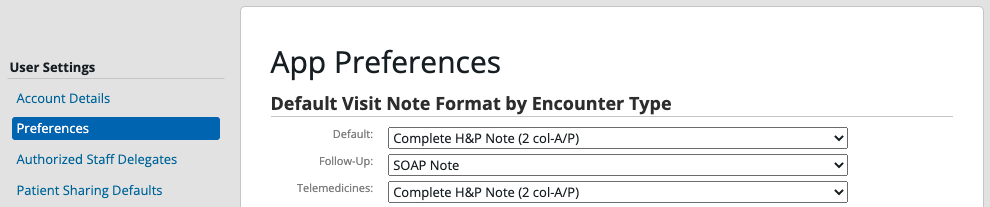
Related Articles
- Visit Note Documentation Guide- Best practices for documenting a patient encounter
- Visit Note Documentation Guide- Procedures
- Visit Note Documentation Guide- Assessments
- Visit Note Documentation Guide- Care Plans
- Visit Note Documentation- Physical Exam (PE) & Review of Systems (ROS) Templates
- Visit Note Templates Guide
- Visit Note Categories Guide
- Visit Note Documentation Guide- Documenting amendment requests from patients