
MDX Hawai’i-Elation Health Program
Through your participation in the MDX Hawai’i-Elation Health program, you are now part of a select group of providers that will receive Clinical Reminders to address MDX patients’ chronic conditions within your visit note. These alerts are pulled directly from your patients’ MDX Member Information Profile forms and are now available in real-time, within the context of the patient’s chart. The solution will also allow you to take advantage of Elation’s existing HCC scoring functionality so that you are more easily able to identify high-risk patients and assess chronic conditions that are due for annual review. To learn more about Elation’s HCC feature, please see Risk Assessment Introduction- Risk Assessment Factors (RAF) and Hierarchical Condition Categories (HCC).When will I see these chronic condition alerts?
The clinical reminders will appear for all chronic disease diagnoses made through claims for your MDX Patients in the previous calendar year that have not been addressed yet in the current calendar year. Through these alerts, you’ll have easy access to the chronic disease diagnoses made not only by your practice but also by other providers or facilities who care for your patients, promoting improved care coordination. Additionally, Elation will use the data present in your patient chart to automatically close out clinical reminders for conditions that have already been assessed in the current calendar year, reducing the administrative burden on your practice! The alerts will appear in the visit note:- if the chronic condition has not yet been addressed in this current calendar year (i.e. Dx code does not appear within a bill of an Elation visit note in the current calendar year), and
- if the chronic condition is not present within the patient’s problem list with a Dx date in the current calendar year
How do I use the chronic condition clinical reminders?
To view and address the chronic condition clinical reminders, follow the steps below:- Open a visit note to see the chronic conditions that need to be reviewed for the MDX patient during the current calendar year in the Clinical Reminders section. These alerts will include an MDX prefix.
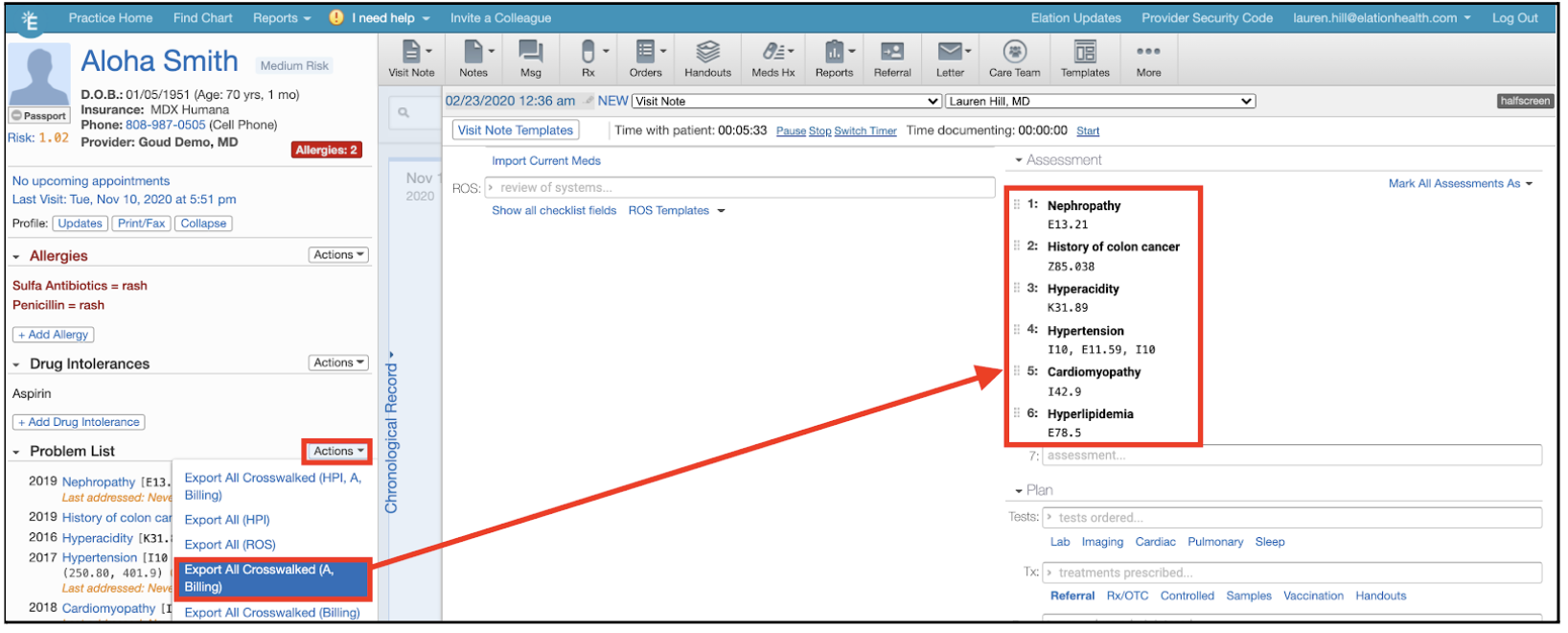
- Review the patient’s problem list in the Clinical Profile and import any chronic condition diagnoses still active for the patient into the visit note by clicking Actions > Export to Note (A, Billing). Doing so will automatically address the corresponding clinical reminders at the top of the patient’s visit note.
- For the remaining clinical reminders, click Address to take action on the alert and indicate the outcome of the assessment.
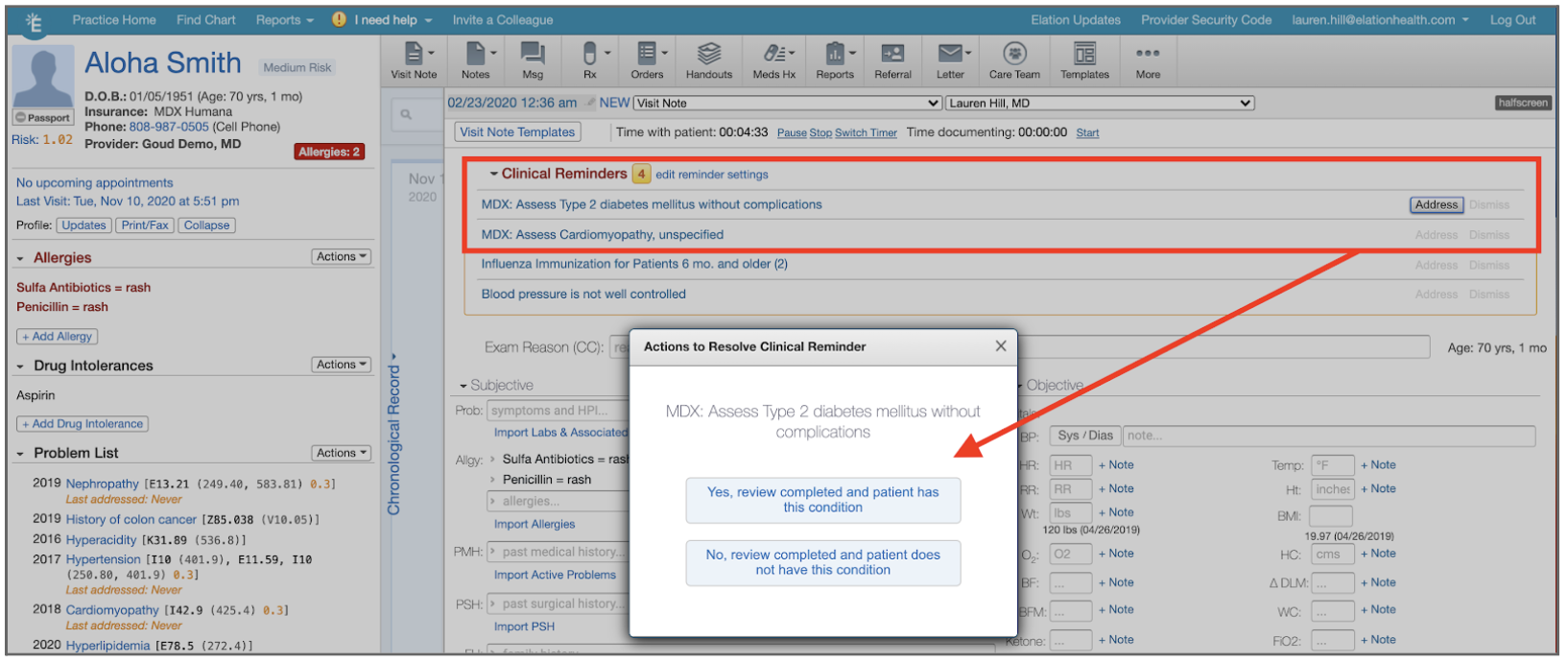
- If you have completed the review and confirmed that the patient still has this condition, click the clinical action “Yes, review completed and patient has this condition”
- You will be prompted to add the problem in the Add a Problem window that appears, which will automatically add the Dx code to the Assessment and Billing section of the Visit Note, as well as automatically add the Dx to your Problem List in the Clinical Profile to streamline documentation and coding.
- To disconfirm condition (upon review, patient does not have this condition), click No, review completed and patient does not have this condition to remove the alert, and tag the visit note to track the date you disconfirmed the condition.
- A document tag will be automatically added to your visit note to track disconfirmed conditions.
Quick Tips!
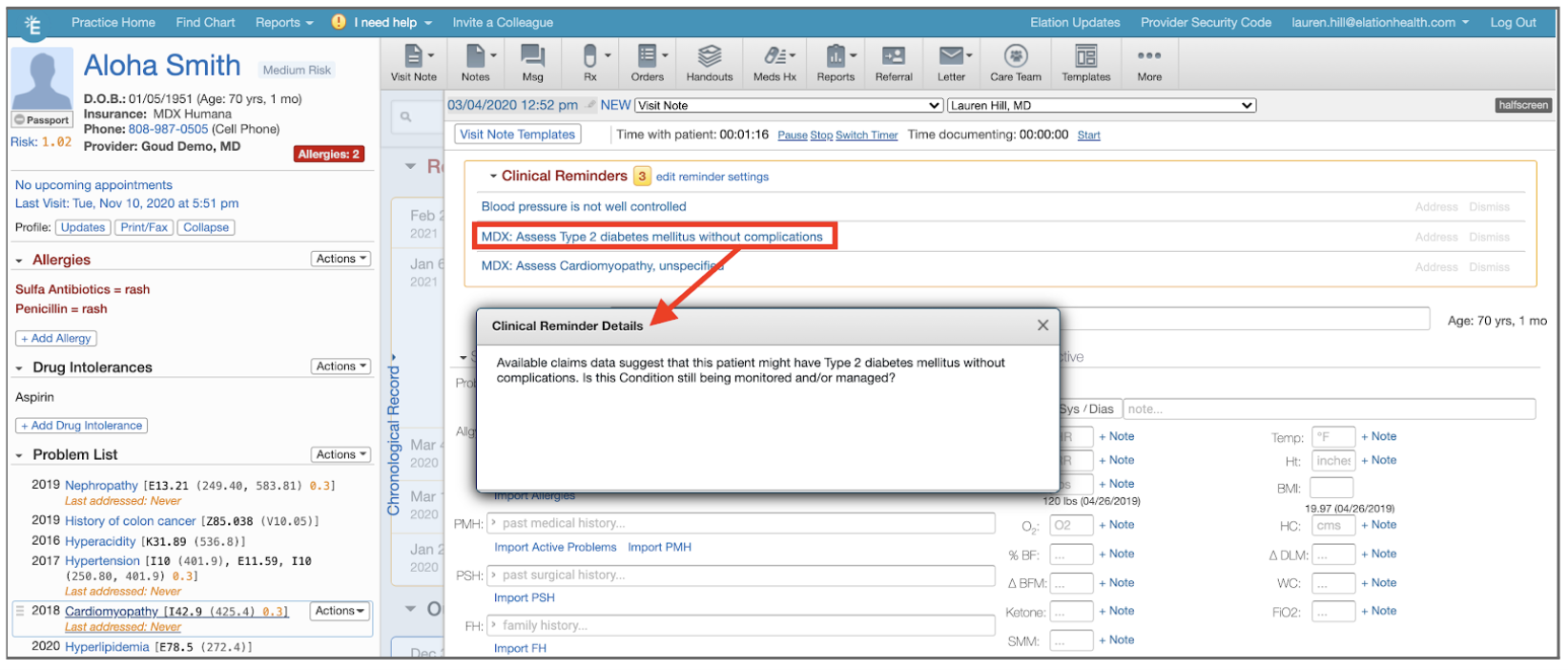
Quick Tip #1- To read the full description of the alert, click on the alert name to view an expanded view:
Quick Tip #2: Coding to reflect your patient’s true conditions!
Elation will recognize and close out clinical reminders for a patient when a related condition is coded for in the current calendar year, enabling you to focus on assessing the patient and coding to the highest specificity, while we help you get credit for the services you provide! Related conditions are defined as conditions that are part of the same hierarchical condition category [HCC]. For example: Let’s say an endocrinologist coded E11.8 (Type 2 diabetes mellitus with unspecified complications) last year for your patient, Daffodil Duck.- This year, Elation will display a clinical reminder to remind you to assess the patient for E11.8 Type 2 diabetes mellitus with unspecified complications.
- Upon review, you discover that the patient has type 2 diabetes mellitus with hypoglycemia without coma (E11.649).
- If you code for E11.649, Elation will automatically close the clinical reminder for E11.8 because the two diagnoses are related!
Quick Tip #3: Addressing conditions that are part of multiple CMS Hierarchical Condition Categories (HCCs)
If a condition is part of multiple HCCs, Elation will display a clinical reminder for each HCC that is due. You can distinguish between the two clinical reminders through the notes section, pictured below. This is to ensure that, if a condition is tied to two risk factors, you are able to assess both individually. If you code a diagnosis that is part of both risk factors, Elation will automatically recognize this and close both clinical reminders on your behalf.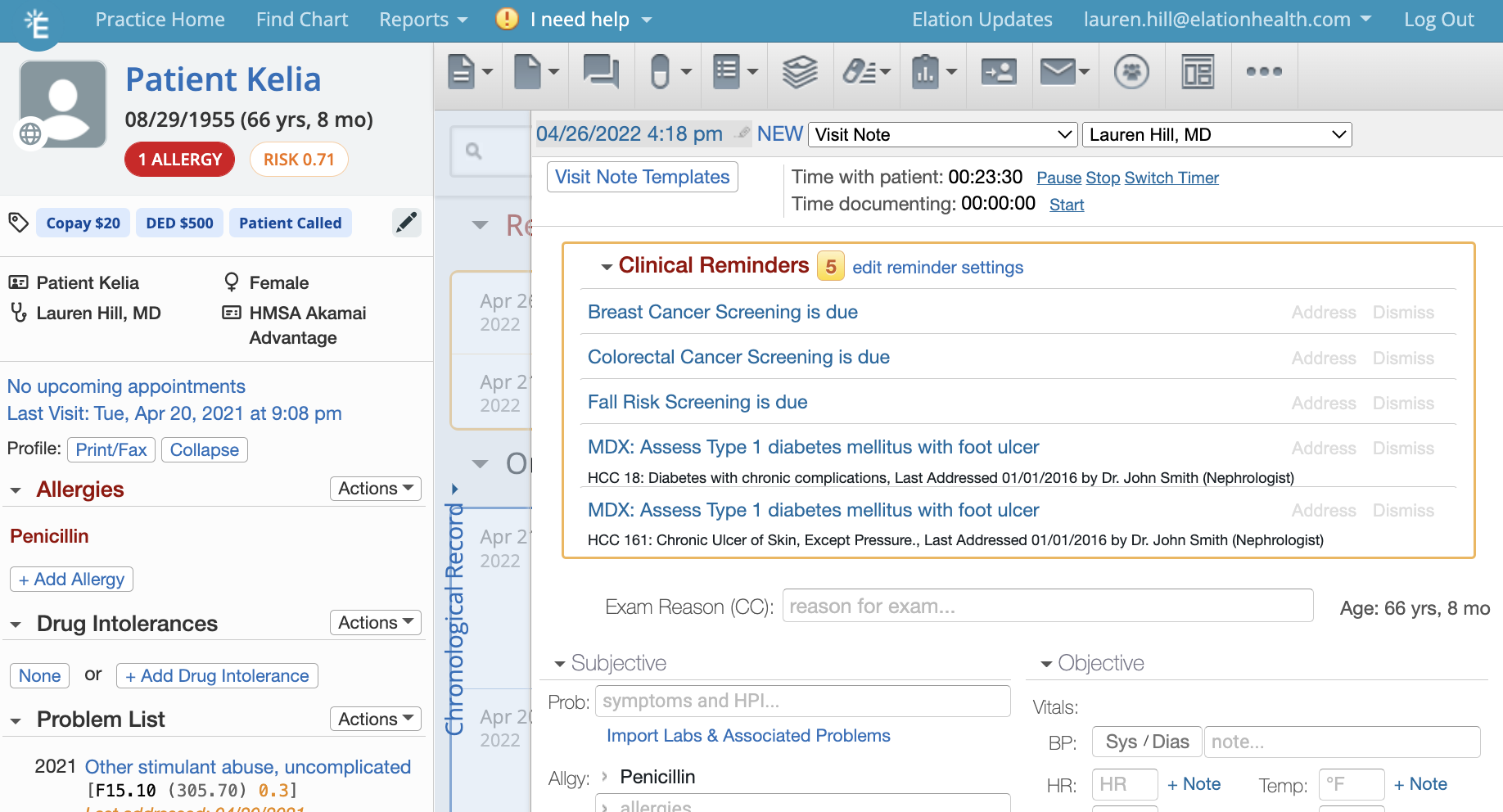
Additional Elation Tools
Additional tools are available to your practice to help manage your MDX patient panel, including:- Post-discharge follow-up and medication reconciliation
- Integrated MDX-approved Annual Health Assessment Template
- In-app identification of MDX patients
- Ability to mass recall MDX patients via Bulk Letter Feature