
What delete permissions are available in Elation EHR?
By default,- any user can delete any document within a patient’s chart.
- any user can modify demographics or clinical profile information within a patient’s chart.
- only Admin Level Users can modify certain Settings if that Settings page is configured for Admin Only. If that Settings page is not configured for Admin Only then any user can modify those Settings.
How to configure delete permissions
Delete permission controls are Elation Premium EHR offerings that take effect as soon as the feature is enabled. If you are already a Premium EHR user and are interested in using either tier, click the I need help button to notify Elation and a member of the Elation team will activate the feature for you.If you are interested in upgrading to Premium EHR to use this feature, click I need help → Contact Elation Support and a member of the Elation team will assist you.
Standard delete permissions
Once standard delete permissions are enabled:- Only Provider Level Users and Admin Level Users can delete documents within a patient’s chart.
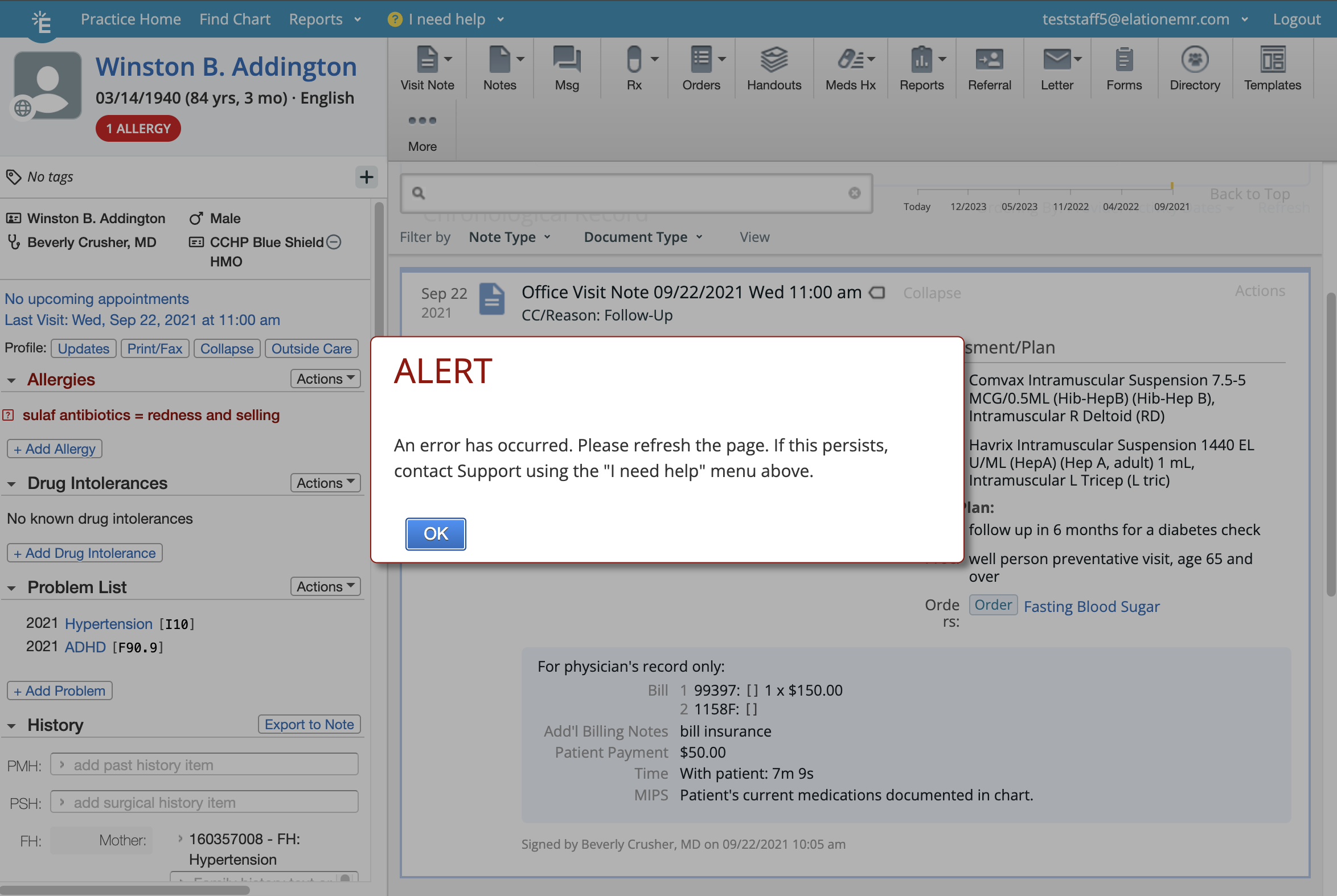
- All other users can only delete documents they created themselves that are not yet signed. If a non-Provider or non-Admin user attempts to delete a document they did not create, or one that is already signed, they will see an alert error message that prevents the deletion.
Strict delete permissions
Strict delete permissions apply a higher level of control. Once enabled:- Only Admin Level Users can delete any document within a patient’s chart.
- Provider Level Users and all other non-admin users can only delete documents they created themselves that are not yet signed. Attempting to delete any other document will trigger an alert error message.
- Non-admin users are also blocked from deleting patient charts. Only Admin Level Users can delete a patient chart when this feature is enabled.