
For practice staff · 2 min readYou’ll need staff-level access to patient charts in Elation EHR. Family members and caregivers: see Family and Friends Access — Caregiver Guide instead.
Grant access
Send an invitation to a family member or caregiver
Revoke access
Remove a family member or caregiver’s access to a patient’s chart
How it works
When you grant family and friends access, the person receives an invitation email to register for Patient Passport — or, if they already have an account, a prompt to accept the new chart access. Once they log in, they can view the patient’s information according to the sharing settings you configured. A single Patient Passport account can hold access to multiple patient charts. For example, a parent can use one login to access charts for two children at your practice, or charts across different practices.Grant access
1
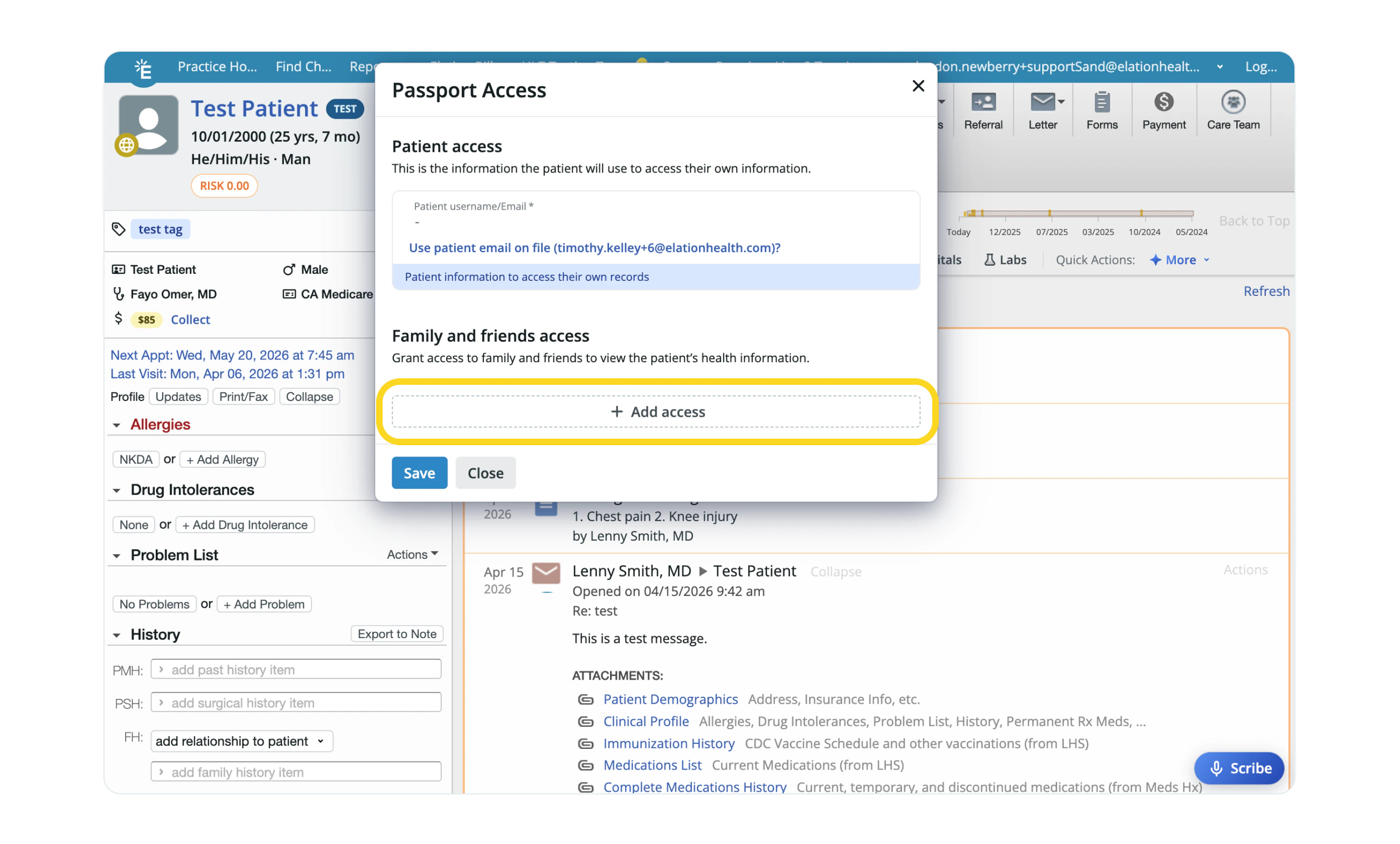
In the patient’s chart, click the Passport icon (the globe) at the corner of the patient’s profile picture.
2
Click + Add access.
3
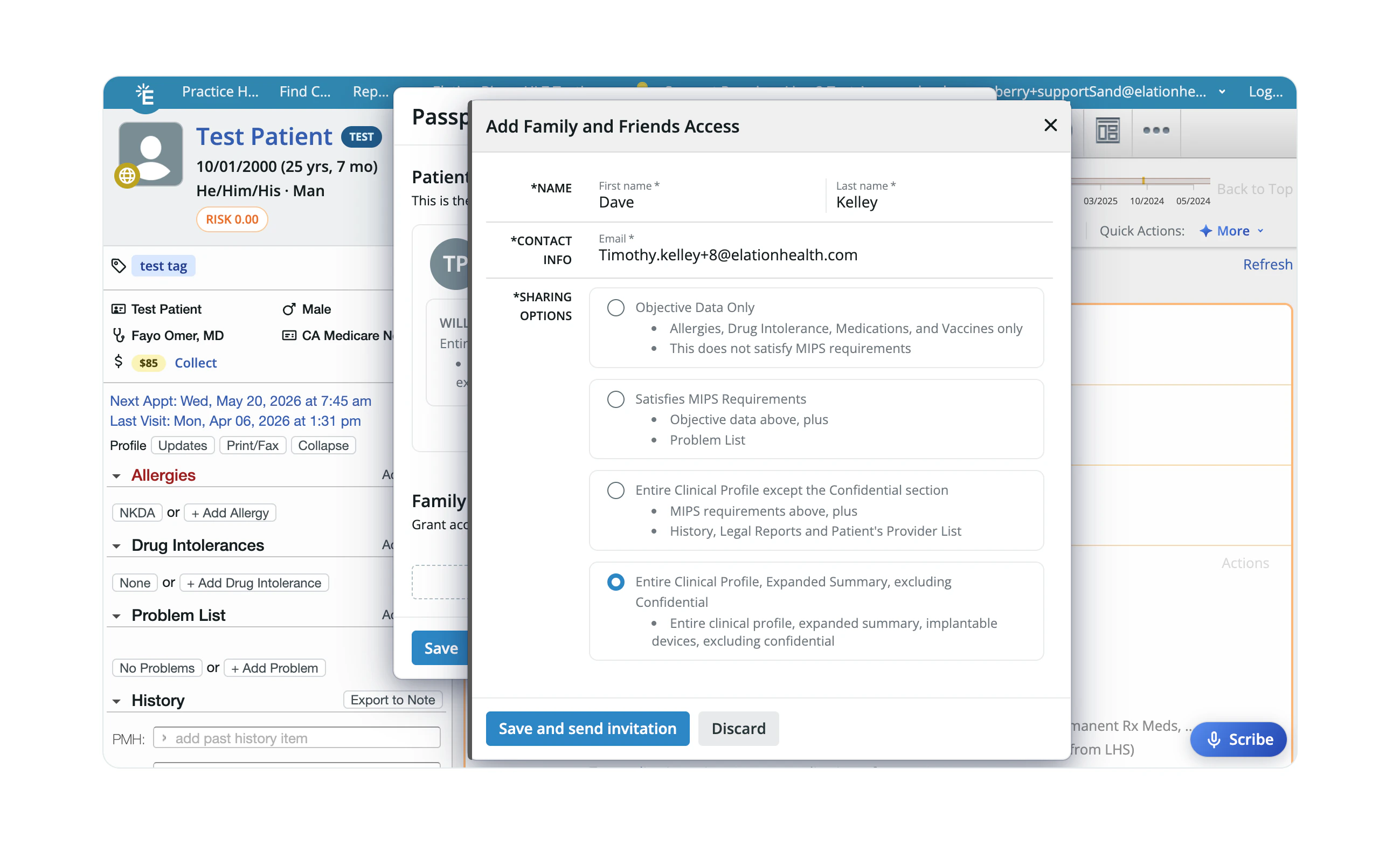
Enter the person’s First name, Last name, and Email.
4
Review Sharing Options to set how much of the Clinical Profile they can see.
5
Click Save & send invitation.
If the person already has a Patient Passport account, they will receive a prompt to accept the new chart access rather than a new registration email.
Revoke invitation
1
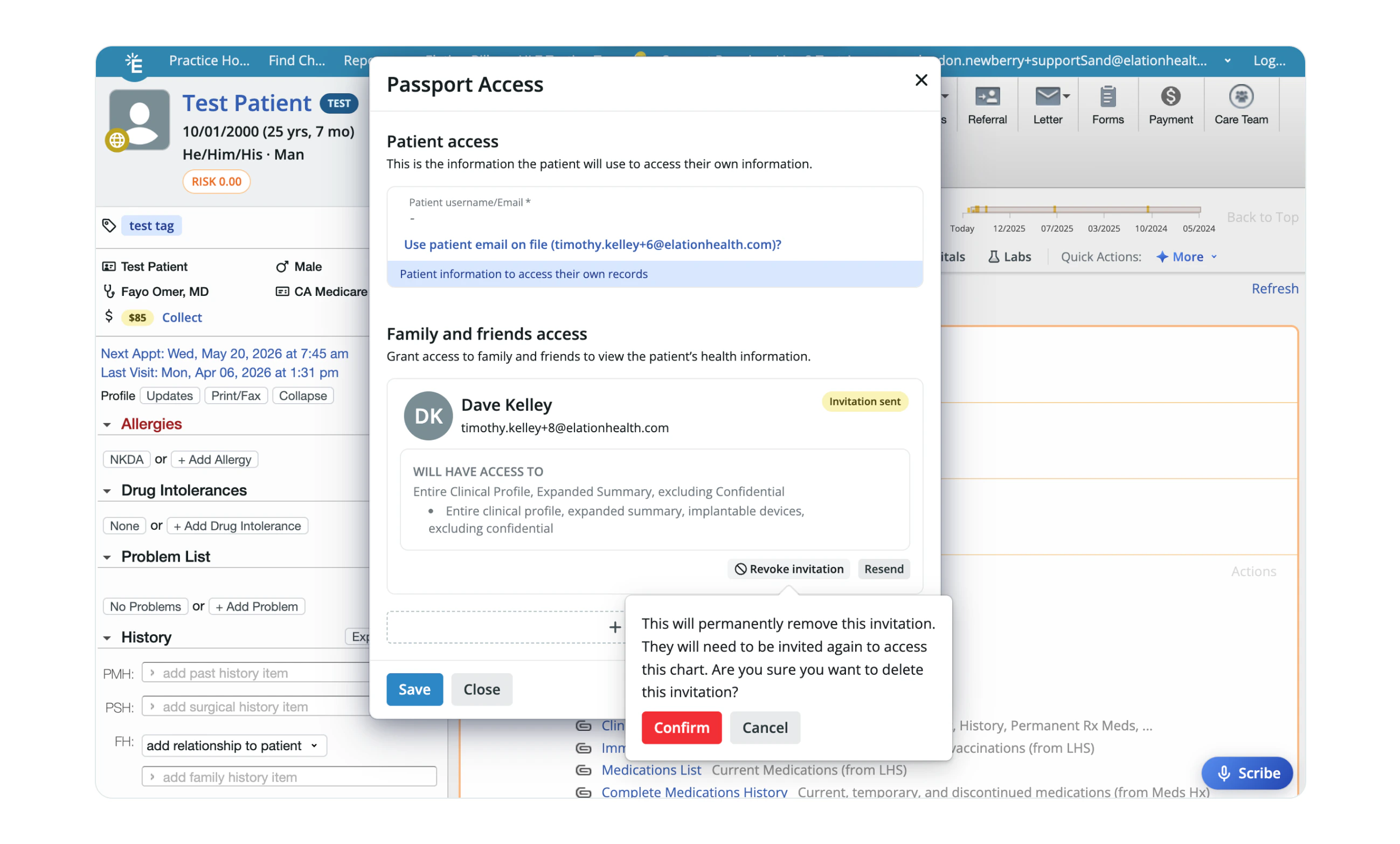
In the patient’s chart, click the Passport icon (the globe).
2
Click Revoke invitation next to the family member or caregiver’s name.
3
Click Save.
Disable access
1
In the patient’s chart, click the Passport icon (the globe).
2
Click Disable access next to the patient’s name.
3
Click Save.