What is the Post-Date function?
The Post-Date function is a feature that allows you to- set a specific date for an Office Message to appear in the Requiring Action queue (instead of immediately by default) in the EHR for yourself or a colleague in your practice.
- set a specific date for a Provider Letter or Referral to be sent to a collaborating provider
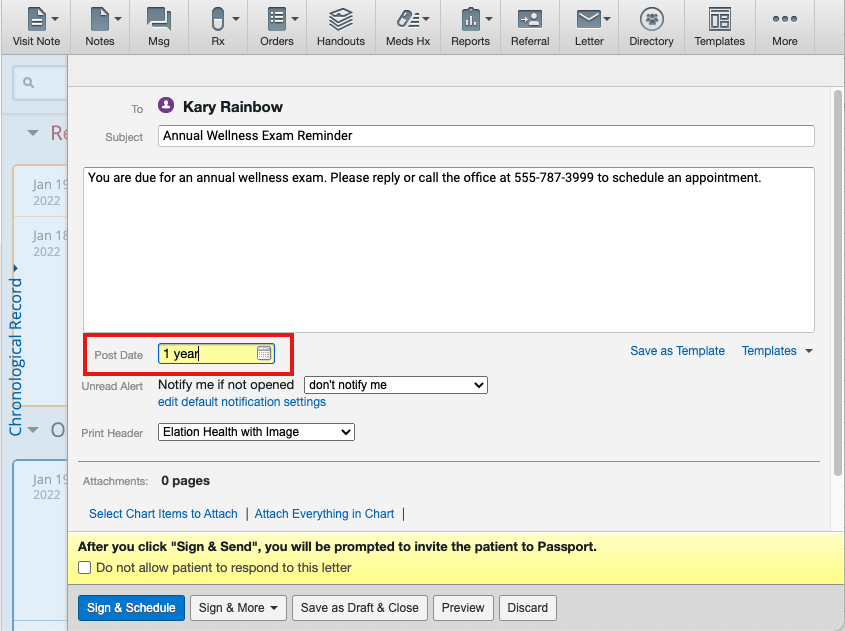
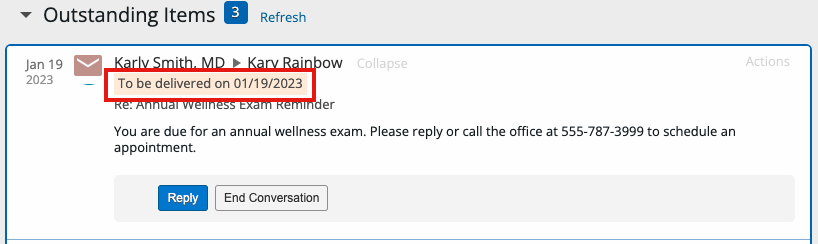
- set a specific date for a Patient Letter to be sent to a Patient via Patient Passport
Why is the Post-Date function valuable?
Office Message
The “Post-Date” Office Message feature can be used to remind yourself or someone in your practice to perform a task at a future date. Most widely known use cases are:- keeping track of patient due dates for specific exams or procedures (ex. annual wellness exams, well women’s exams, etc)
- keeping track of patient care plan follow up (ex. checking on blood pressure readings taken at home, checking on status of sutures, etc)
- keeping track of office tasks and responsibilities
Provider Letter or Referral
The “Post-Date” Provider Letter or Referral feature can be used to follow up with a collaborating provider or other members of the patient’s care team about specific care actions. The most widely known use cases is following up with a specialist for a copy of their consultation with the patient.Patient Letter
The “Post-Date” Patient Letter feature can be used to follow up with a Patient about specific action items or follow up on their care.Most widely known use cases are:
- reminding patients to return for specific exams or procedures (ex. annual wellness exams, well women’s exams, etc)
- following up on a patient’s care plan (ex. checking on blood pressure readings taken at home, checking on status of sutures, etc)
How to use the Post-Date function on an Office Message
To send a post-dated Office Message, enter the date when you would like the message to be delivered in the Pd field of an Office Message.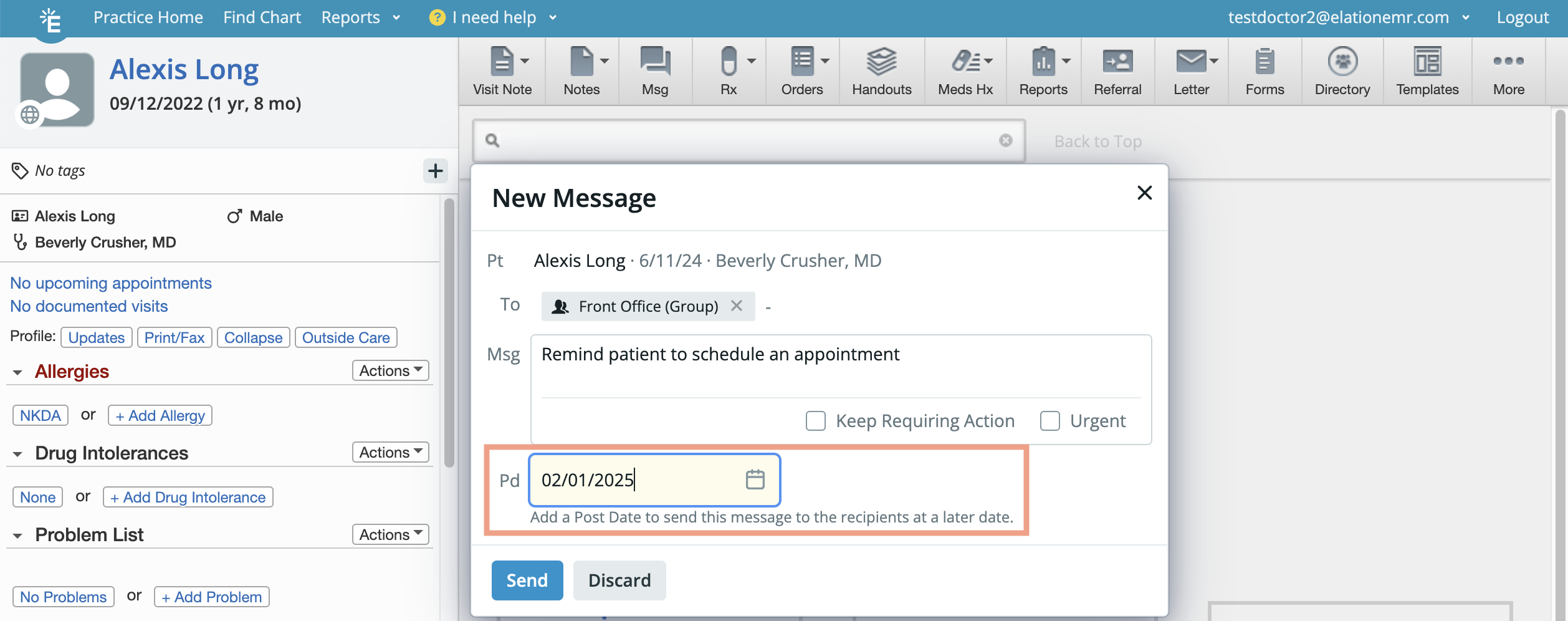
How to use the Post-Date function on a Provider Letter, Referral or Patient Letter
To send a post-dated message to a collaborating provider or patient, enter the date when you would like the message to be delivered in the Post Date field of a Provider Letter, Referral or Patient Letter.