
For administrative staff and office managers · 4 min readYou need administrative privileges to change these settings. Patients see your wording the next time they start a message, so treat it as patient-facing content.
Setup
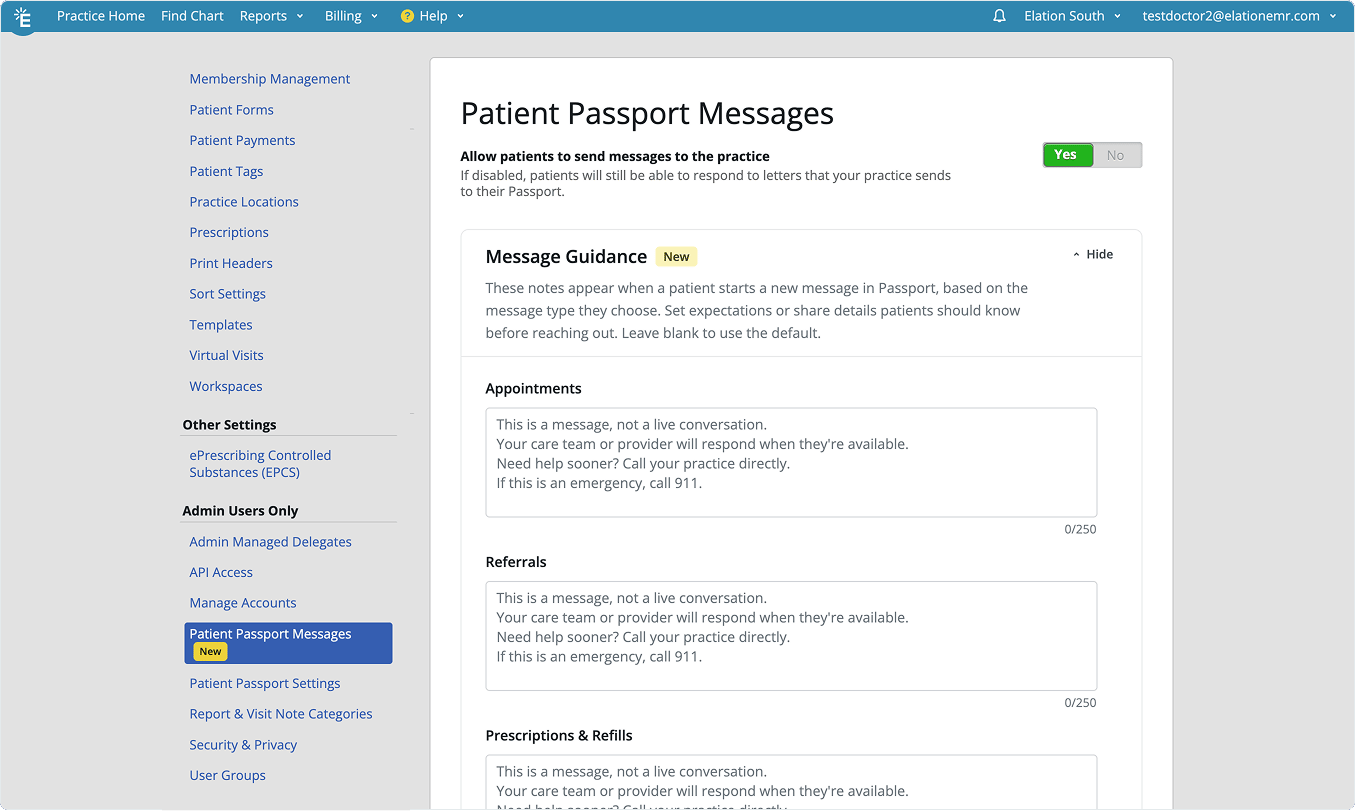
Message guidance is part of your Patient Passport messaging settings, so patient-initiated messaging has to be turned on before you can edit it.- Click Settings.
- Open Patient Passport Messages.
- Confirm that patient-initiated messaging is turned on. If it is off, the Message Guidance section does not appear.
Set guidance for a message type
Each message type has its own note, so you can answer the question a patient is most likely to have for that specific type.- In the Message Guidance section, find the message type you want to change.
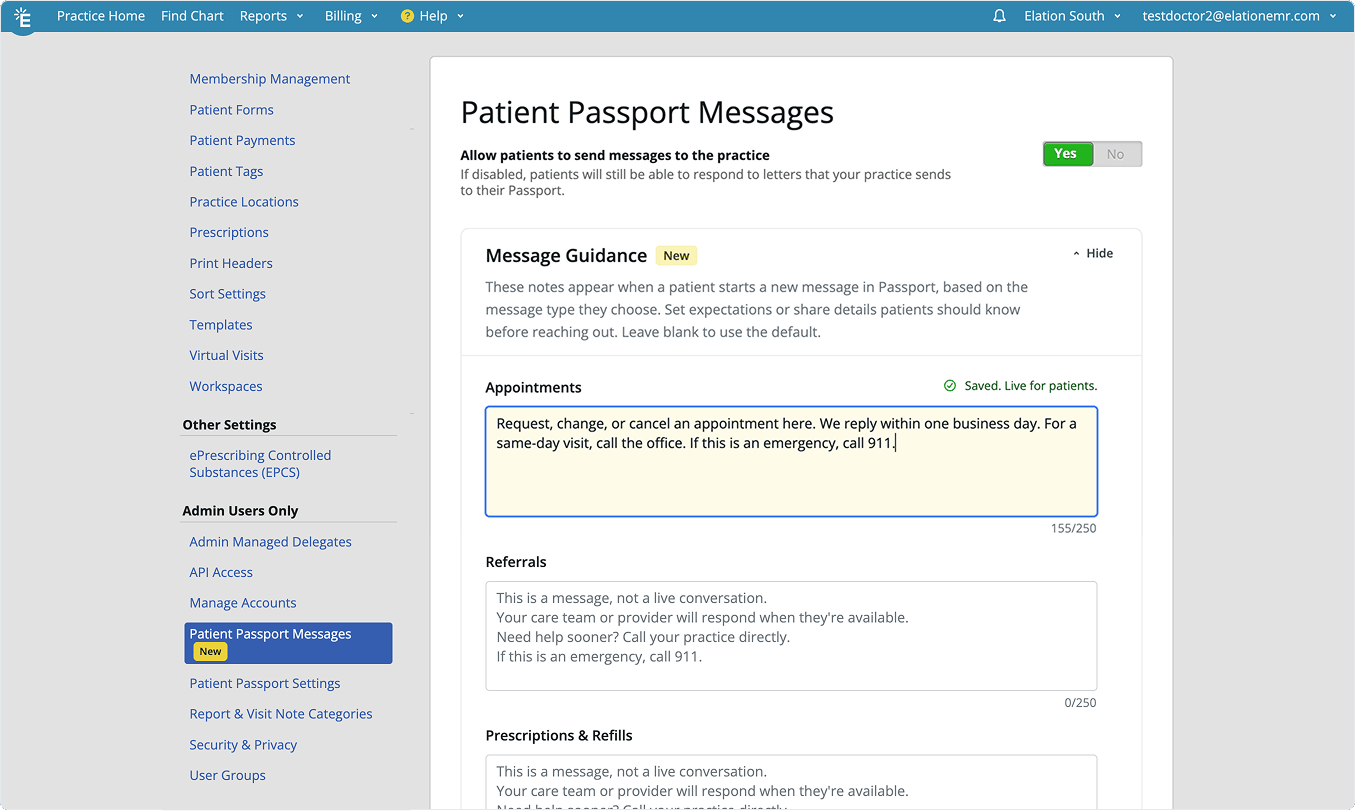
- Type your wording in the field below it.
- Wait for the field to confirm that it saved. Elation saves your wording automatically, so there is no separate save button.
Return a message type to the default
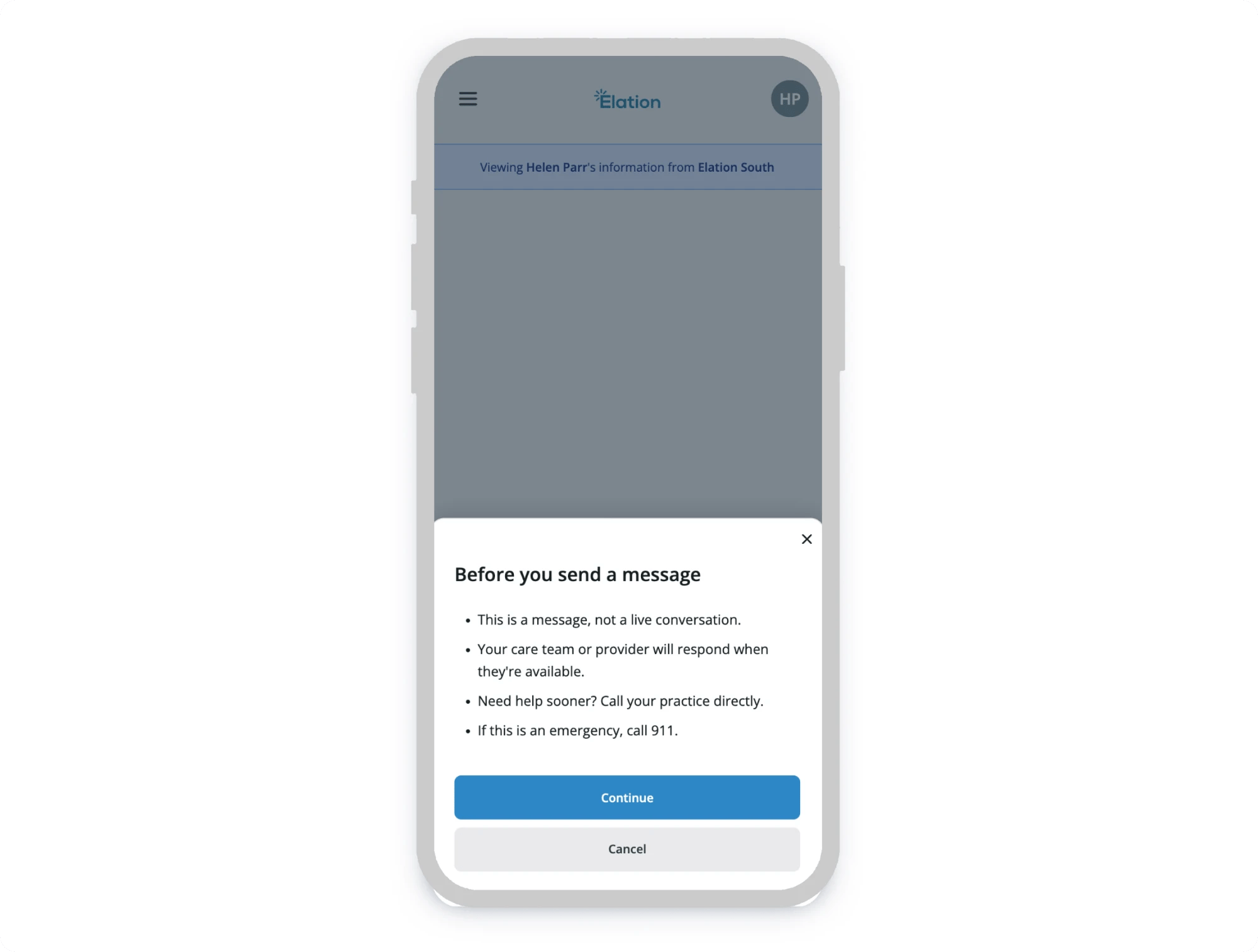
Clear the field. An empty field means patients see Elation’s default guidance for that message type again.What patients see
Patients read your guidance in a dialog headed Before you send a message, after they pick a message type and before they start writing. They continue into the message from there, or cancel. The screenshots show the same appointment guidance twice: as a practice enters it in settings, and as a patient reads it in Passport.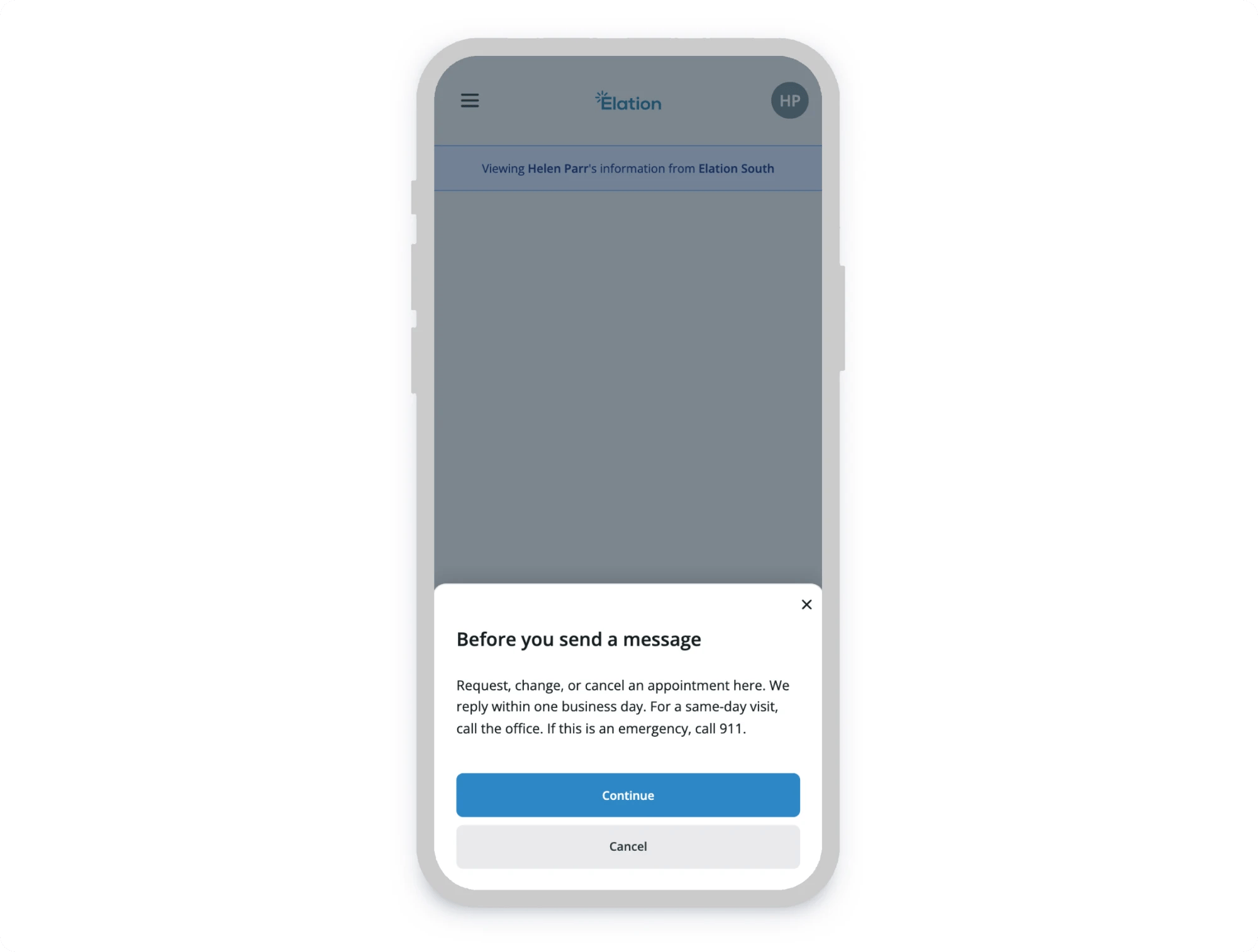
Writing guidance patients can act on
- Say when your practice replies, in terms a patient can plan around: “within two business days” rather than “as soon as possible.”
- Name the alternative for anything urgent. Patients reach for messaging when they are worried, and guidance is the last thing they read before they do.
- Keep emergency instructions in place. Elation’s default guidance tells patients to call 911 in an emergency. If you replace the default wording, carry that instruction into your own.
- Write for the specific message type. Guidance on a prescription refill can set a different expectation than guidance on a billing question.
- Put each point on its own line when you have more than one. Patients see the line breaks you type, and most read this on a phone.