
Overview
Full name (a.k.a.) preferred name used on the SMS opt-in page. When a patient has a Full Name (preferred/actual name) set in their demographics, that name—not their legal name—is shown on the SMS opt-in page they see when subscribing. See the Patient Demographics Guide for more on the Legal Name vs. Full Name fields.
What is SMS (text message) Opt-In?
SMS (text message) Opt-In is a feature that allows you to send a request to a patient to have them subscribe to text messages from your practice for reminders and notifications from various Elation features including Appointment Reminders, Virtual Visit instructions, and Patient Passport notifications.For patients who Opt-In to SMS (text message), messages and data rates may apply. For more information, please see Terms of Service and the Elation Health Privacy Policy.
Why is SMS (text message) Opt-In useful?
The Telephone Consumer Protection Act requires that businesses and organizations receive express consent from individuals before sending automated SMS messages. The SMS Opt-In feature allows you to receive this consent from your patients. Opting in is required for patients to receive:- SMS appointment reminders — Patients who have not opted in will receive a phone call instead of a text message, even if they have a mobile number on file.
- Virtual visit instructions via text — For telehealth appointments, patients need to opt in to SMS to receive their video visit link and instructions by text message.
- Patient Passport notifications via text — SMS opt-in is also required for text-based notifications from Passport.
Workflow Instructions
Requesting patients opt-in to SMS
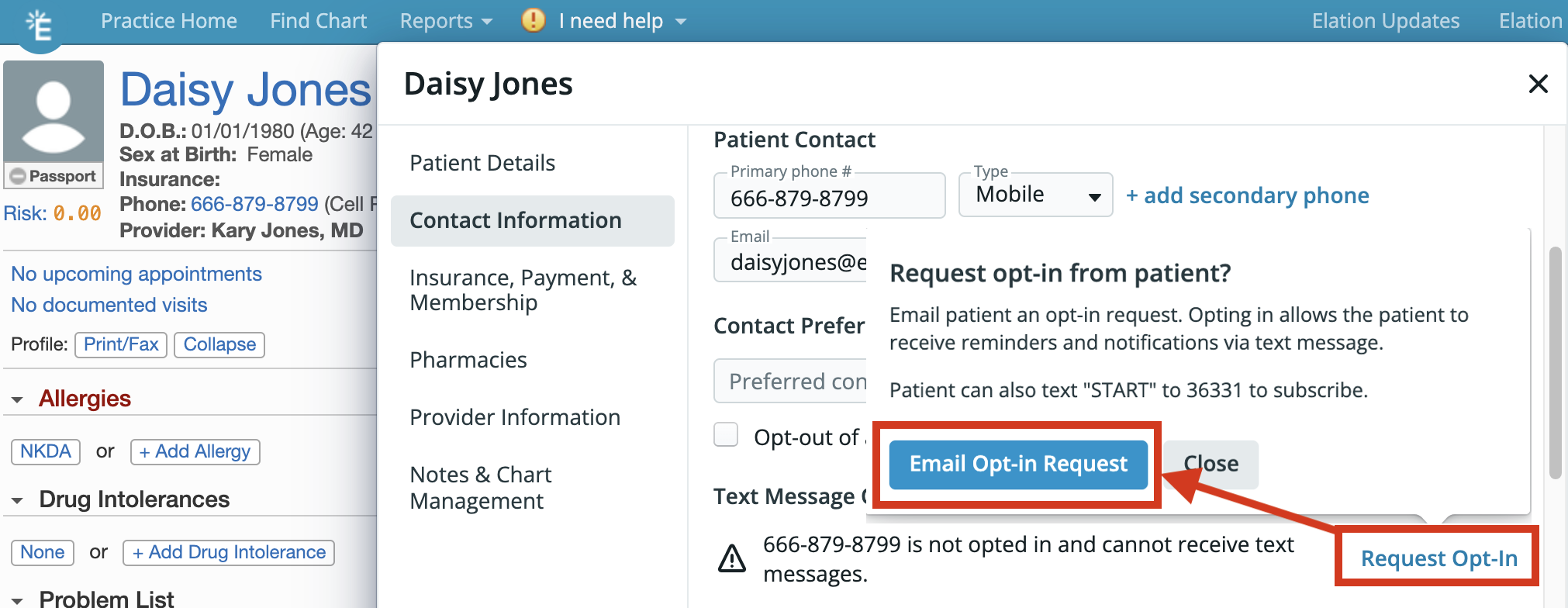
You can ask the patient to text “START” to the number 36331 to subscribe to text messages from your office again or follow the steps below to send them an email request to subscribe online.- Open the Patient’s chart and click on their name to open the Demographics box.
- Click on the Request Opt-In box and click Email Opt-In Request.
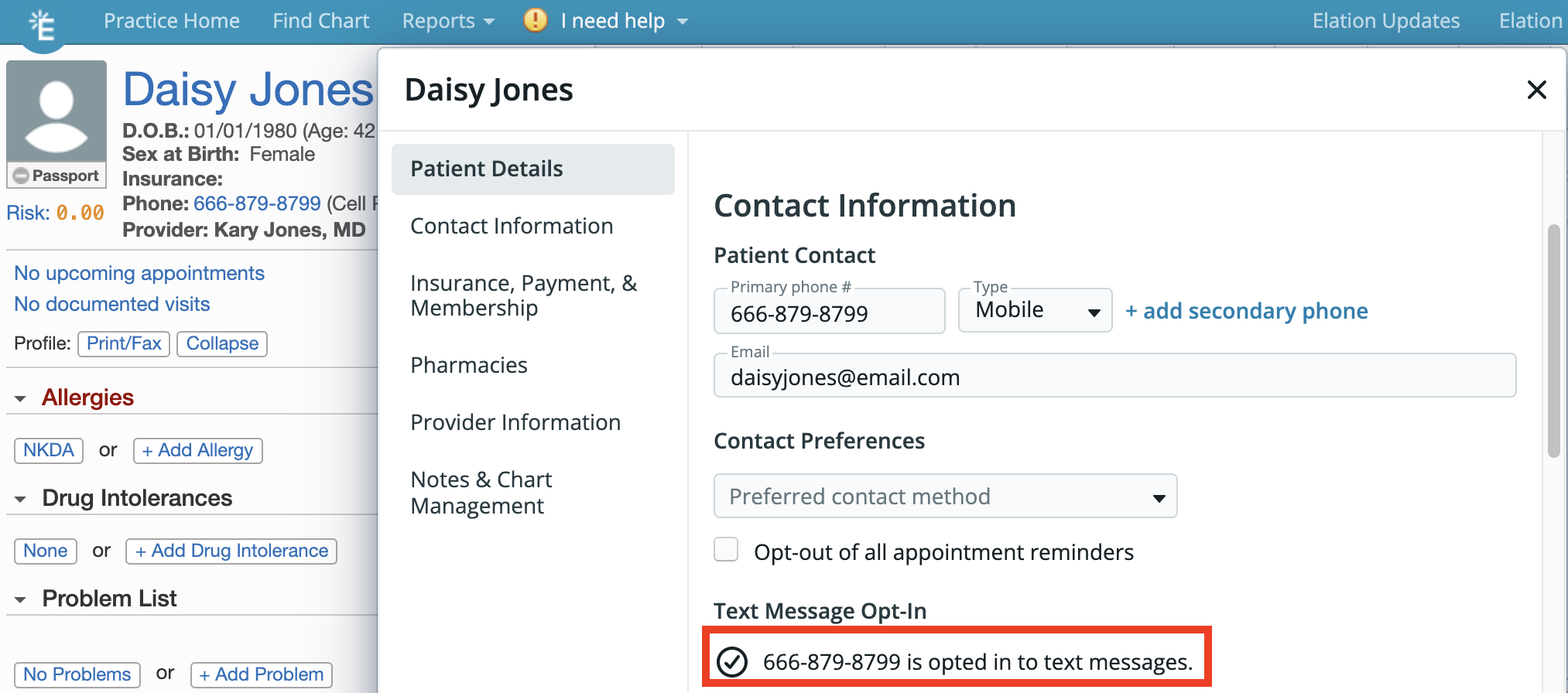
What patients see when prompted to opt-in to SMS
- Patients will receive an email from your office with instructions for how to subscribe to text messages again.
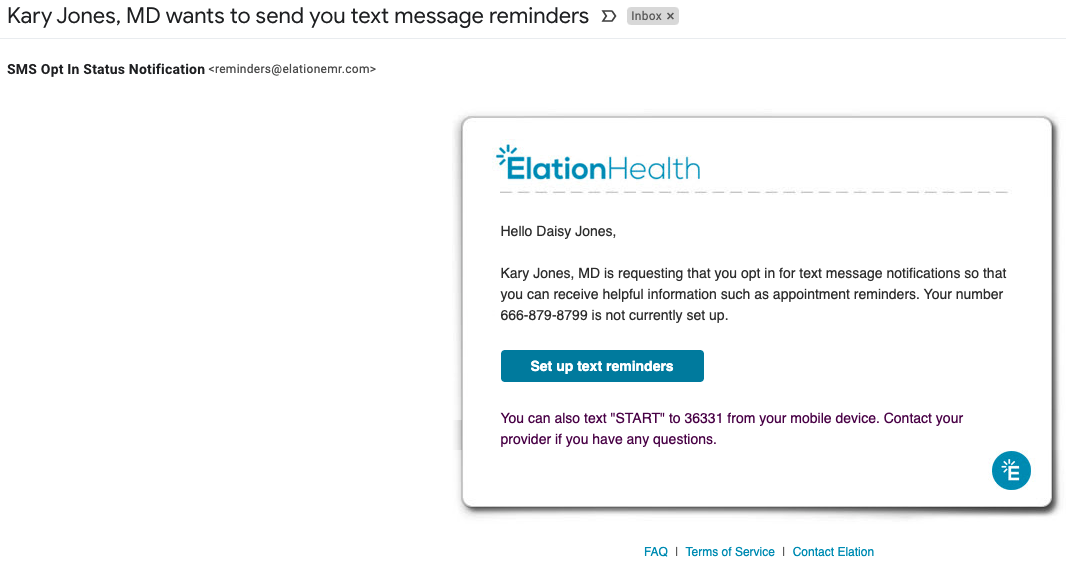
- If the patient clicks Set up text reminders, they will be brought to a page for them to subscribe to text messages again if they select Yes, send me text message notifications…
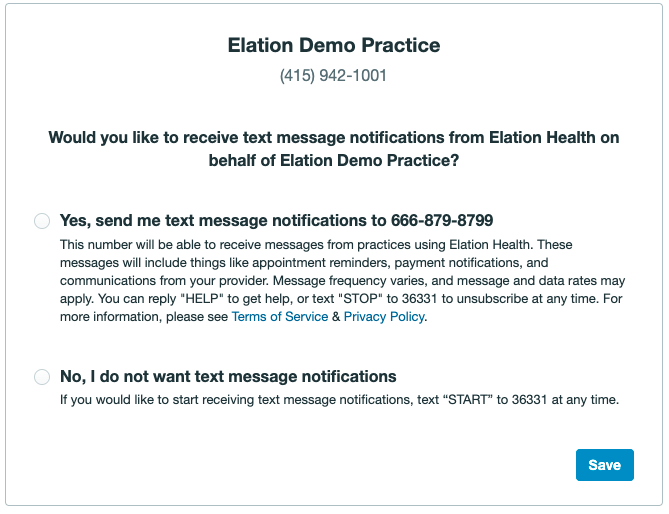
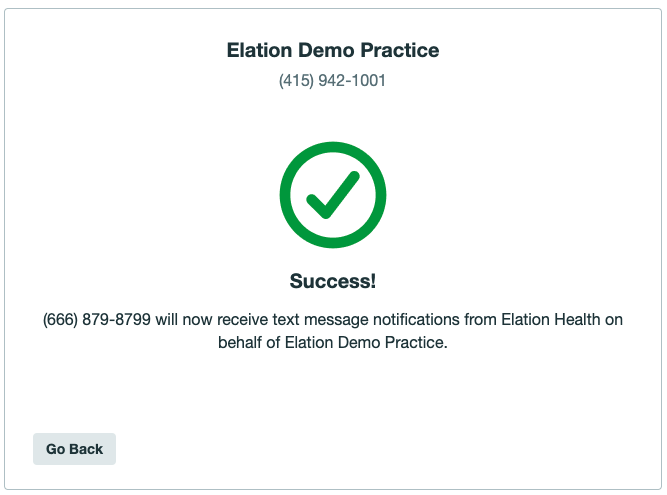
- Once the patient clicks Save, they will see a confirmation page that tells them they have successfully subscribed to text message notifications again.
How patients can opt-in to SMS on their own
Patient Passport
If the patient has a Patient Passport account, they can update their SMS (text message) preference directly from the Settings page of their Passport account by clicking Update Preferences.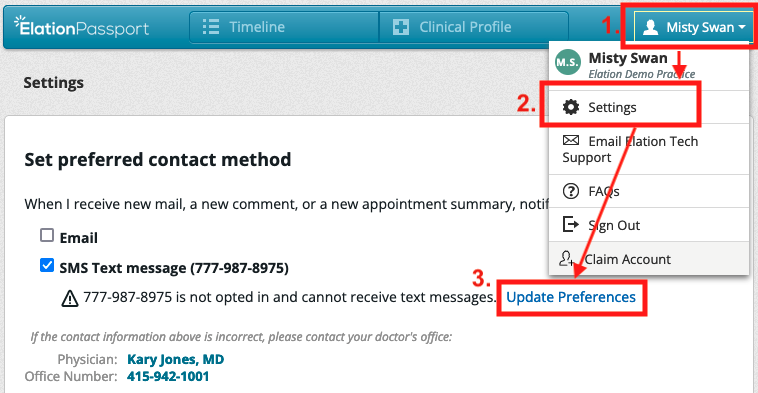
Appointment Reminders
If the patient receives any appointment reminder or appointment confirmation emails from Elation, they will see instructions in the email about how to subscribe to SMS (text message) notifications. The patient can click Opt in to SMS notifications to update their preferences.How patients can unsubscribe (opt-out) from SMS
Patients can opt-out of or unsubscribe from SMS (text message) by:- sending a text message with the word “STOP” to the number 36331
- updating their SMS (text message) preference directly from the Settings page of their Passport account by clicking Update Preferences.