What is practice branding?
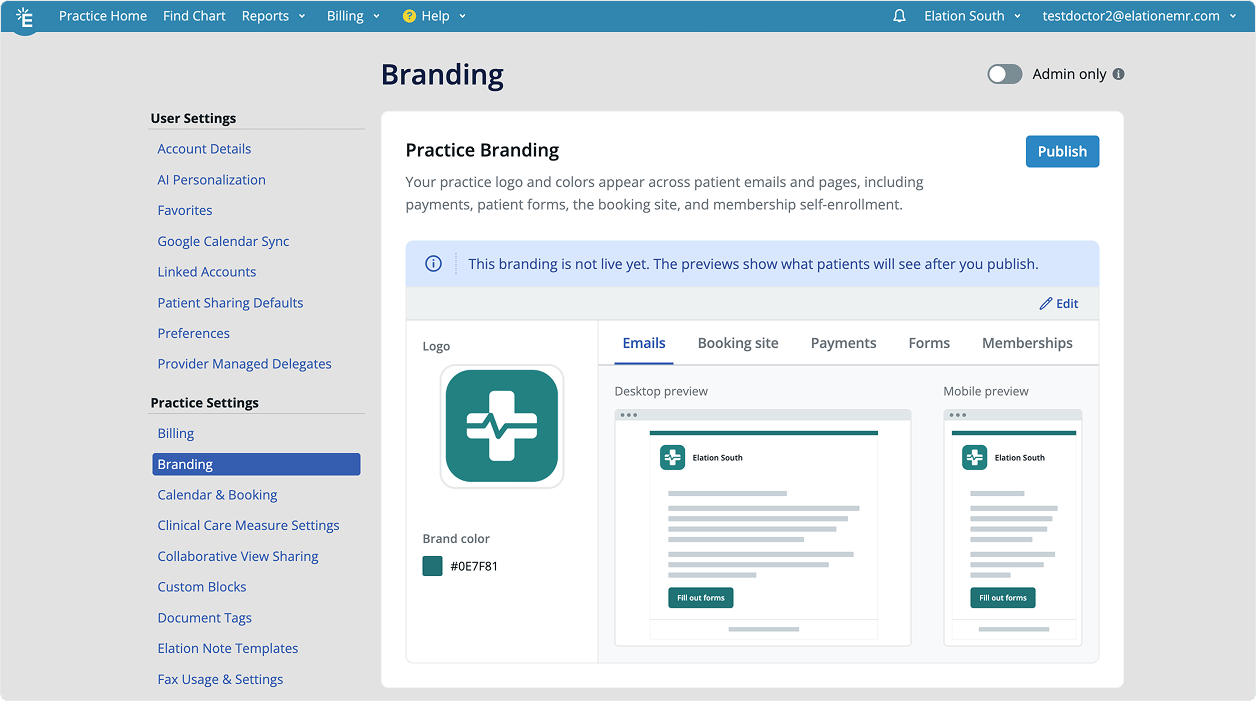
Practice branding lets your practice show its own logo and a single brand color on the Elation-hosted pages and emails that your patients see. You set it up in Practice Settings, and it carries across every patient-facing surface so your practice looks consistent from your own website through to scheduling, forms, payments, and email. Branding has two parts:- Practice logo. A PNG or JPG image that replaces the Elation mark in the header of each patient-facing surface, shown next to your practice name.
- Brand color. One color that themes the key moments on each surface, such as the primary buttons, the booking step indicator, the patient forms progress bar, and a color bar across the top of payment pages and emails.
Why is practice branding valuable?
Patients move from your practice’s own website into Elation-hosted pages, and they read those pages as an extension of your practice. Showing your logo and color keeps that experience continuous, so a patient booking an appointment, filling out a form, or paying a bill sees your practice rather than a generic page.Where your branding appears
Once your branding is published, it appears on these patient-facing surfaces:Branding applies only to patient-facing surfaces. It does not change the Elation EHR that your staff use, and it does not change Patient Passport.
How branding works
You manage branding from Practice Settings > Branding. There you can upload a logo, choose a brand color, and see a live preview of how each surface will look. Your changes stay private as a draft until you publish them, so patients only ever see branding you have chosen to make live.