
Overview
What are Elation identifiers?
Elation uses several types of identifiers to help you manage patient records, billing, and practice administration. These include patient chart IDs, billing reference numbers, and practice account details. Each identifier serves a specific purpose in your daily workflows.Why are identifiers important?
Understanding how identifiers work in Elation helps you communicate more effectively with Elation Support, cross-reference records between systems, and guide patients through the payment process. Using the correct identifier in the right context protects patient privacy and ensures accurate record management.Workflow Instructions
What is a patient chart ID?
The patient chart ID is a unique numeric identifier assigned to each patient chart in Elation. It allows you to reference specific patient charts without sharing protected health information (PHI).Where to find the patient chart ID
- Demographics window: Once a chart is created, the Elation patient chart ID number appears at the top of the demographics window.
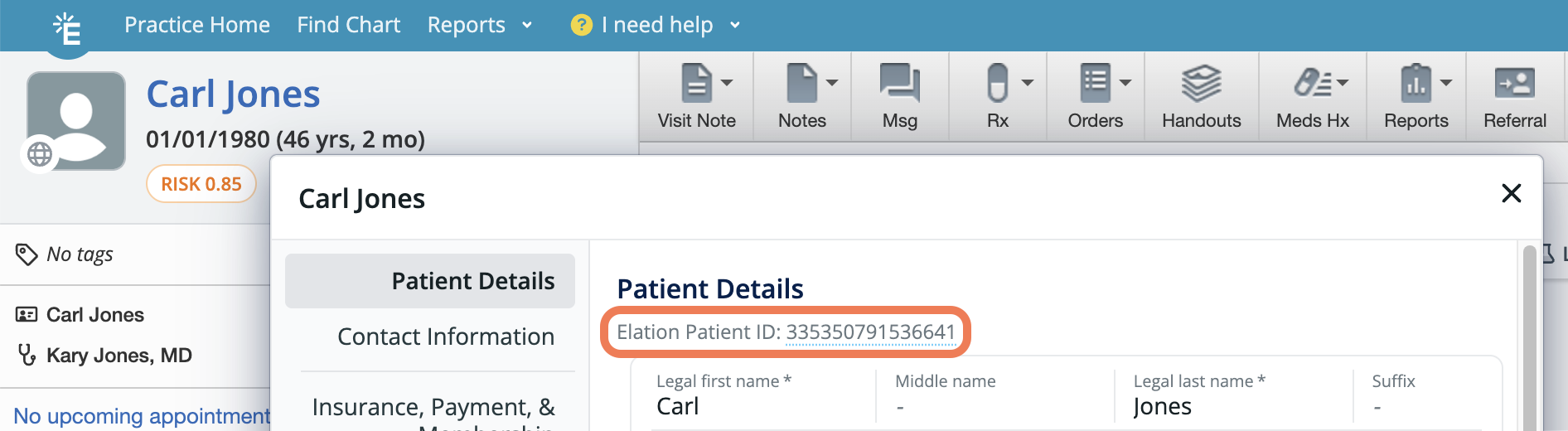
- URL bar: The patient chart ID is also visible in the chart’s URL.

How to use the patient chart ID
- Support tickets: When contacting Elation Support about a specific patient issue, include the patient chart ID instead of the patient’s name or date of birth. This protects patient privacy while allowing Support to locate the correct chart.
- Internal references: Use the patient chart ID for internal communications, quality assurance, or cross-referencing between team members.
- VIP patients: When running reports, VIP patients display only their patient chart ID with all other identifiable information hidden.
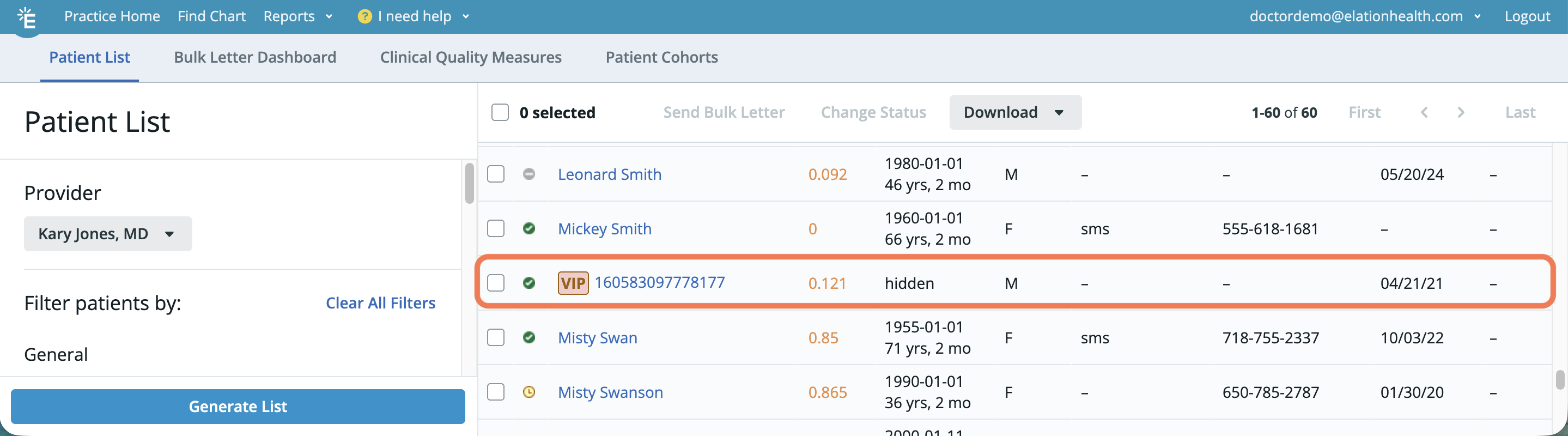
The patient chart ID is primarily for internal and Support use. Patients do not need to know or use this number.
What is a billing reference number?
The billing reference number (shown as Billing ref # in Billing Home) is an identifier that links a bill in Elation to a corresponding claim or record in an external system, such as a Practice Management System (PMS).Where to find the billing reference number
The Billing ref # column appears in Billing Home (accessible via Reports → Billing Home).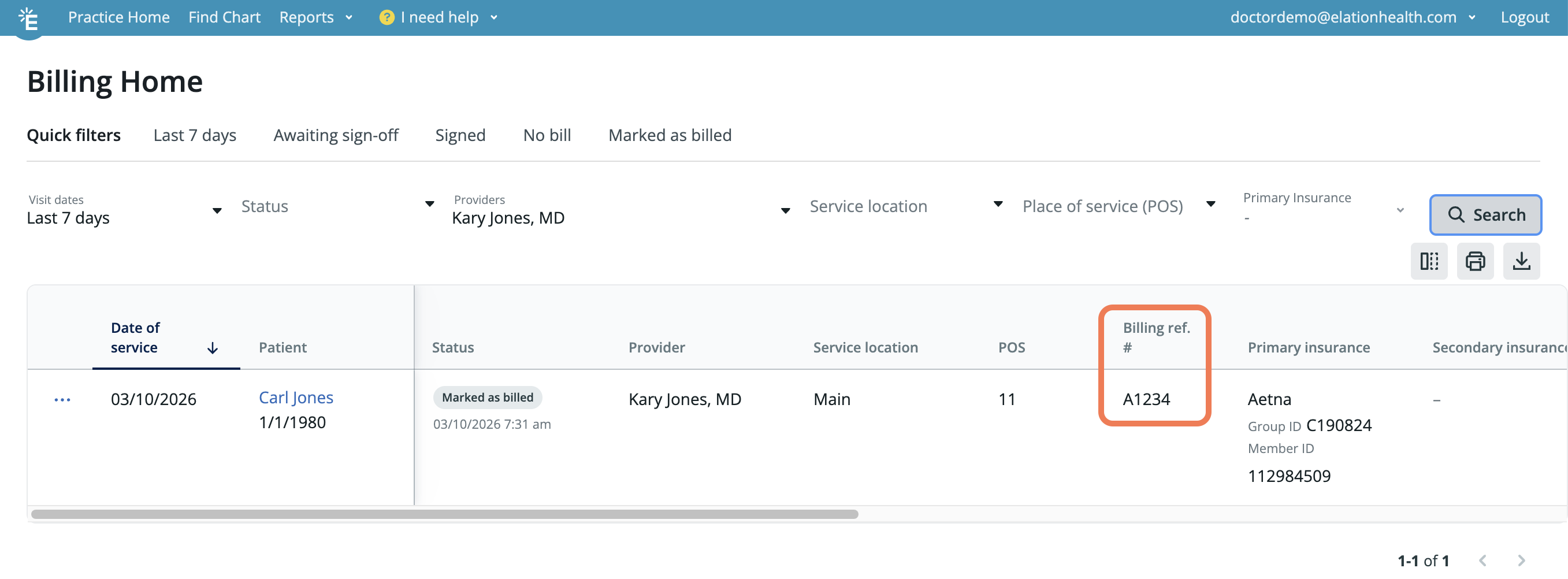
How the billing reference number works
- Manual entry: When you use the Mark as Billed action, you can enter your own billing reference number (such as a claim number from your billing system).
- PMS integrations: If you use a PMS integration that confirms receipt of claims, the reference number returned by your PMS will automatically display in the Billing ref # field.
How to use the billing reference number
- Cross-reference external systems: Use the billing reference number to locate the corresponding claim in your PMS or billing software.
- Follow up on claims: If a bill in Billing Home is missing a billing reference number, it may indicate the claim has not been processed or sent.
- Troubleshooting: When a bill fails to send to your PMS, check the View Bill History action to see error messages and the billing reference number status.
Practice account ID
Elation does not display a single numeric “account number” for your practice within the EHR interface. To obtain your practice account number, please contact Elation Support using the I need help option.Provider SPI (Surescripts Prescriber Identifier)
Elation does not display a provider’s SPI (Surescripts Prescriber Identifier) anywhere in the EHR interface — unlike your NPI and DEA number, it isn’t a field you enter or view on the Account Details or Edit Profile pages. If an external eRx vendor or system requires your SPI, such as during a vendor transition, contact Elation Support to request it.What should patients enter in the “Statement or Invoice or Account #” field?
When patients use your practice’s Payment Site to submit a payment, they are prompted to enter a Statement or Invoice or Account #.Recommended guidance for patients
While any value can technically be entered without validation, this field is for practices that require it to correctly post specific payments to the appropriate statements. Patients can enter:- Invoice number from the invoice or statement you provided, if one was generated from your PMS software.
- “N/A” if there is no number or association you need to make for the payment.