
Changing your password from the Login Page
- Go to https://app.elationemr.com/login/ (Elation Login Page)
- Click the Forgot Password? button below the Log In button
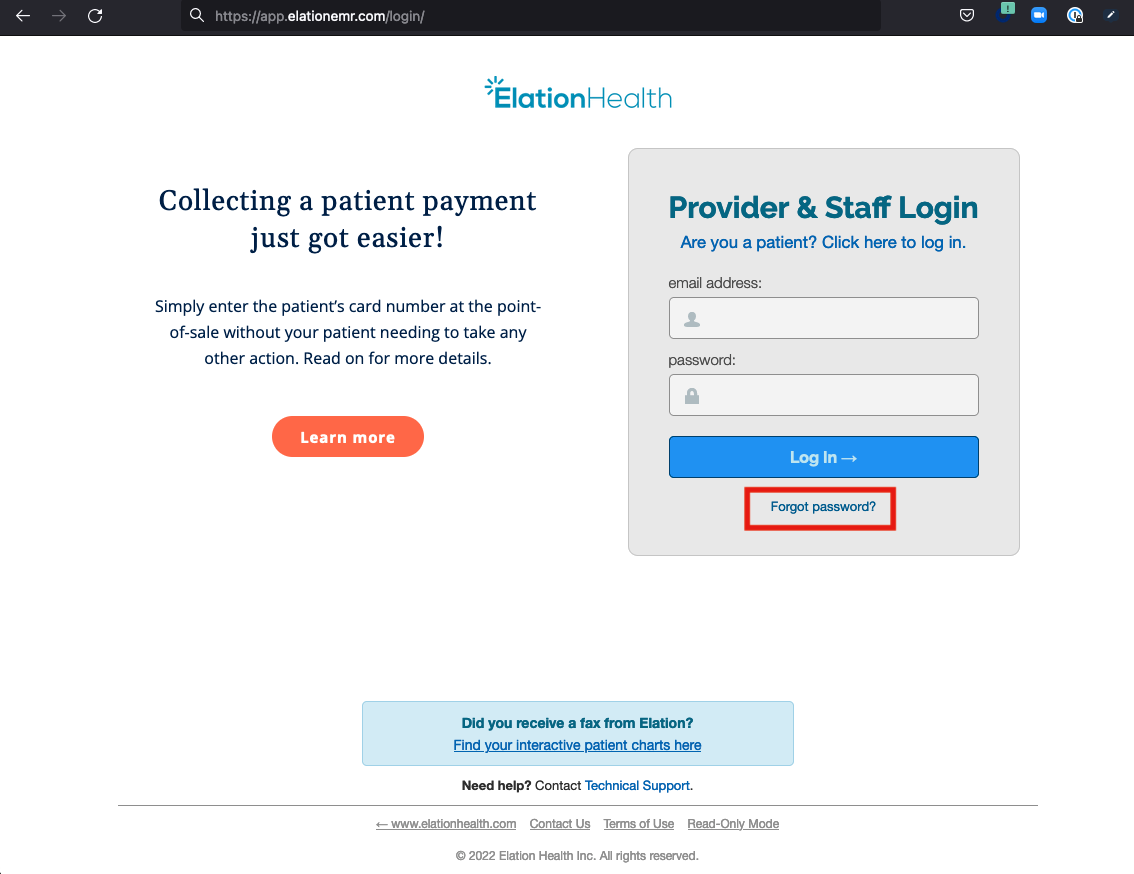
- Enter your Elation login email address & click Submit Request
-
You must have access to the email address you use for your Elation account in order to reset your password. If you do not have access to this email address, click here to contact the Support Team for further assistance.
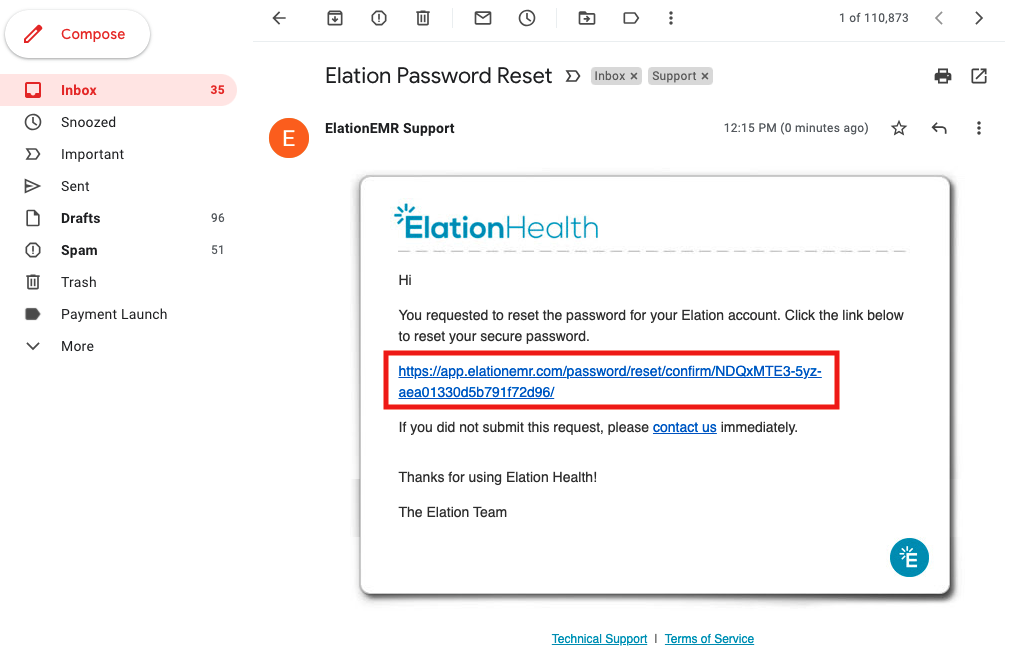
- You will receive an email in your email inbox from support@elationemr.com with the subject line Elation Password Reset. Click on the link in the email to reset your password.
- Enter your new password twice & then click Update Password
- Click Back to Login Page (https://app.elationemr.com/login/) to login with your email and new password.
Changing your password from your Elation account settings
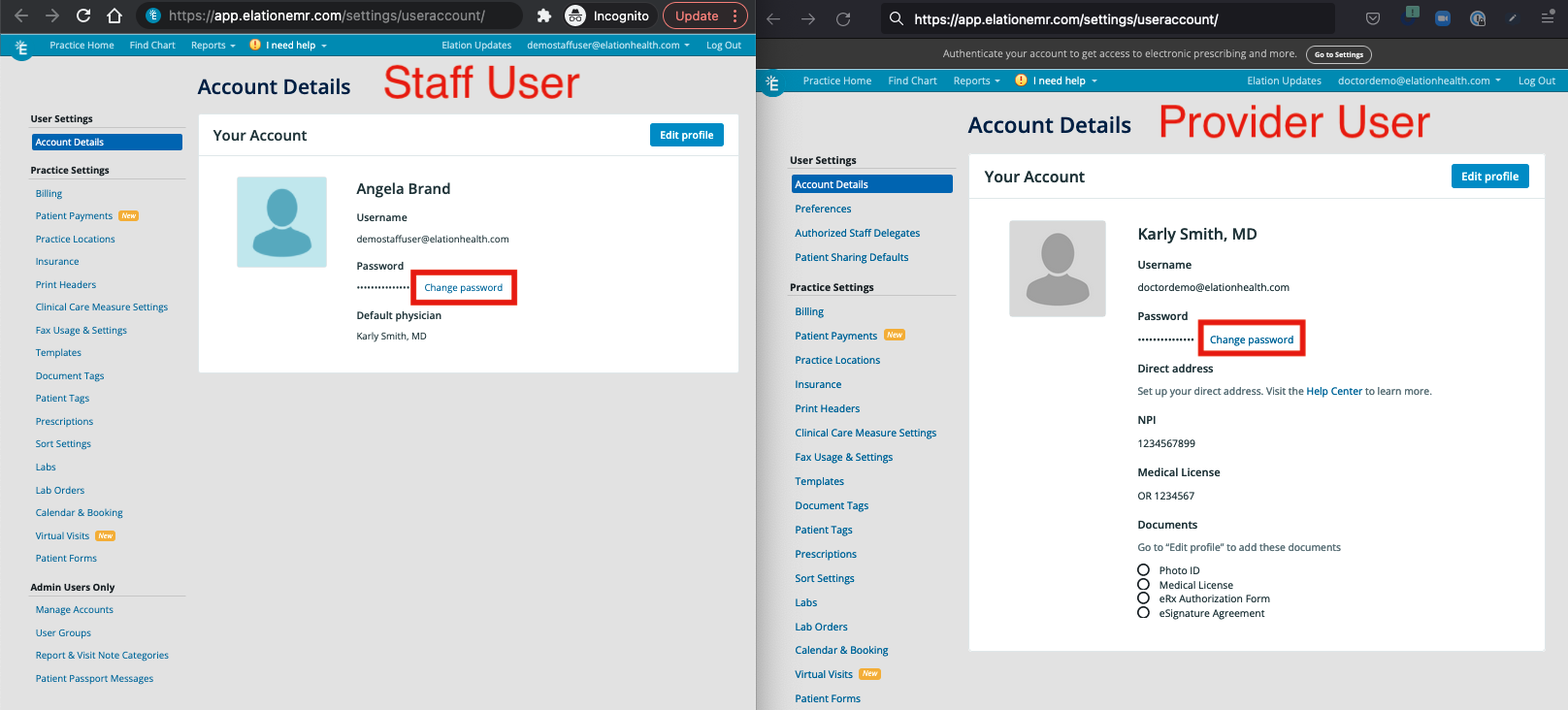
- Login to your Elation account and click on the Settings button that appears beneath your email address.
- Click on Account Details under User Settings
- Click Change Password
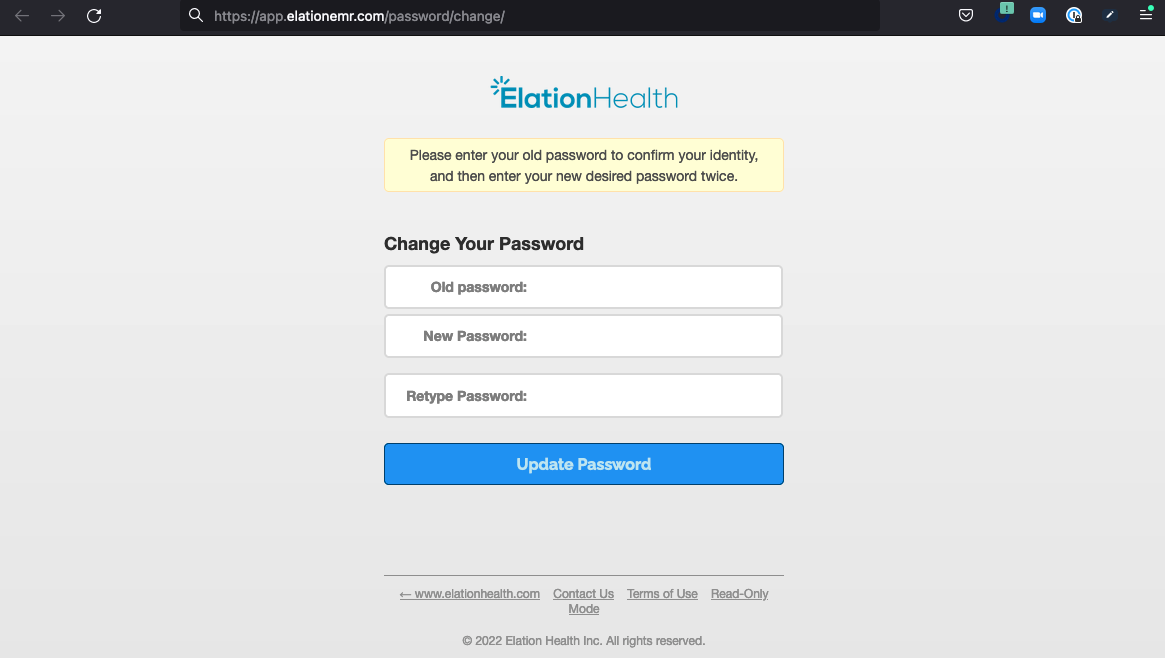
- First enter your current (old) password, then enter your desired new password twice in the next 2 fields and click on Update Password.
- Done! Your password has been updated. You can now log into Elation with your new password moving forward.
Tips for creating a stronger password
Choosing a password is important to ensure only you have access to your Elation account and the Protected Health Information (PHI) within the account. We have put together a few tips to help you choose a strong password:- Pick a password that is not used with your email address on other websites. The most frequent password security lapse results when other websites (especially ones that are not very sensitive to security) are hacked and your password is made public. You do not want this password to be the same as the one you use on Elation.
- Pick a password that is difficult to guess. This means it should not be something like your practice’s address or phone number or contain your first or last name.
- Take advantage of numbers, symbols and pass-phrases. Pass-phrases are phrases made of groups of nonsense words and numbers, which you can use as options for creating passwords that may be memorable without being guessable. For example: apple9carpet2zebra!
Adding extra security to my account
If you would like to add extra security to your Elation account, we recommend exploring Elation’s Single-Sign On feature or Multi-factor Authentication (MFA) feature.Frequently Asked Questions (FAQ)
I did not receive a password reset email. What should I do?
- Search your email account for an email from support@elationemr.com with the subject line Elation Password Reset; especially the Trash, Spam or Junk folders.
- Try to reset your password again from this link: https://app.elationemr.com/password/reset/ and see if you receive the password reset email via the second attempt. Make sure you enter the email address associated with your Elation account.
- If #1 and #2 are unsuccessful, click here to contact the Support Team for further assistance.
I am unable to access my email inbox to reset my password. What should I do?
You must have access to the email address you use for your Elation account in order to reset your password. If you do not have access to this email address, click here to contact the Support Team for further assistance.I received a password reset email but I did not request one. What should I do?
In most cases, this is not a security concern and no action is needed. The Elation password reset form at https://app.elationemr.com/password/reset/ is public so users who cannot log in can request a reset — anyone can enter any email address on that form, which triggers the reset email to the address that was entered. Receiving one of these emails does not mean someone has access to your account or knows your password. If you did not request the reset, you can safely ignore and delete the email; the reset link expires and cannot be used unless it is opened and a new password is set. Your password only changes if you click the link in the email and complete the reset. As long as you did not do that, your existing password still works and your account remains secure. Take action only if one of the following is true:- You are also seeing signs your account was actually accessed — for example, changes to your account, patient charts, or settings that you did not make. In that case, reset your password immediately from Changing your password from your Elation account settings and contact the Support Team.
- You are receiving a high volume of unrequested reset emails. Contact the Support Team so they can help investigate.