Lab results where the Elation physician has been marked as a “Copy To” recipient can be received and processed. NPI of the “Copy To” provider must be entered in the OBR 28.1. If this cannot be done, the lab vendor should continue to send Copy To results to the provider via fax or courier.
seqtypeoptDescription
1integerRSet ID
2char(100)RPlacer Order Number
3char(100)RFiller Order Number (Accession Number used to Match ORC3)
4.1char(50)RUniversal Service ID
4.2char(200)RUniversal Service ID Description
7YYYYMMDDhhmmRObservation Date/Time
11char(1)OSpecimen Action Code
14YYYYMMDDhhmmRSpecimen Received Date/Time
22YYYYMMDDhhmmRResults Rpt/Status Change Date/Time
25char(1)RResults Status (A/F/P/X) A = Amended/Corrected F = Final P = Preliminary X = Canceled
28char(150)OResult Copies To Provider NPI Note: Elation will parse the first nine copied providers.
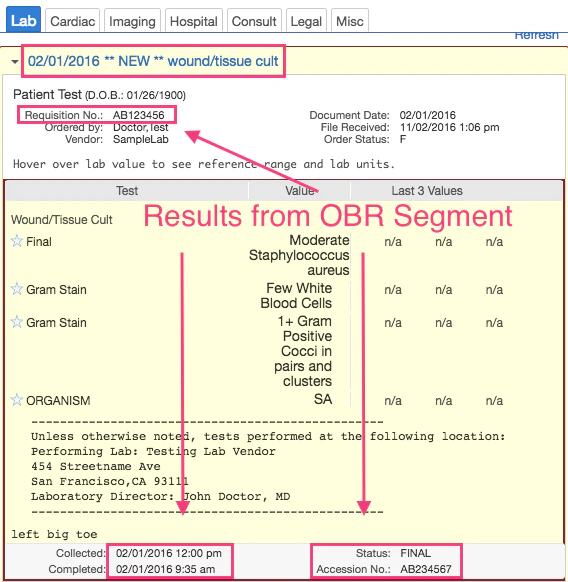
OBR|1|AB123456|AB234567|CM_WDEEP^Wound/Tissue Cult|||201602011200|||||||201602011428||||||||201602010935||MC|F|||
OBR segment example in Elation EHR