> ## Documentation Index
> Fetch the complete documentation index at: https://help.elationhealth.com/llms.txt
> Use this file to discover all available pages before exploring further.
# Post Date a Message Guide- Reminders & Task Follow Up
> The Post-Date function can be used to remind yourself or someone in your practice (like a colleague or staff) to perform a task at a future date like a sticky note.
## What is the Post-Date function?
The Post-Date function is a feature that allows you to
1. set a specific date for an Office Message to appear in the Requiring Action queue (instead of immediately by default) in the EHR for yourself or a colleague in your practice.
2. set a specific date for a Provider Letter or Referral to be sent to a collaborating provider
3. set a specific date for a Patient Letter to be sent to a Patient via Patient Passport
## Why is the Post-Date function valuable?
### Office Message
The "Post-Date" Office Message feature can be used to remind yourself or someone in your practice to perform a task at a future date.
Most widely known use cases are:
* keeping track of patient due dates for specific exams or procedures (ex. annual wellness exams, well women's exams, etc)
* keeping track of patient care plan follow up (ex. checking on blood pressure readings taken at home, checking on status of sutures, etc)
* keeping track of office tasks and responsibilities
### Provider Letter or Referral
The "Post-Date" Provider Letter or Referral feature can be used to follow up with a collaborating provider or other members of the patient's care team about specific care actions.
The most widely known use cases is following up with a specialist for a copy of their consultation with the patient.
### Patient Letter
#### The "Post-Date" Patient Letter feature can be used to follow up with a Patient about specific action items or follow up on their care.Most widely known use cases are:
* reminding patients to return for specific exams or procedures (ex. annual wellness exams, well women's exams, etc)
* following up on a patient's care plan (ex. checking on blood pressure readings taken at home, checking on status of sutures, etc)
## How to use the Post-Date function on an Office Message
To send a post-dated Office Message, enter the date when you would like the message to be delivered in the **Pd** field of an Office Message.
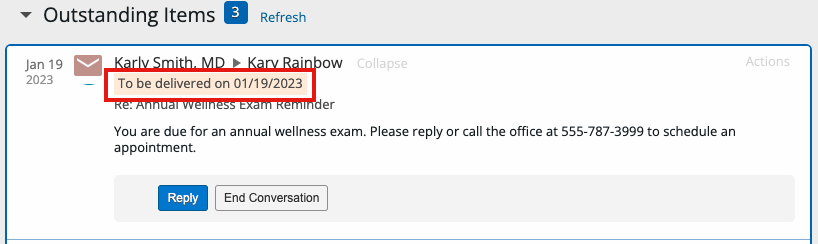
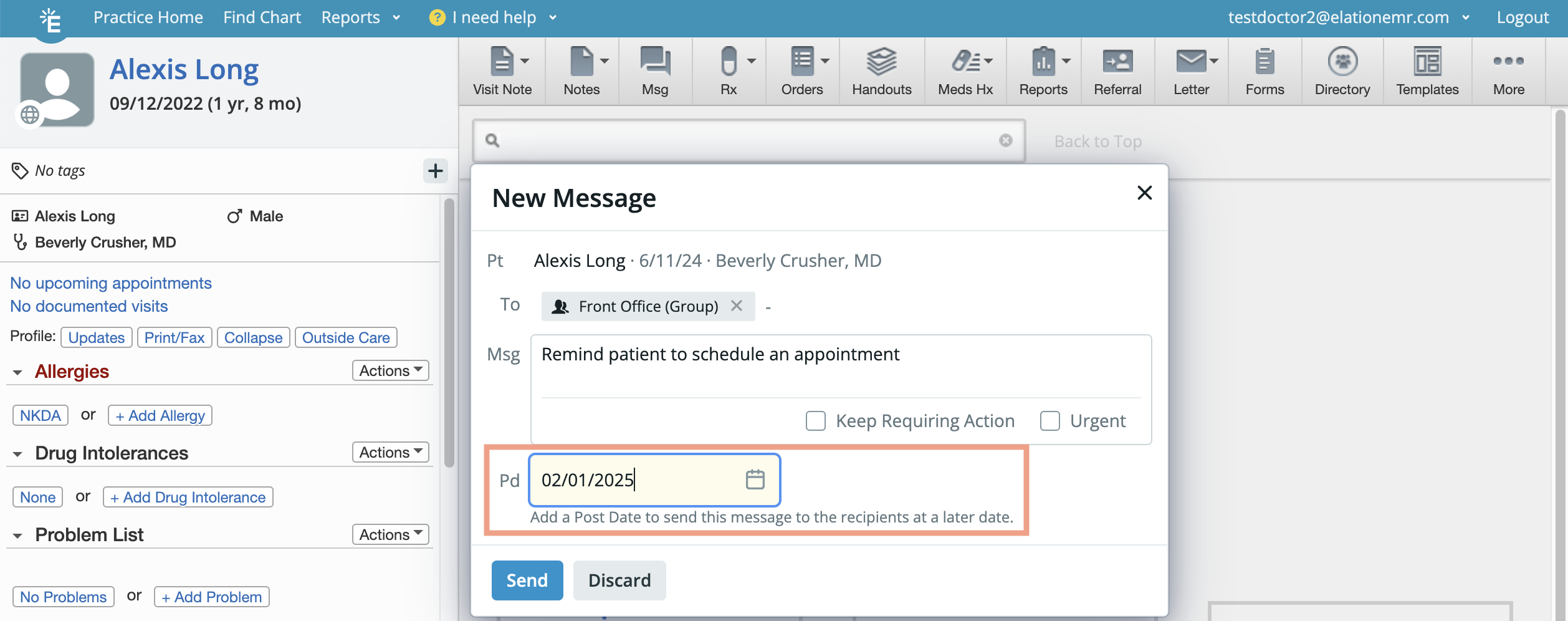 The message will be stored in the Outstanding Items queue at the top of the patient's chart until the 'post date' arrives. Once the 'post date' arrives, the message will be delivered at 12am local time and displayed in the recipients' Requiring Action queue and Practice Home Office Message inbox.
## How to use the Post-Date function on a Provider Letter, Referral or Patient Letter
To send a post-dated message to a collaborating provider or patient, enter the date when you would like the message to be delivered in the **Post Date** field of a Provider Letter, Referral or Patient Letter.
The message will be stored in the Outstanding Items queue at the top of the patient's chart until the 'post date' arrives. Once the 'post date' arrives, the message will be delivered at 12am local time and displayed in the recipients' Requiring Action queue and Practice Home Office Message inbox.
## How to use the Post-Date function on a Provider Letter, Referral or Patient Letter
To send a post-dated message to a collaborating provider or patient, enter the date when you would like the message to be delivered in the **Post Date** field of a Provider Letter, Referral or Patient Letter.
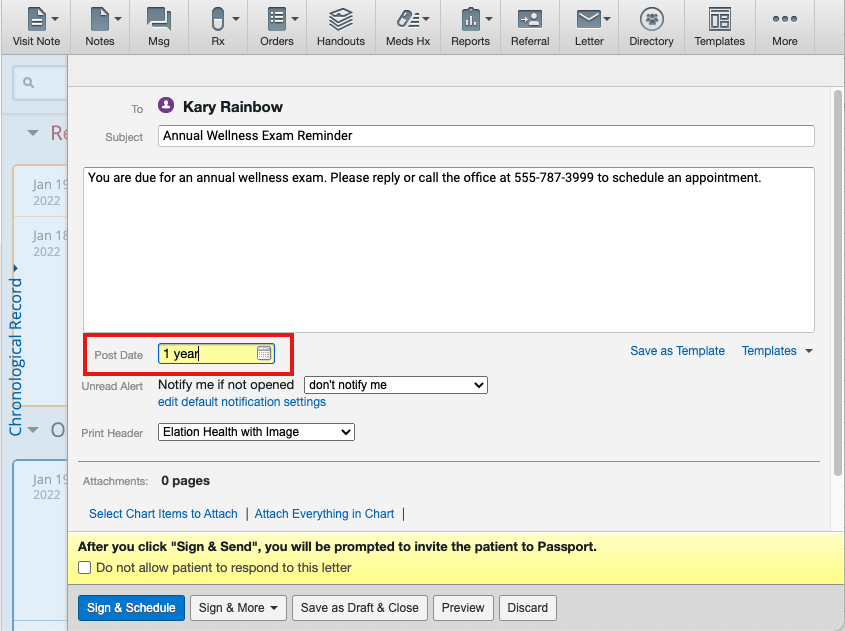 The message will be delivered on the **Post Date** date at about 3am Pacific. In the meantime, the message will be stored in the Outstanding Items queue at the top of the patient's chart.
  **Next Step**
**Send someone a reminder to follow up on a task at a future time!**
**Related Articles**
* [Getting started with Patient Passport](/articles/elation-patient-passport-an-introduction)
* [Office Message Feature](/articles/How-to-use-Office-Messages)
* [Sending Letters and Referrals](/articles/letter-and-referral-introduction)
**Next Step**
**Send someone a reminder to follow up on a task at a future time!**
**Related Articles**
* [Getting started with Patient Passport](/articles/elation-patient-passport-an-introduction)
* [Office Message Feature](/articles/How-to-use-Office-Messages)
* [Sending Letters and Referrals](/articles/letter-and-referral-introduction)