> ## Documentation Index
> Fetch the complete documentation index at: https://help.elationhealth.com/llms.txt
> Use this file to discover all available pages before exploring further.
# How to locate an ERA from a Patient's record
> Learn how to find an ERA from a patient's record in Elation Billing.
This article explains how to locate an ERA (Electronic Remittance Advice) from a patient's record in Elation Billing. An ERA is the electronic version of a payment explanation sent by an insurance payer — it details what was paid, adjusted, or denied on a claim.
If you're looking for an EOB file you uploaded manually, see [Patient, Claim, and Payment Files](/articles/patient-claim-and-payment-files) instead.
## Workflow Instructions
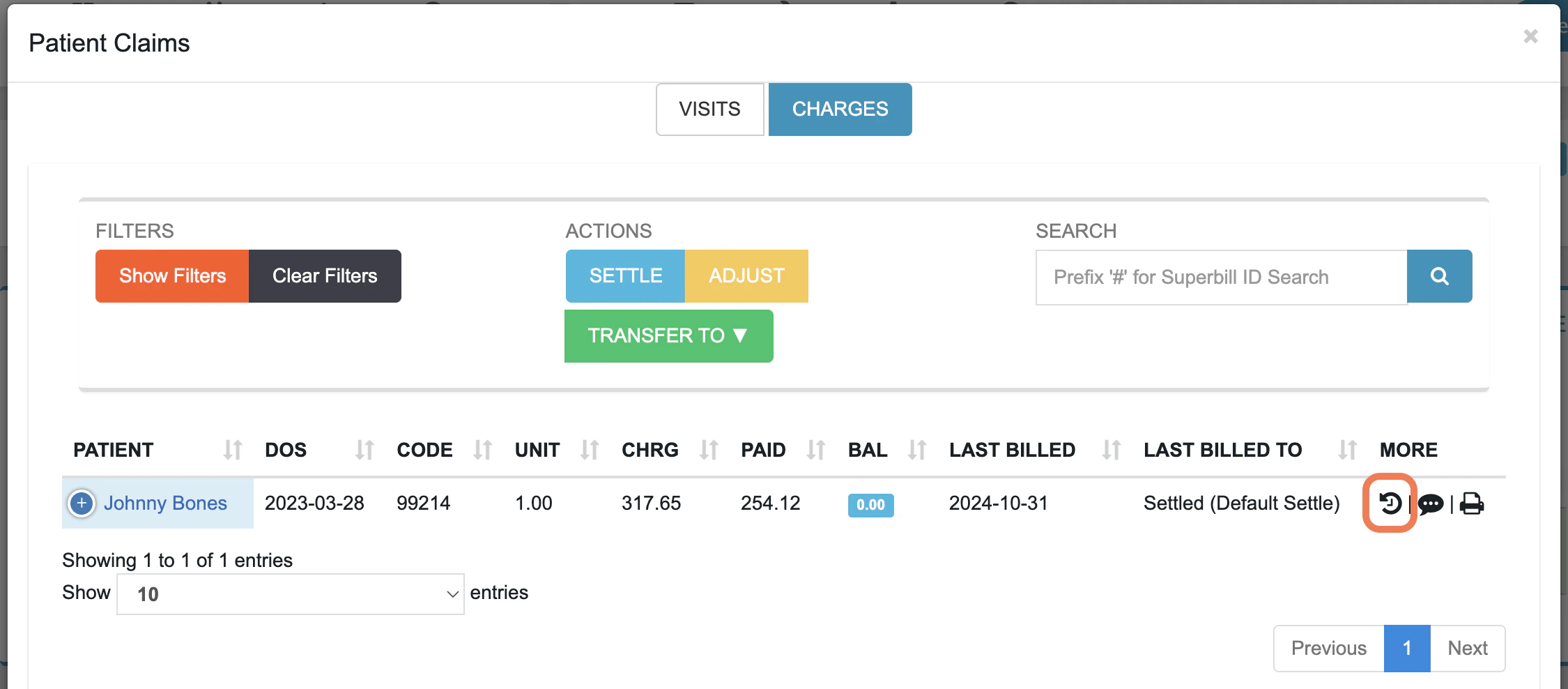
From the patient's record (not a Superbill), click **Claims** → **Charges**.
Click the **Claim History** button next to the claim you want to view.
 Under **Clearinghouse Activity**, find a row in the **Type** column that shows **ERA Received**.
Click **Open ERA** at the end of the row and select the type of ERA you want to view.
* Full ERA - shows you the full ERA tied to the payment - it may or may not have payments for other patient claims.
* Partial ERA - show you only the part of the ERA that is relevant to the patient.
***
## Troubleshooting
**The Open ERA button doesn't appear on an auto-posted payment.** This can happen if the ERA was deleted or if the payment was imported in a way that didn't attach the ERA. Try searching for the ERA directly by check number using the ERAs search tool.
**No financial transactions appear in Claim History.** Financial Transactions only appear after a payment has been posted to the claim. If the claim hasn't been paid or posted yet, there will be no transactions to navigate from.
## Related Articles
* [Viewing ERAs and Auto-Posting](/articles/viewing-eras-and-auto-posting)
* [Claim History](/articles/claim-history)
* [Patient, Claim, and Payment Files](/articles/patient-claim-and-payment-files)
Under **Clearinghouse Activity**, find a row in the **Type** column that shows **ERA Received**.
Click **Open ERA** at the end of the row and select the type of ERA you want to view.
* Full ERA - shows you the full ERA tied to the payment - it may or may not have payments for other patient claims.
* Partial ERA - show you only the part of the ERA that is relevant to the patient.
***
## Troubleshooting
**The Open ERA button doesn't appear on an auto-posted payment.** This can happen if the ERA was deleted or if the payment was imported in a way that didn't attach the ERA. Try searching for the ERA directly by check number using the ERAs search tool.
**No financial transactions appear in Claim History.** Financial Transactions only appear after a payment has been posted to the claim. If the claim hasn't been paid or posted yet, there will be no transactions to navigate from.
## Related Articles
* [Viewing ERAs and Auto-Posting](/articles/viewing-eras-and-auto-posting)
* [Claim History](/articles/claim-history)
* [Patient, Claim, and Payment Files](/articles/patient-claim-and-payment-files)