> ## Documentation Index
> Fetch the complete documentation index at: https://help.elationhealth.com/llms.txt
> Use this file to discover all available pages before exploring further.
# How to Adjust Your Appointment Calendar Settings (Legacy Practices Only)
> Learn how to configure appointment calendar settings in Elation Billing (Legacy)
This article explains how to adjust appointment calendar settings in Elation Billing for Legacy practices.
## Overview
Elation EHR + Billing Practices will use the EHR Calendar instead of the Elation Billing Calendar. This article applies to Legacy practices only.
## Workflow Instructions
### Accessing Calendar Settings
1. **Navigate** - Click on the **Appointment Calendar** option under the **Patients** drop-down menu.
2. **Open Settings** - Click on **Calendar Settings**.
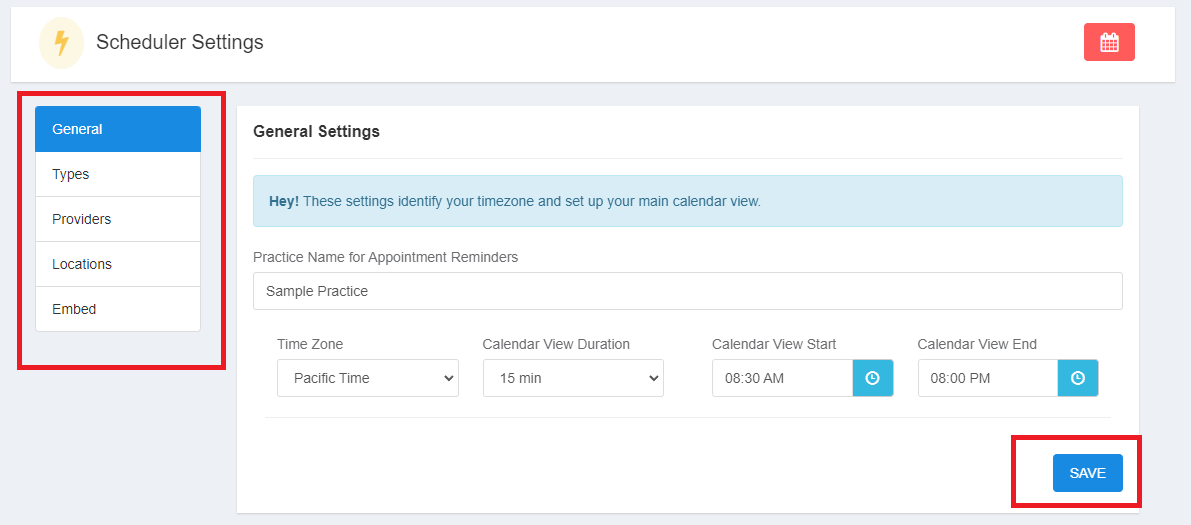
 3. **Review and Adjust** - Use the bar on the left to adjust and save different calendar settings.
Make sure you save on each settings screen!
3. **Review and Adjust** - Use the bar on the left to adjust and save different calendar settings.
Make sure you save on each settings screen!
 ***
### General Settings
***
### General Settings
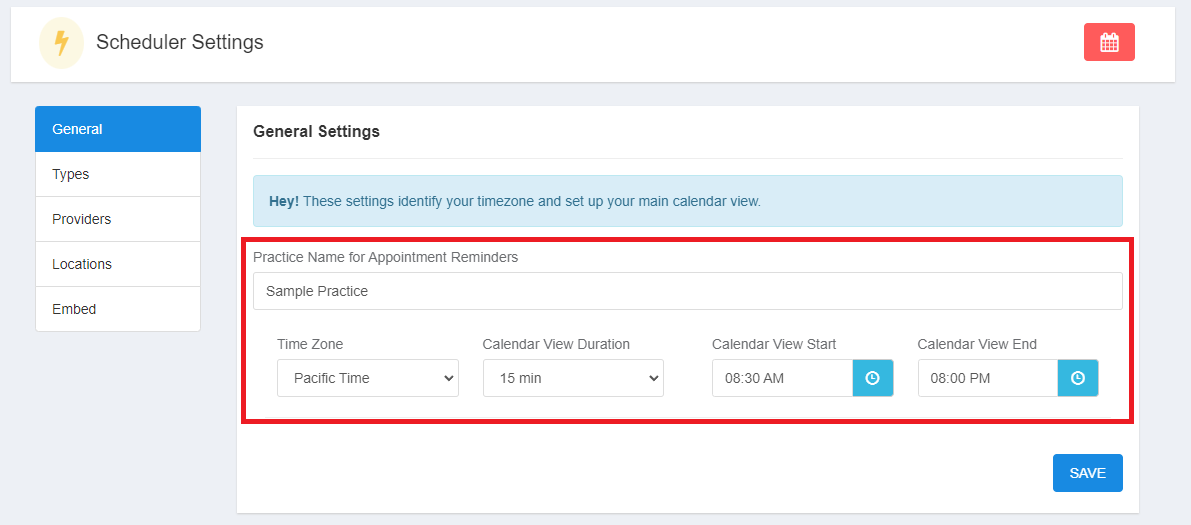 * **Time Zone** - For reminders, etc.
* **Calendar View Duration** - How your calendar screen looks
* **Calendar View Start** - Start time of calendar display
* **Calendar View End** - End time of calendar display
***
### Type Settings
* **Time Zone** - For reminders, etc.
* **Calendar View Duration** - How your calendar screen looks
* **Calendar View Start** - Start time of calendar display
* **Calendar View End** - End time of calendar display
***
### Type Settings
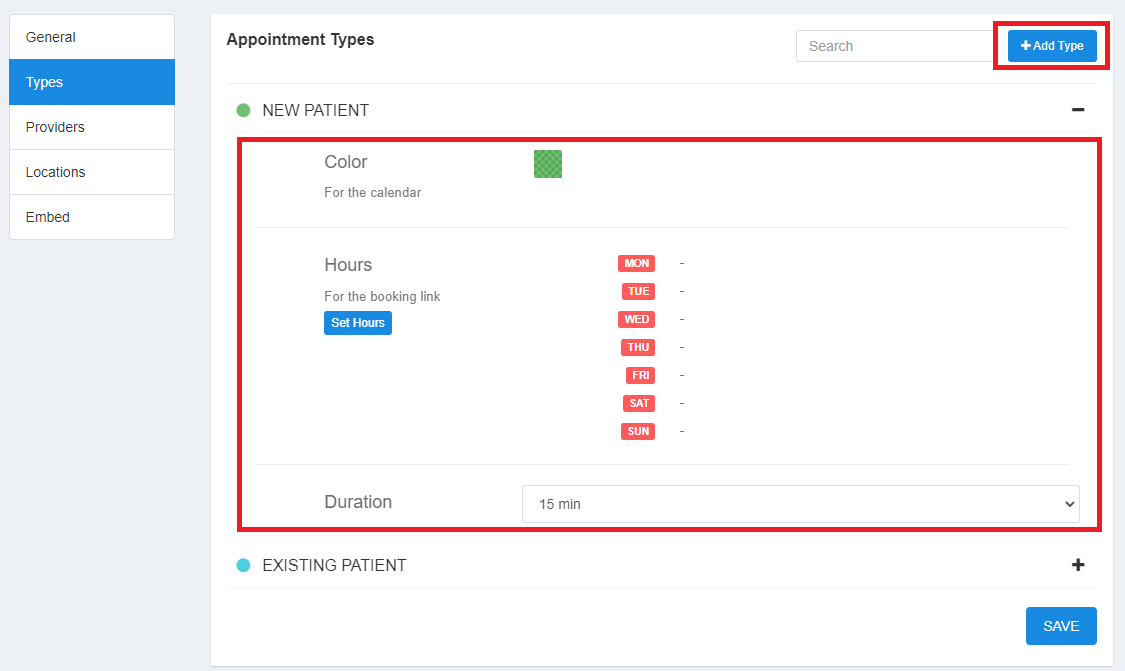 NEW PATIENT and EXISTING PATIENT are built-in types, but you can add additional appointment types.
* **Color** - Display color in waiting room and calendar view (if color legend is by appointment type)
* **Hours** - Used for calendar embed widget on your website
* **Duration** - Default appointment duration for calendar embed widget
***
### Provider Settings
New providers are added in your regular practice settings area.
NEW PATIENT and EXISTING PATIENT are built-in types, but you can add additional appointment types.
* **Color** - Display color in waiting room and calendar view (if color legend is by appointment type)
* **Hours** - Used for calendar embed widget on your website
* **Duration** - Default appointment duration for calendar embed widget
***
### Provider Settings
New providers are added in your regular practice settings area.
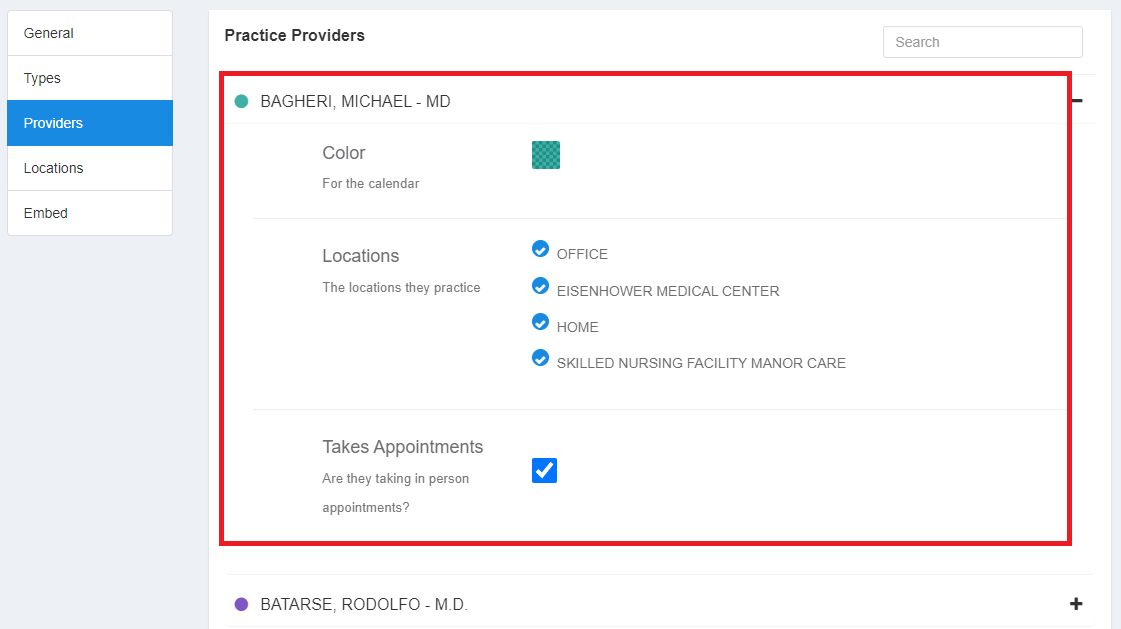 * **Color** - Display color in waiting room and calendar view (if color legend is by provider)
* **Locations** - Used for calendar embed widget restrictions
* **Takes Appointments** - Used for calendar embed widget restrictions
***
### Location Settings
New locations are added in your regular practice settings area.
* **Color** - Display color in waiting room and calendar view (if color legend is by provider)
* **Locations** - Used for calendar embed widget restrictions
* **Takes Appointments** - Used for calendar embed widget restrictions
***
### Location Settings
New locations are added in your regular practice settings area.
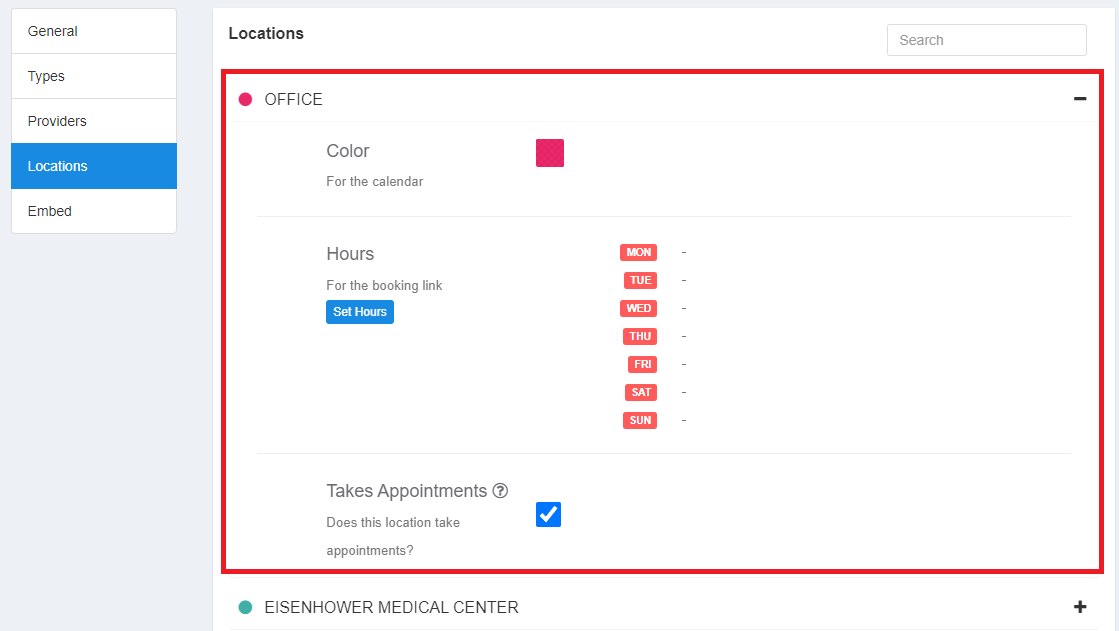 * **Color** - Display color in waiting room and calendar view (if color legend is by location)
* **Hours** - Used for calendar embed widget restrictions
* **Takes Appointments** - Used for calendar embed widget restrictions
## Related Articles
* [How to Create an Appointment (Legacy Practices Only)](/articles/how-to-create-an-appointment-legacy-practices-only)
* [How to Edit/Cancel an Appointment (Legacy Practices Only)](/articles/how-to-editcancel-an-appointment-legacy-practices-only)
* **Color** - Display color in waiting room and calendar view (if color legend is by location)
* **Hours** - Used for calendar embed widget restrictions
* **Takes Appointments** - Used for calendar embed widget restrictions
## Related Articles
* [How to Create an Appointment (Legacy Practices Only)](/articles/how-to-create-an-appointment-legacy-practices-only)
* [How to Edit/Cancel an Appointment (Legacy Practices Only)](/articles/how-to-editcancel-an-appointment-legacy-practices-only)