> ## Documentation Index
> Fetch the complete documentation index at: https://help.elationhealth.com/llms.txt
> Use this file to discover all available pages before exploring further.
# Creating a Custom Database
You can create custom tables in Snowflake which will allow you to aggregate data from your master database to analyze and run reports. For more information check out the Snowflake documentation [https://docs.snowflake.com/en/sql-reference/sql/create-table](https://docs.snowflake.com/en/sql-reference/sql/create-table)
**Step 1: Create your database**
1. On the left hand navigation bar click on **Data > Database.**
2. On the top right hand corner click on the **Blue Database button**
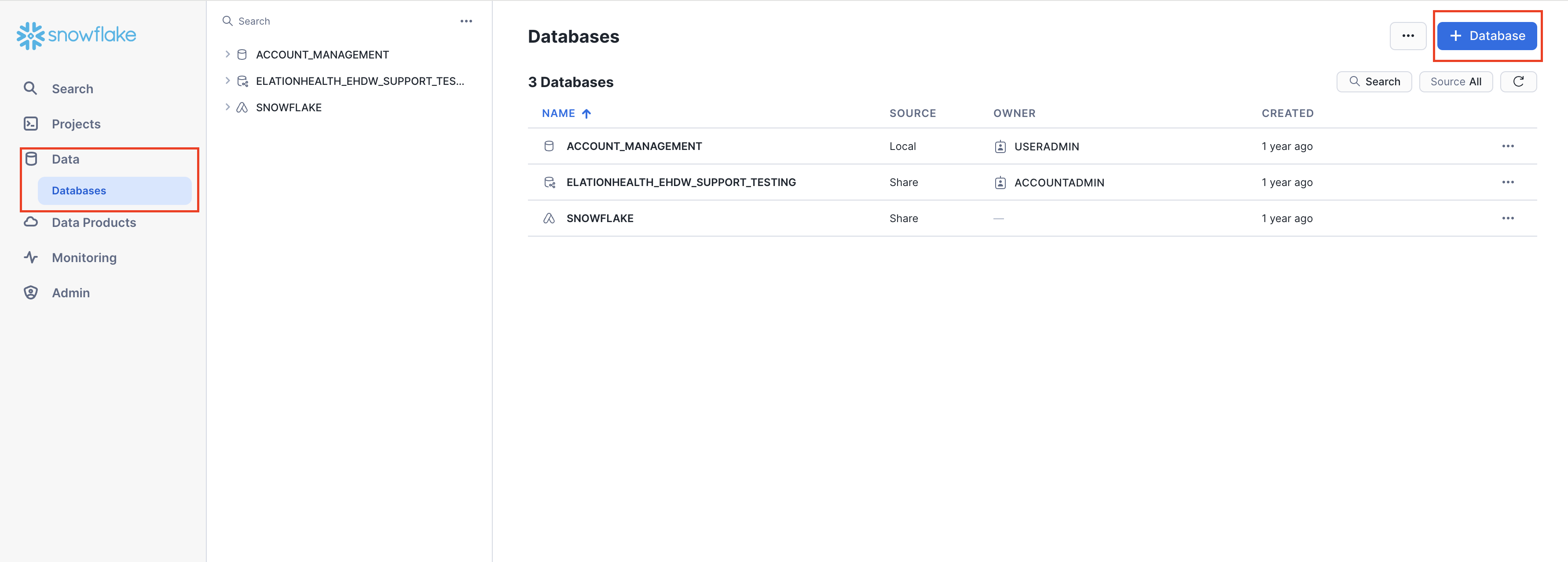 **Step 2: Name your database and give it an optional comment**
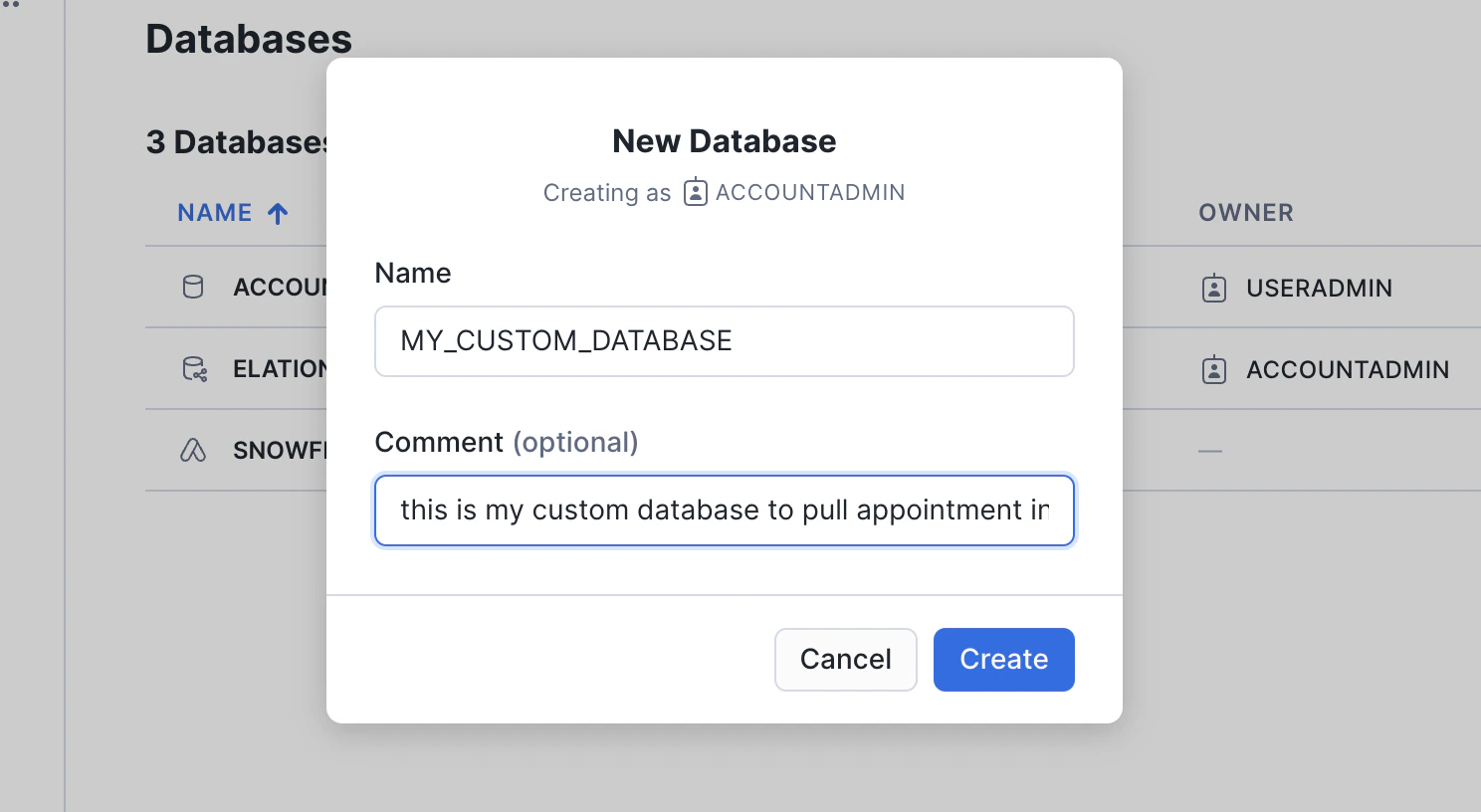 Click on the **Create button** once you are finished
**Step 3: Create a Schema**
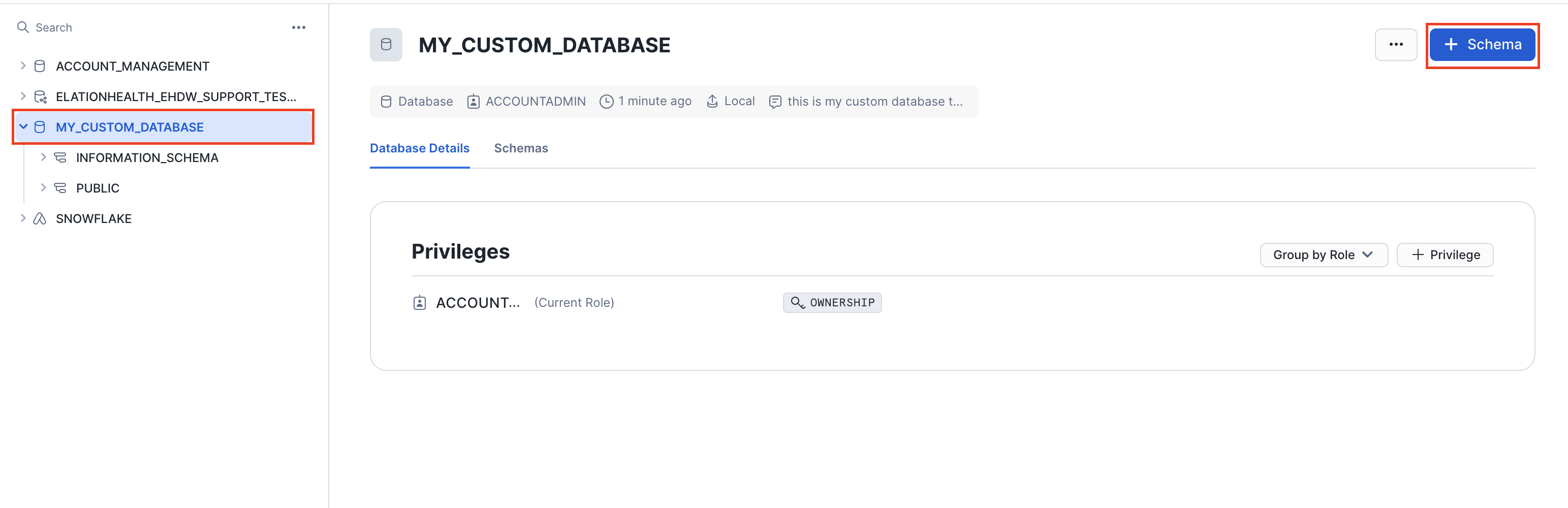
1. Once the Database has been created you will see it on the left hand navigation along with your other database(s)
2. Click on the newly created Database then click on the blue Schema button on the top right hand side of the page.
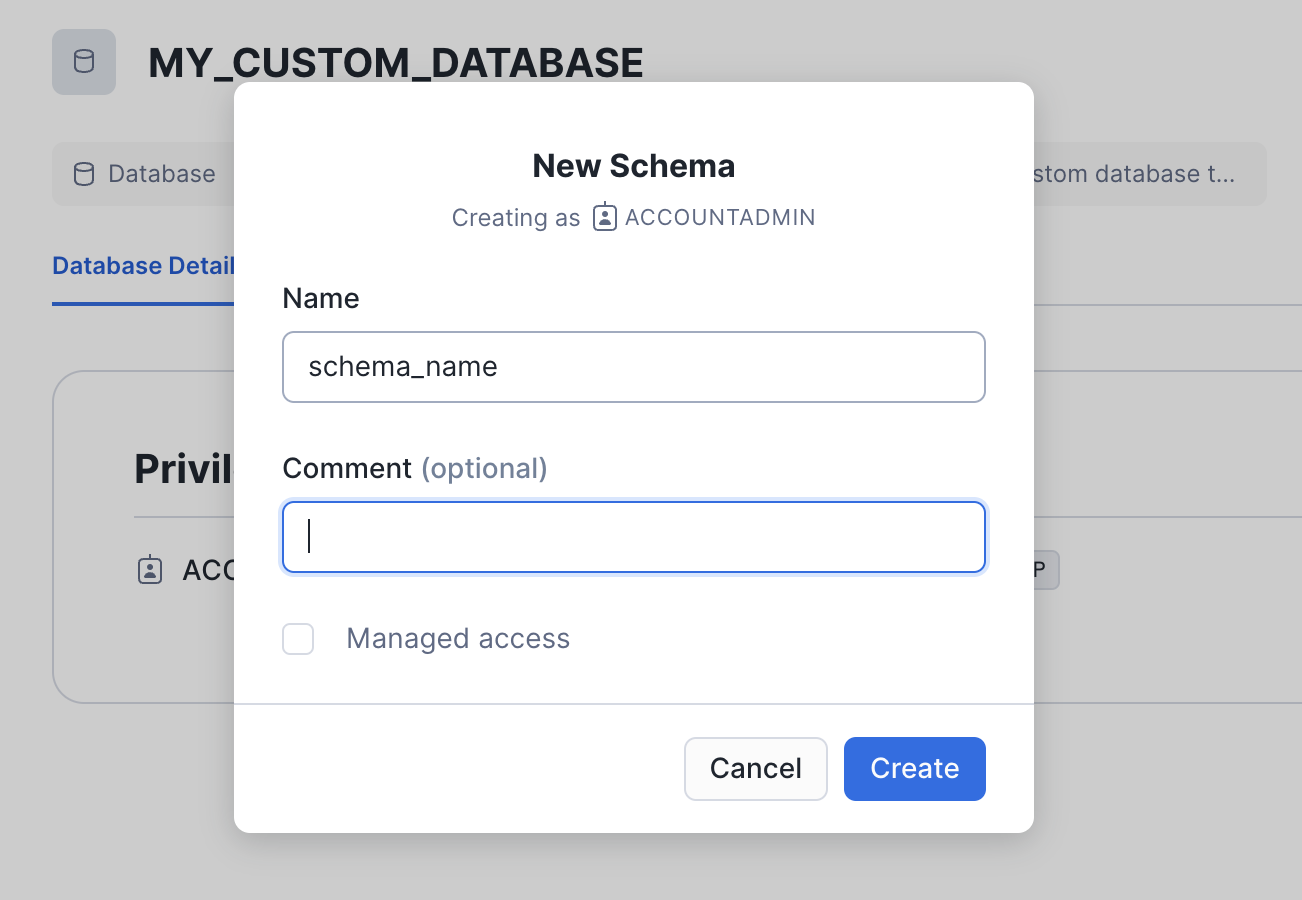
3. Give your Schema a name and hit the create button
Click on the **Create button** once you are finished
**Step 3: Create a Schema**
1. Once the Database has been created you will see it on the left hand navigation along with your other database(s)
2. Click on the newly created Database then click on the blue Schema button on the top right hand side of the page.
3. Give your Schema a name and hit the create button
 **Step 4: Create your table**
1. Click on your newly created Schema
2. On the top right hand side corner of your screen click on the Blue Create button
3. Click on table then the appropriate option.
**Step 4: Create your table**
1. Click on your newly created Schema
2. On the top right hand side corner of your screen click on the Blue Create button
3. Click on table then the appropriate option.
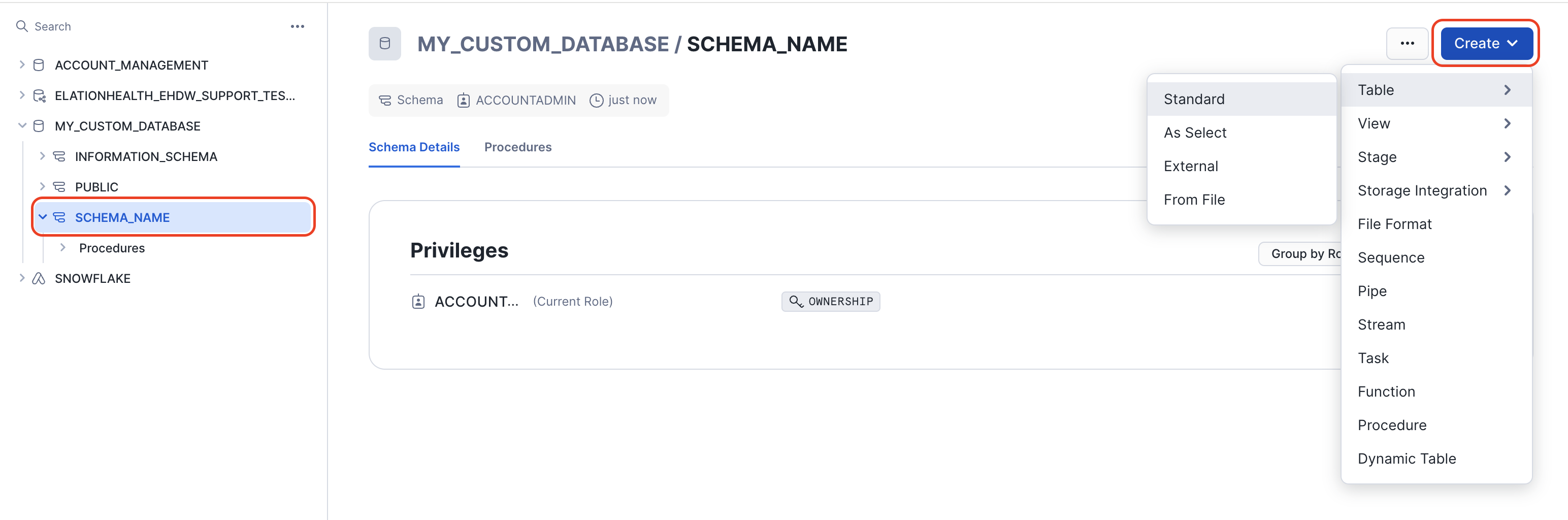 For this example we will be choosing **Table** > As **Select**
This will take you to a new worksheet Pick your warehouse > Enter the criteria for you custom table > Click Create
For this example we will be choosing **Table** > As **Select**
This will take you to a new worksheet Pick your warehouse > Enter the criteria for you custom table > Click Create
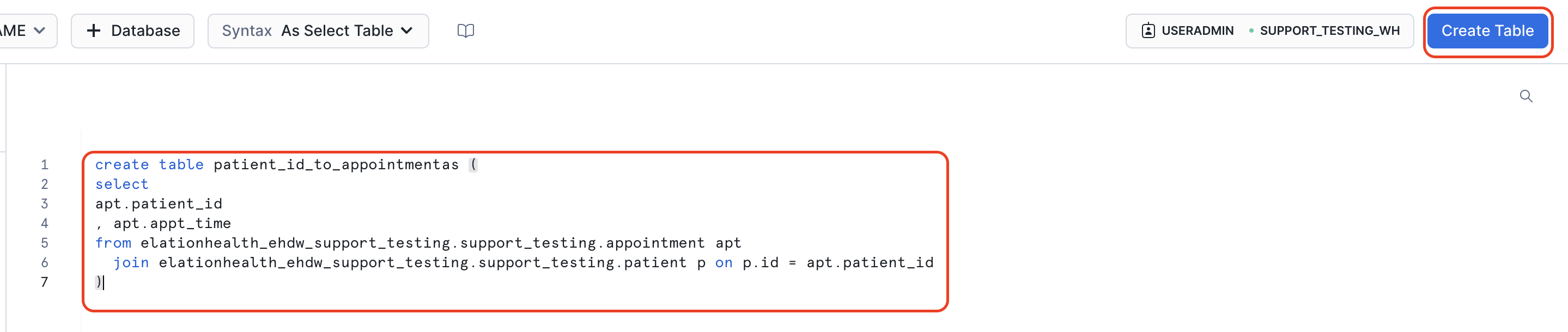
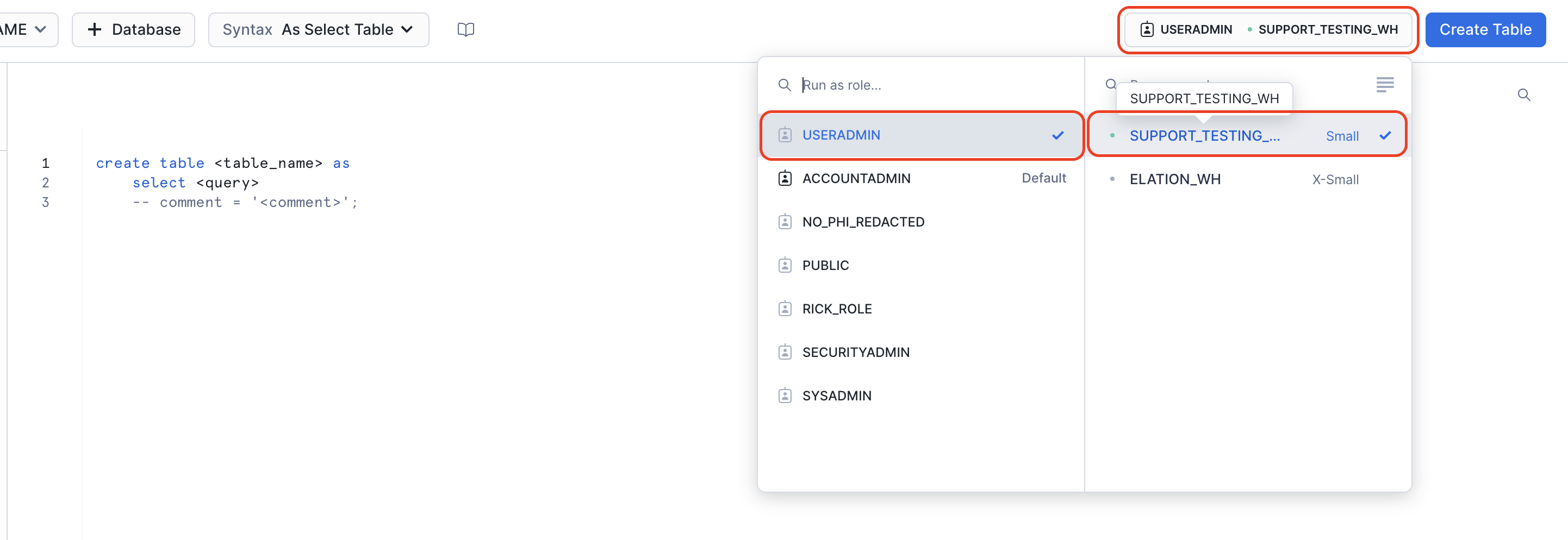 Enter the criteria for your new table and click Create Table
Make sure to reference your main hosted database and schema's full path
Enter the criteria for your new table and click Create Table
Make sure to reference your main hosted database and schema's full path
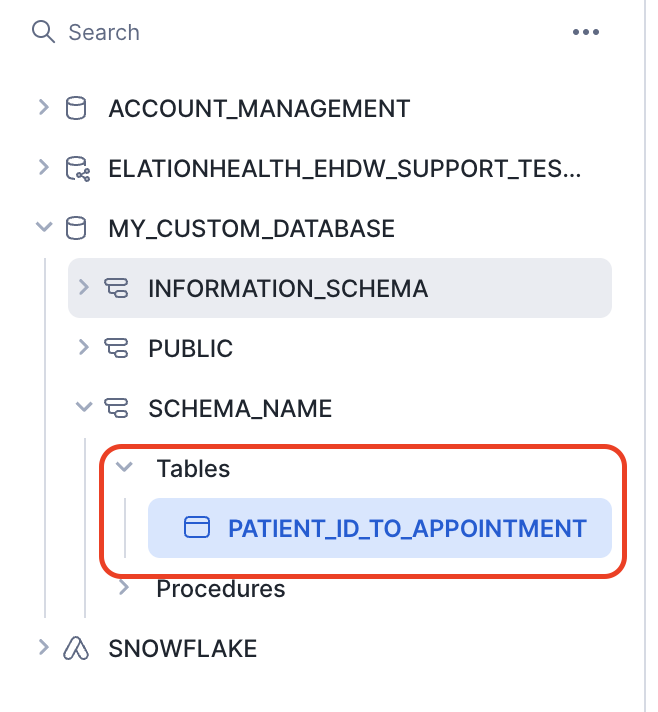
 You have successfully created a custom table
 If you have any questions please contact [Elation Support Portal](/articles/support-portal-introduction)