> ## Documentation Index
> Fetch the complete documentation index at: https://help.elationhealth.com/llms.txt
> Use this file to discover all available pages before exploring further.
# Claim History
> Learn how to find and view claim history in Elation Billing
This article explains how to find and view claim history in Elation Billing.
## Overview
### What is Claim History?
Claim History provides a complete record of all actions and status changes for a claim, including submission dates, payer responses, rejections, payments, and adjustments.
### Why is Claim History important?
Reviewing claim history helps you understand why a claim was denied, track the progression of a claim through the billing cycle, and gather documentation for appeals.
## Workflow Instructions
### Finding Claim History
The Claim History can be found in multiple places:
1. The Claims Manager
2. Superbill's Page
3. Patient's Page
4. Payment's Page
 ***
### From the Claims Manager
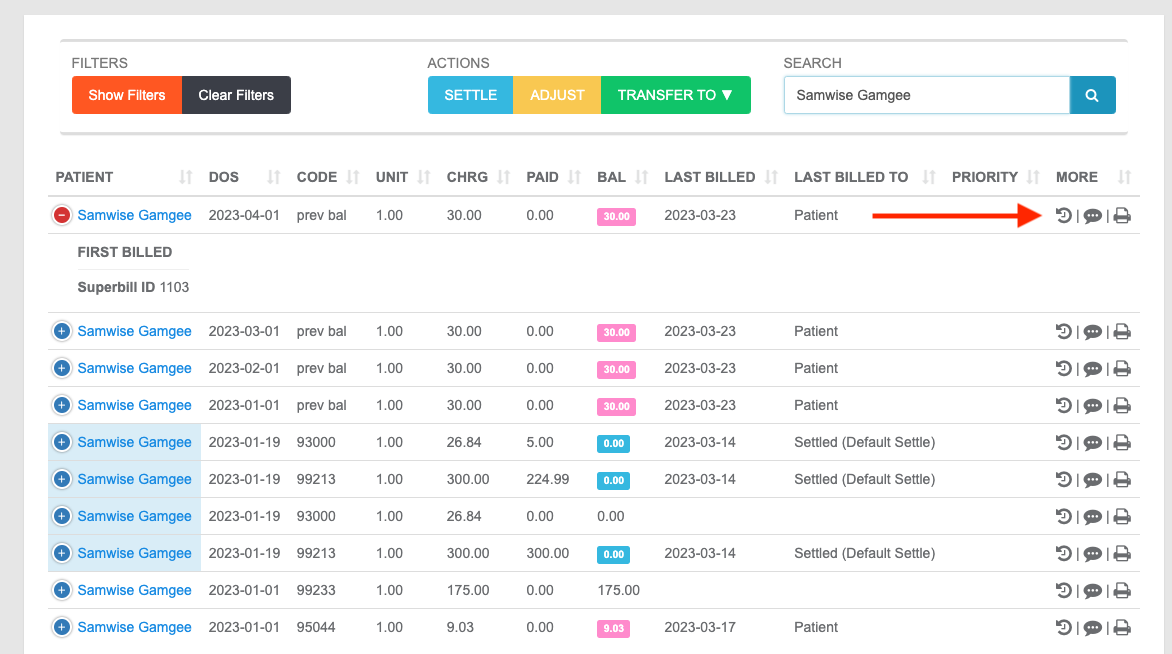
In the Claims Manager, the Claim History button is the first (far-left) button under the **More** column.
***
### From the Claims Manager
In the Claims Manager, the Claim History button is the first (far-left) button under the **More** column.
 ***
### From the Superbill
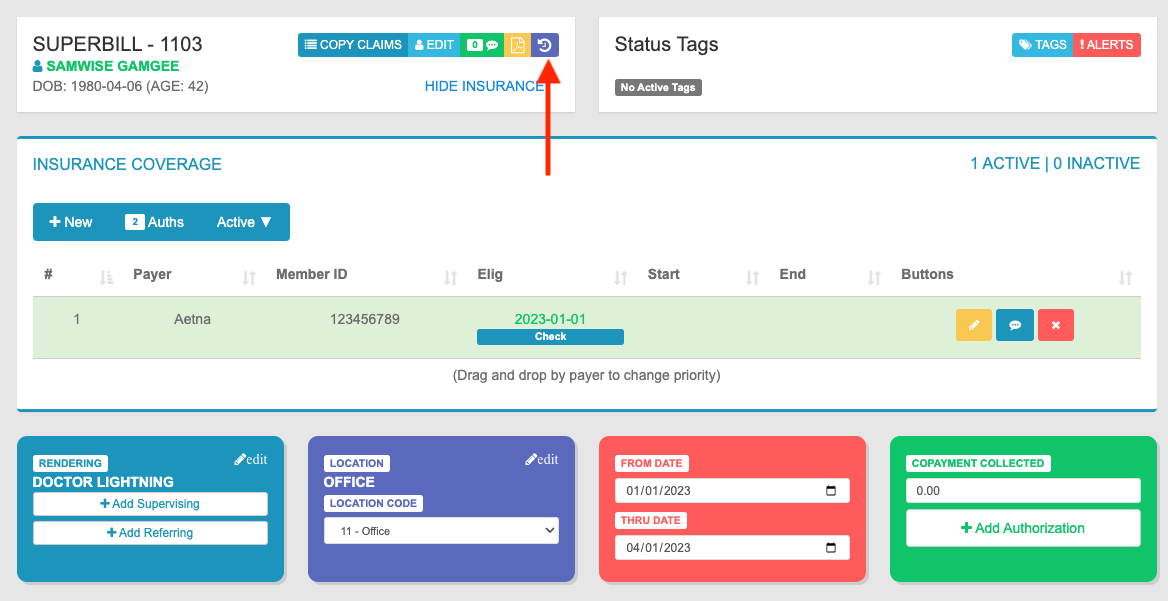
On a Superbill, the Claim History button is towards the top-center of the page, on the upper-right corner of the Superbill Info panel, preceded by Files.
***
### From the Superbill
On a Superbill, the Claim History button is towards the top-center of the page, on the upper-right corner of the Superbill Info panel, preceded by Files.
 ***
### From the Patient Page
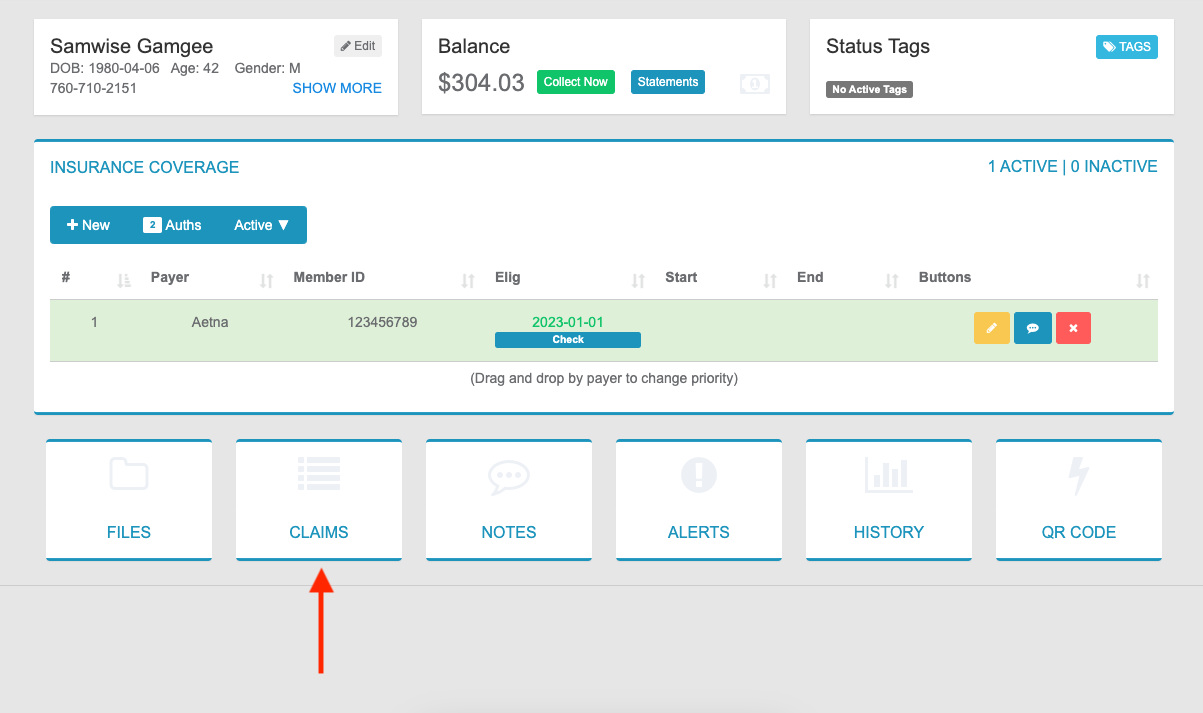
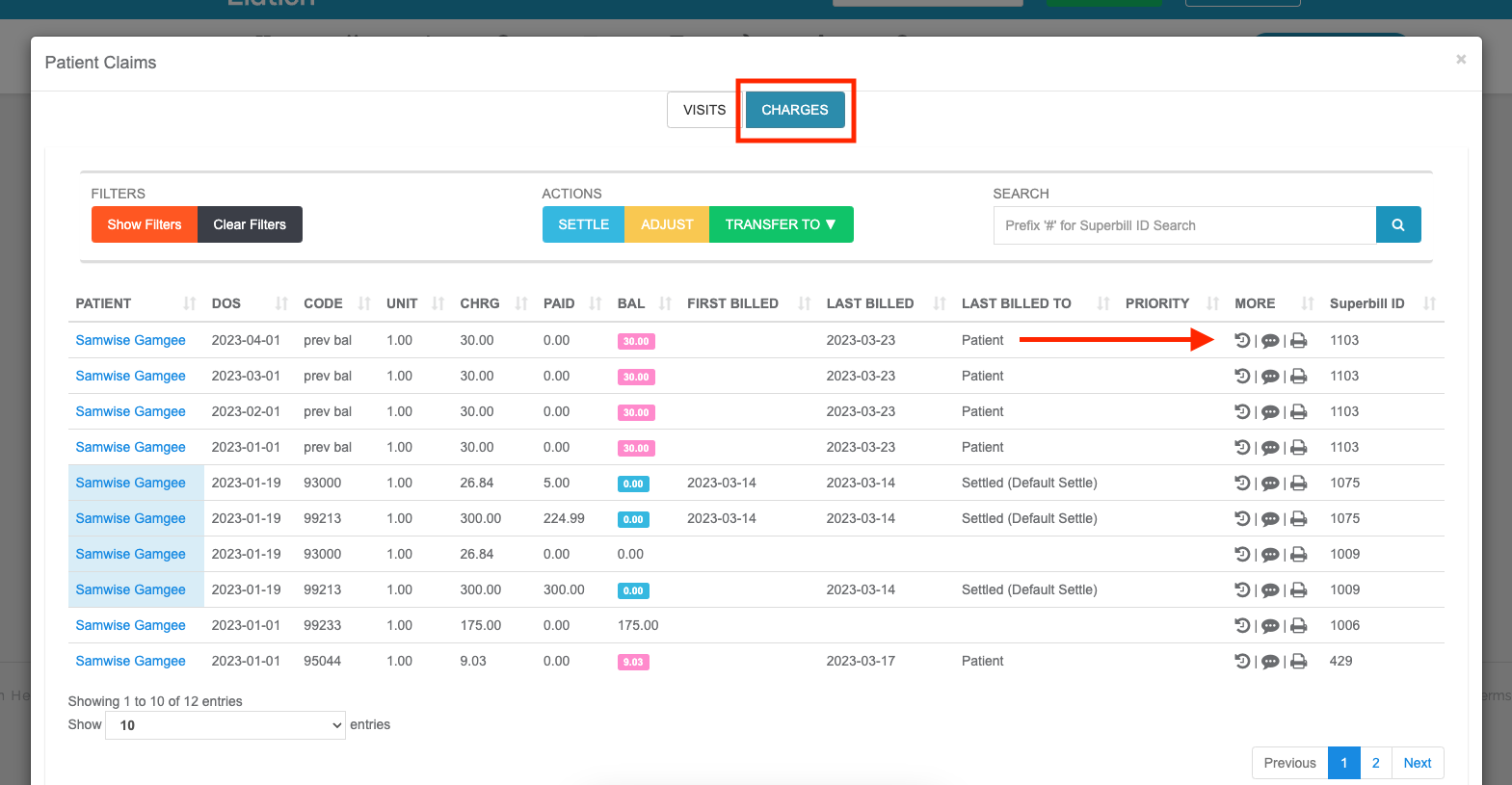
1. **Navigate** - From the Patient's page, select the **Claims** button, followed by the **Charges** tab.
***
### From the Patient Page
1. **Navigate** - From the Patient's page, select the **Claims** button, followed by the **Charges** tab.
 2. **Access History** - The Claim History button is the first (far-left) button under the **More** column.
 ***
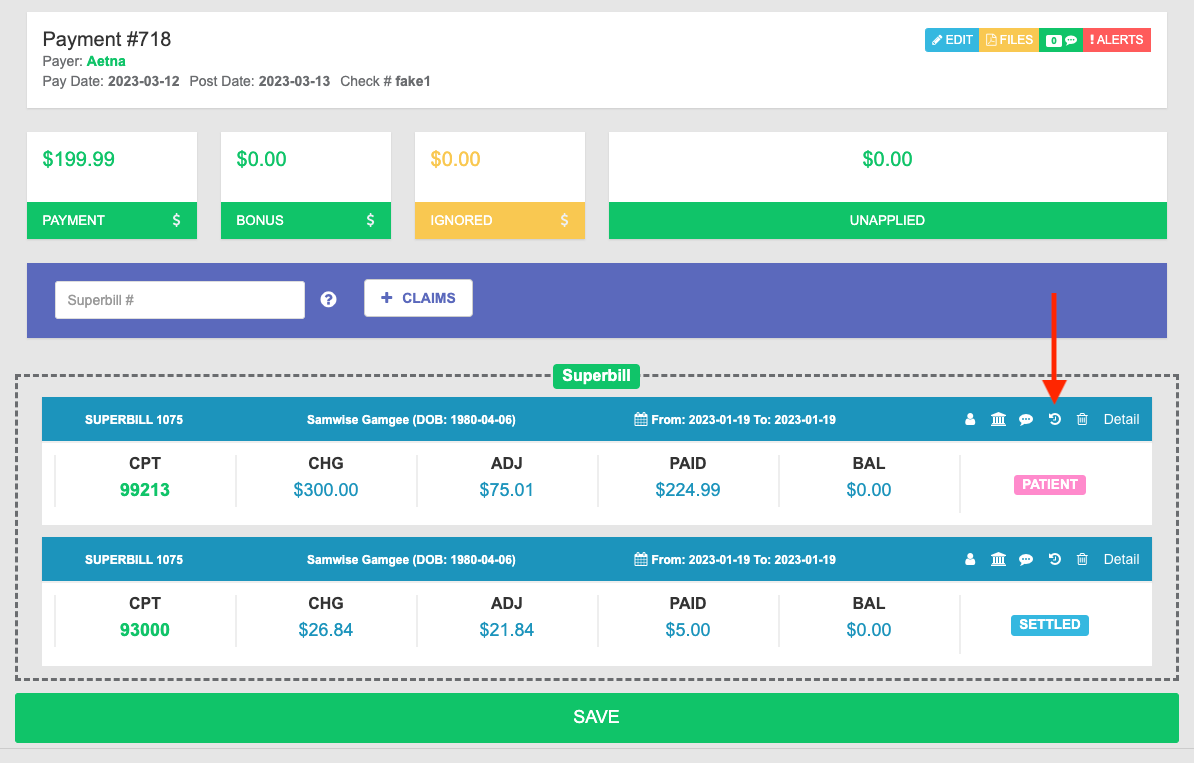
### From the Payment Page
On a Payment, the Claim History button is found in the Superbill information line, preceded by Notes and followed by Delete.
***
### From the Payment Page
On a Payment, the Claim History button is found in the Superbill information line, preceded by Notes and followed by Delete.
 ## Related Articles
* [Claim Appeals](/articles/claim-appeals)
* [Common Code Denials](/articles/common-code-denials)
* [Using the Worklist](/articles/using-the-worklist)
## Related Articles
* [Claim Appeals](/articles/claim-appeals)
* [Common Code Denials](/articles/common-code-denials)
* [Using the Worklist](/articles/using-the-worklist)