> ## Documentation Index
> Fetch the complete documentation index at: https://help.elationhealth.com/llms.txt
> Use this file to discover all available pages before exploring further.
# Chronological Record Guide- Sort Settings
> This article reviews sorting the chronological record by patient event date versus provider activity date.
## What is the Chronological Record Sort Setting?
It often takes a whole team of care professionals to keep a patient healthy. As the patient's provider you often find yourself storing copies of consultations and test results administered by other providers caring for your patient. Elation allows you to store these records in the patient's chart and sort patient records by:
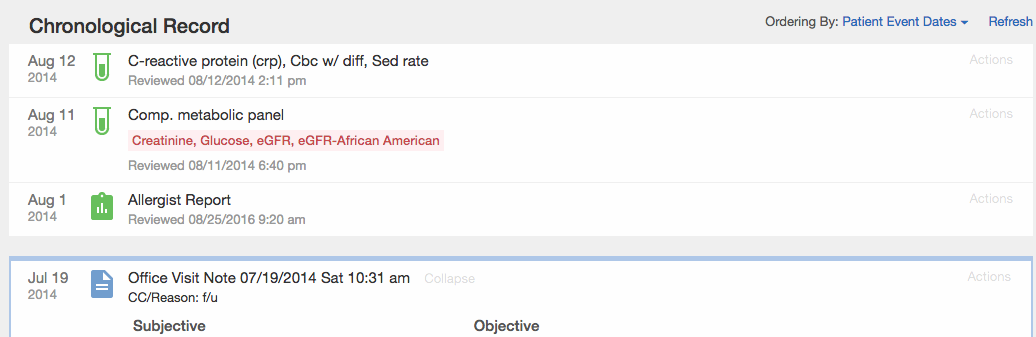
* Patient Event Dates= shows what the patient has been up to, and sorts reports by document date
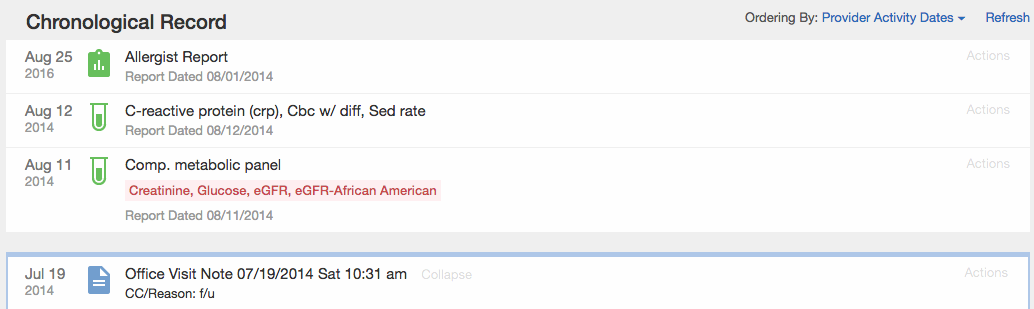
* Provider Activity Dates= shows what your practice has been up to, and sorts reports by filed date
You can see below how an allergist report dated 08/01/2014 that was filed into the chart on 08/25/2016 displays based on the different sort views:
### Ordering by Patient Event Dates
 ### Ordering by Provider Activity Dates
 ## How to adjust the Chronological Record Sort Setting
### Practice Setting
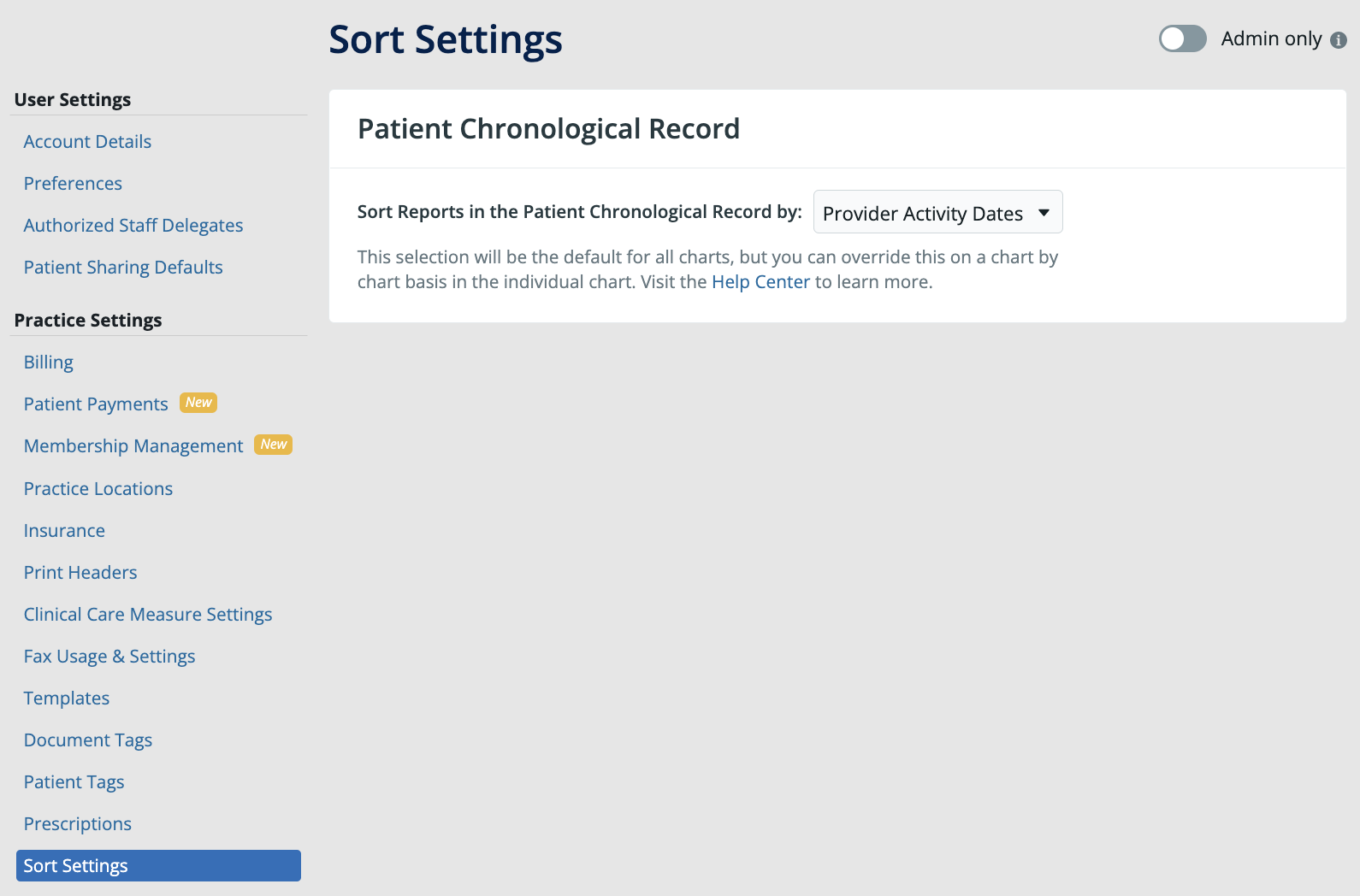
Go to **Settings** >> **Sort Settings** to find the practice wide setting for sorting records in the Chronological Record. Once this Setting is changed it will be applied to all patient charts.
## How to adjust the Chronological Record Sort Setting
### Practice Setting
Go to **Settings** >> **Sort Settings** to find the practice wide setting for sorting records in the Chronological Record. Once this Setting is changed it will be applied to all patient charts.
 ### Patient's Chart
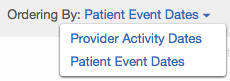
Inside each patient chart, you will also have the ability to change the sort preference on-the-go if you want to toggle between the two different sort views by clicking on **Ordering By:**
### Patient's Chart
Inside each patient chart, you will also have the ability to change the sort preference on-the-go if you want to toggle between the two different sort views by clicking on **Ordering By:**
 **Next Step**
**Review your Chronological Record sort preference and make changes as needed.**
## Related Articles
* [Chronological Record Introduction- A timeline of your patient's records](/articles/store-everything-in-chronological-record)
* [Chronological Record Guide- Searching for records in the patient's chart](/articles/using-the-search-tool-in-your-patient-chart)
**Next Step**
**Review your Chronological Record sort preference and make changes as needed.**
## Related Articles
* [Chronological Record Introduction- A timeline of your patient's records](/articles/store-everything-in-chronological-record)
* [Chronological Record Guide- Searching for records in the patient's chart](/articles/using-the-search-tool-in-your-patient-chart)