> ## Documentation Index
> Fetch the complete documentation index at: https://help.elationhealth.com/llms.txt
> Use this file to discover all available pages before exploring further.
# Patient Chart Guide- Adding historical vitals
> This article describes how you can easily add historical vitals information from old records using a Non-Visit Note in Elation.
## Why should I add historical vitals to the patient's chart?
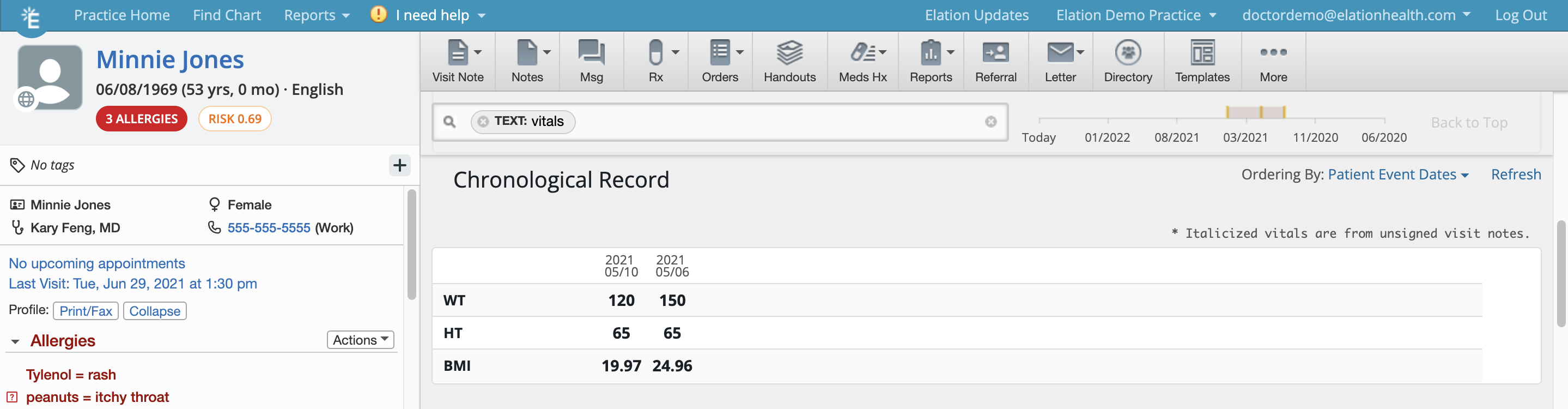
Adding historical vitals allows you to trend vitals information over a period of time especially when you first start using Elation. If patients are keeping track of their blood pressure at home on their own, you can record those readings in the patient's chart using this feature to trend their results.
Once the vitals information is stored in the patient's chart, you can use the
[Chronological Record search](/articles/using-the-search-tool-in-your-patient-chart#Vitals)
to pull up a table of vitals information.
 ## Adding historical vitals
To add historical vitals:
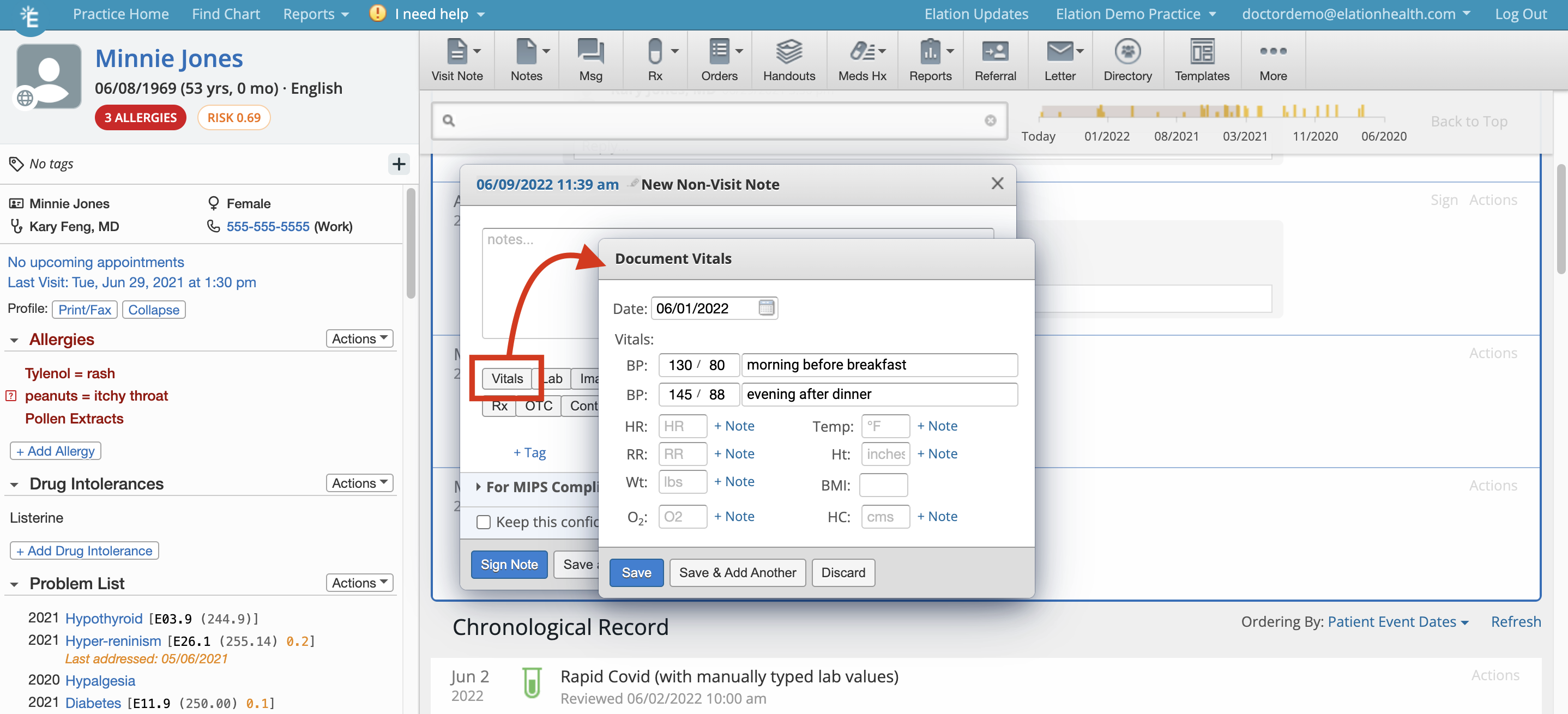
1. Click **Notes** >> **Non-Visit Note**.
2. Click **Vitals** to prompt the **Document Vitals** box to appear
3. Enter vitals information as needed for the patient and make sure you update the date of the vitals records.
4. Click **Save** or **Save and Add Another** to keep adding more
5. Click **Sign Note** to save the Non-Visit Note containing the historical vitals
## Adding historical vitals
To add historical vitals:
1. Click **Notes** >> **Non-Visit Note**.
2. Click **Vitals** to prompt the **Document Vitals** box to appear
3. Enter vitals information as needed for the patient and make sure you update the date of the vitals records.
4. Click **Save** or **Save and Add Another** to keep adding more
5. Click **Sign Note** to save the Non-Visit Note containing the historical vitals
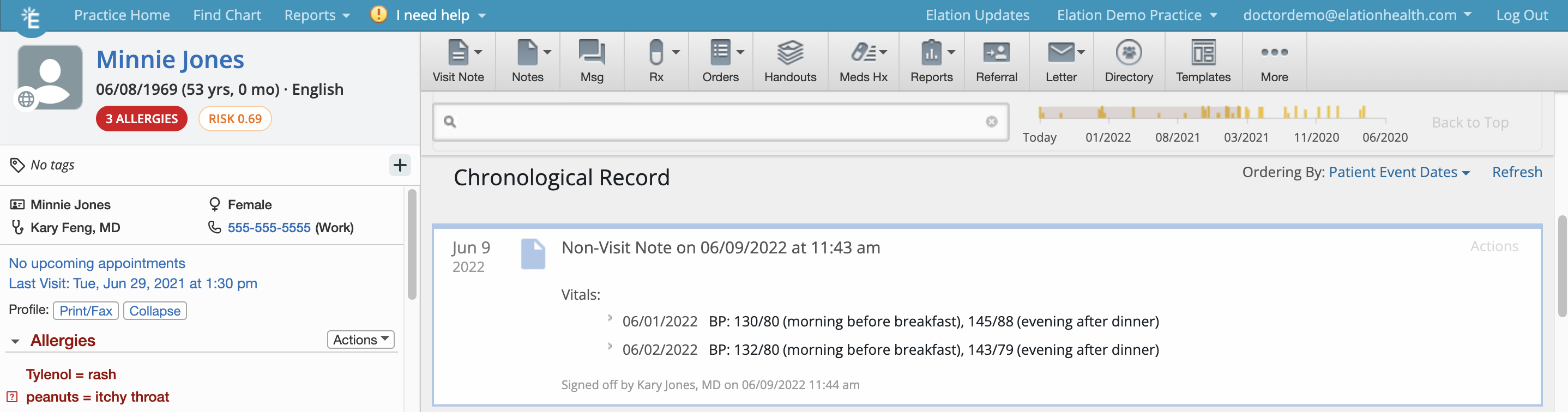
 The vitals will then appear in a non-visit note within the patient chart and be available for trending immediately upon sign-off.
 ## Related Articles
* [Chronological Record Guide- Searching for records in the patient's chart](/articles/using-the-search-tool-in-your-patient-chart)
## Related Articles
* [Chronological Record Guide- Searching for records in the patient's chart](/articles/using-the-search-tool-in-your-patient-chart)