> ## Documentation Index
> Fetch the complete documentation index at: https://help.elationhealth.com/llms.txt
> Use this file to discover all available pages before exploring further.
# Practice Locations Guide- Listing your service locations
> You may serve your patients from multiple locations. You can add all your locations within your Practice Settings.
## What are Practice Locations?
You may serve your patients from multiple clinic locations or facilities. You can add all your service locations to your Elation Settings and associate all your service locations with a Place of Service (POS) code to comply with coding requirements.
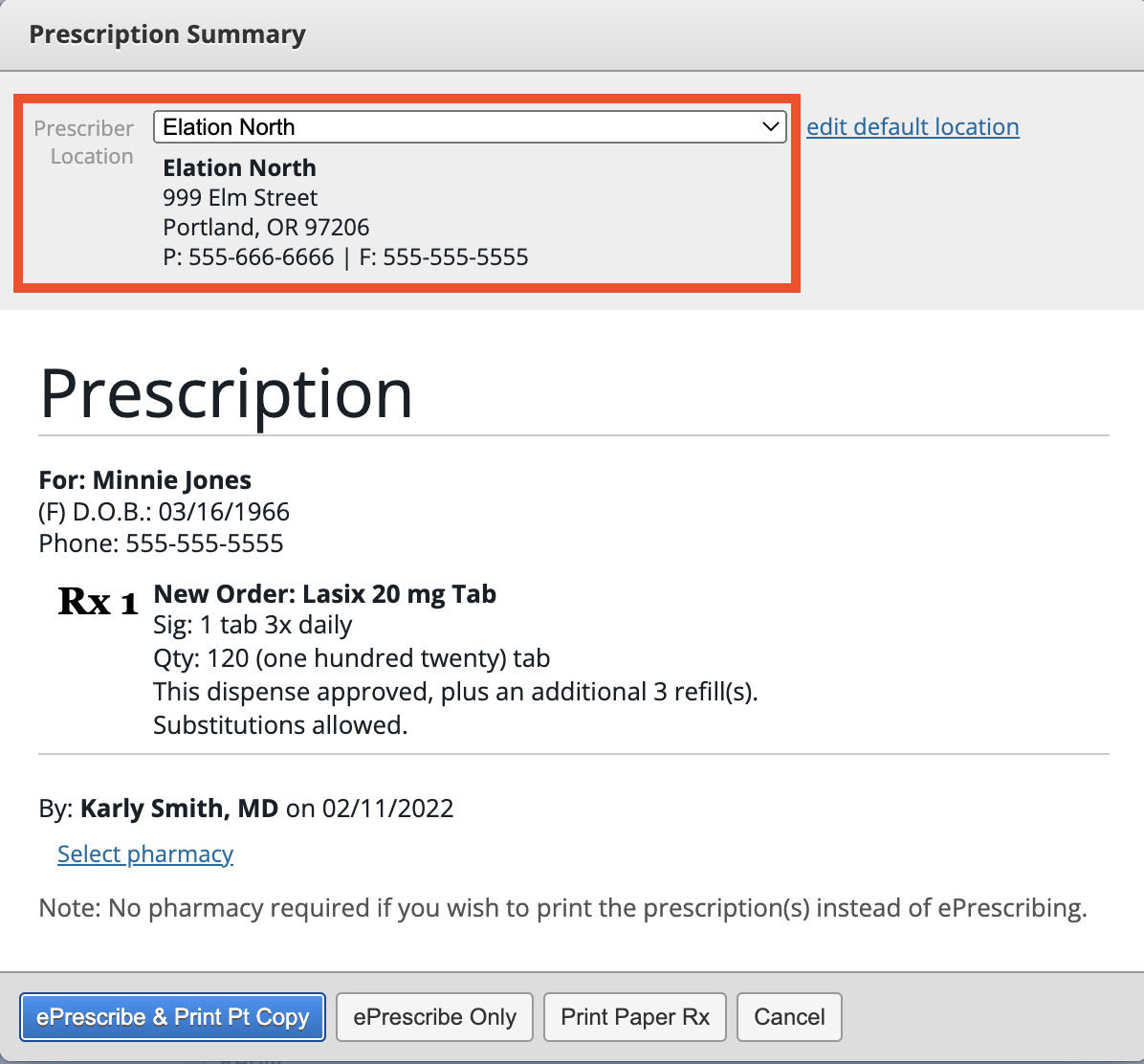
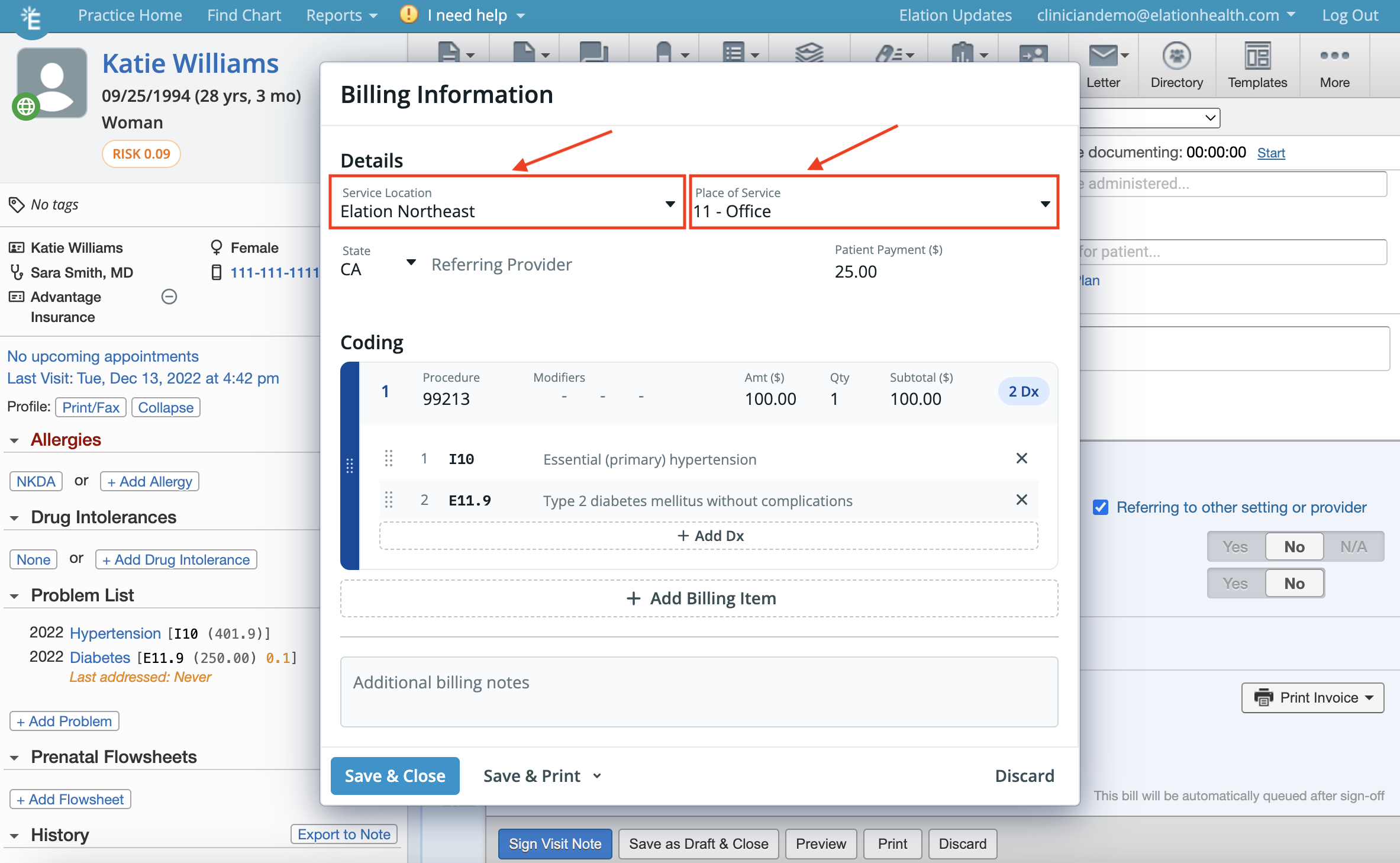
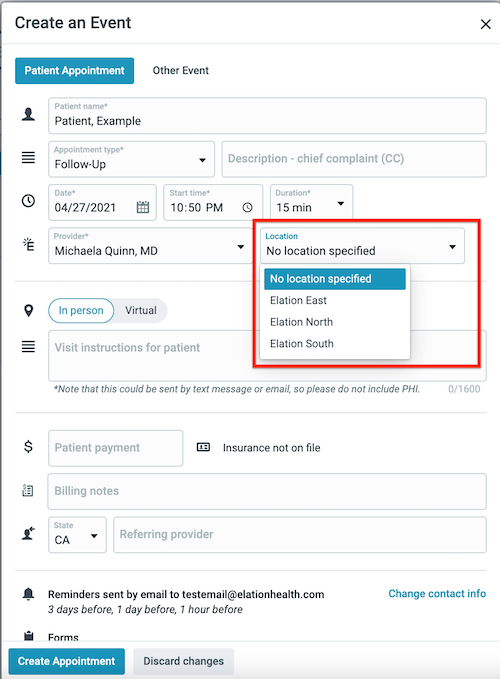
Once you add a Practice Location, it will appear in your e-Presciption Summary window, in the **Service Location (POS)** box in the **Billing Information** section of your visit notes and in the appointment location section of your patient appointments for appointment reminders.
 The letterhead that appears when you print or send documents from Elation uses a different feature called Print Headers. [Learn more about Print Headers here.](/articles/print-headers)
**Practice Location name vs. Practice name.** The Practice Location name you edit here is separate from your overall **Practice name**. Updating a Practice Location does not change the practice name shown on your [Patient Booking Site](/articles/Patient-Booking-Site), in patient letters, or elsewhere in Elation. The practice name can only be updated by Elation Support — [contact Support](https://elationhealth.com/contact-support/) to request a practice name change.
## Default Practice Location
The default location is the **Primary Location** at the top of your locations list. The location was created using the business details you provided us when your practice signed up with Elation. If your default location is of a different address, adjust the **Primary Location** details with the correct information and then create a new Practice Location for other locations.
## How to add Practice Locations
This Setting can be set to **Admin Only** to limit edit privileges to Admin Level Users. [Click here to learn more about administrative privileges](/articles/administrative-privileges)
.
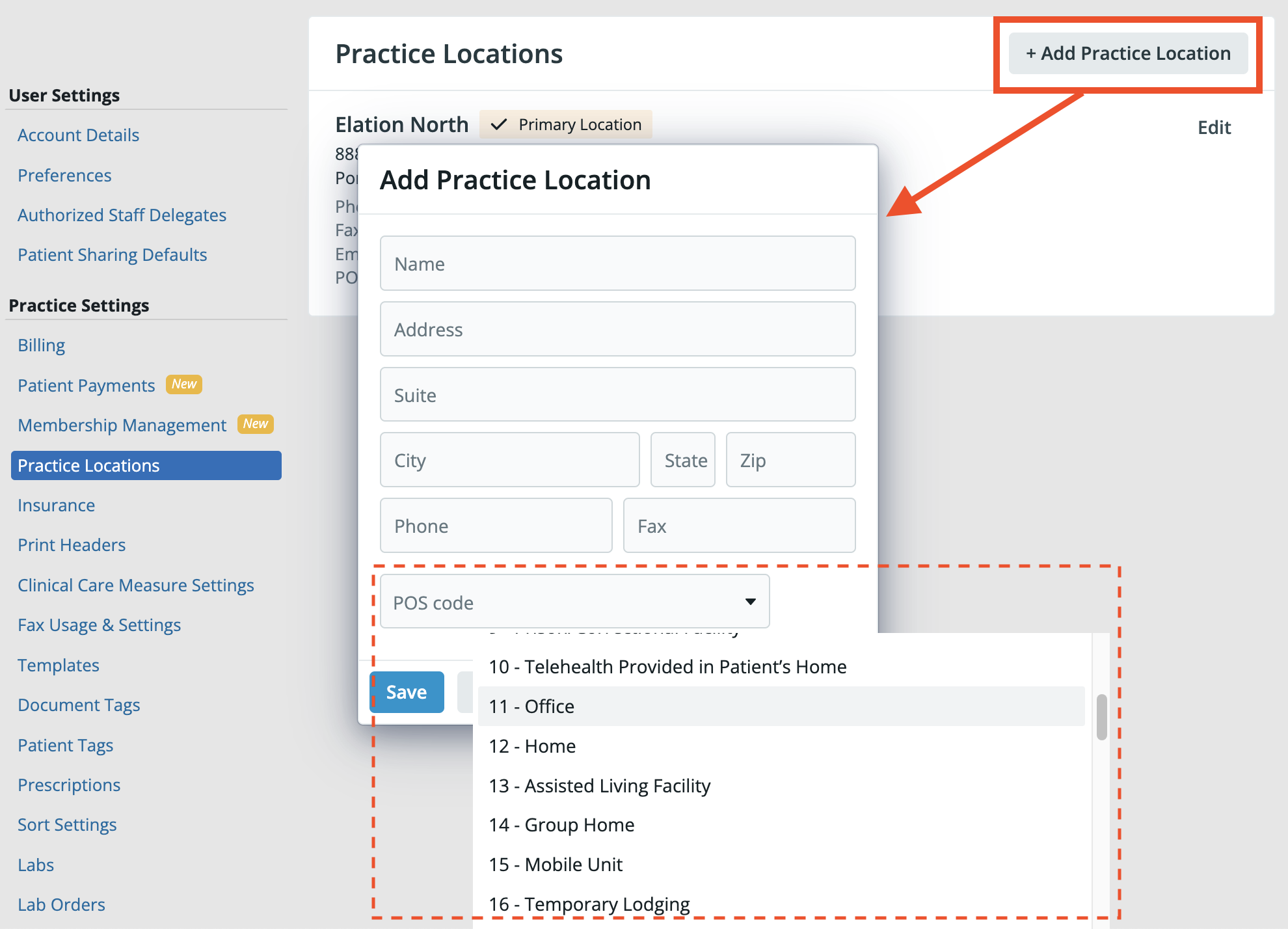
1. Go to **Settings** >> **Practice Locations**
2. Click **+ Add Practice Location** to add a new place of service or click **Edit** to edit an existing location
3. In the edit window, click on the **POS code** box to select the Place of Service code that corresponds to your practice location.
4. Click **Save**
The letterhead that appears when you print or send documents from Elation uses a different feature called Print Headers. [Learn more about Print Headers here.](/articles/print-headers)
**Practice Location name vs. Practice name.** The Practice Location name you edit here is separate from your overall **Practice name**. Updating a Practice Location does not change the practice name shown on your [Patient Booking Site](/articles/Patient-Booking-Site), in patient letters, or elsewhere in Elation. The practice name can only be updated by Elation Support — [contact Support](https://elationhealth.com/contact-support/) to request a practice name change.
## Default Practice Location
The default location is the **Primary Location** at the top of your locations list. The location was created using the business details you provided us when your practice signed up with Elation. If your default location is of a different address, adjust the **Primary Location** details with the correct information and then create a new Practice Location for other locations.
## How to add Practice Locations
This Setting can be set to **Admin Only** to limit edit privileges to Admin Level Users. [Click here to learn more about administrative privileges](/articles/administrative-privileges)
.
1. Go to **Settings** >> **Practice Locations**
2. Click **+ Add Practice Location** to add a new place of service or click **Edit** to edit an existing location
3. In the edit window, click on the **POS code** box to select the Place of Service code that corresponds to your practice location.
4. Click **Save**
 **Next Step**
**Review your Practice Location details for accuracy today!**
## Related Articles
* [Billing Guide- Creating a Super Bill and coding for your visit](/articles/billing)
* [Billing Guide- Billing Report](/articles/lightning-reports)
* [Billing Guide- Setting up CPT Codes and Place of Service](/articles/billing-settings---service-locations--procedure-codes)
* [Print Headers Guide- Managing practice letterheads](/articles/print-headers)
* [Calendar Guide- Setting practice location for appointment reminders](/articles/using-multi-location-scheduling)
* [Automated Appointment Reminders](/articles/appointment-reminders)
**Next Step**
**Review your Practice Location details for accuracy today!**
## Related Articles
* [Billing Guide- Creating a Super Bill and coding for your visit](/articles/billing)
* [Billing Guide- Billing Report](/articles/lightning-reports)
* [Billing Guide- Setting up CPT Codes and Place of Service](/articles/billing-settings---service-locations--procedure-codes)
* [Print Headers Guide- Managing practice letterheads](/articles/print-headers)
* [Calendar Guide- Setting practice location for appointment reminders](/articles/using-multi-location-scheduling)
* [Automated Appointment Reminders](/articles/appointment-reminders)