> ## Documentation Index
> Fetch the complete documentation index at: https://help.elationhealth.com/llms.txt
> Use this file to discover all available pages before exploring further.
# Patient Chart Guide- Searching for patient charts
> This guide will describe the various ways you can search for patient charts in Elation
## Search Options
There are two options for searching for patient charts in Elation after a
[chart is created](/articles/Patient-Chart-Guide-Creating-a-new-patient-chart)
:
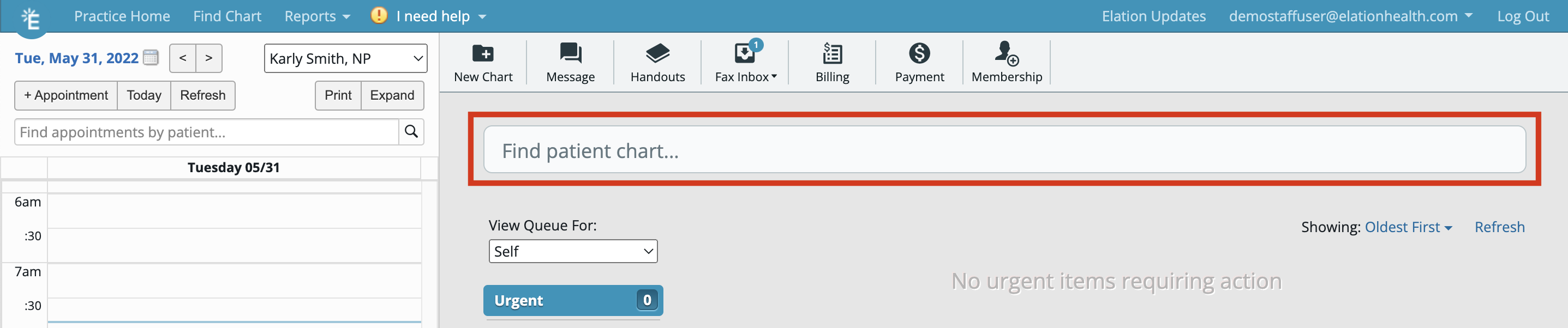
1. The Search box at the top of the [Practice Home](https://app.elationemr.com/patients/)
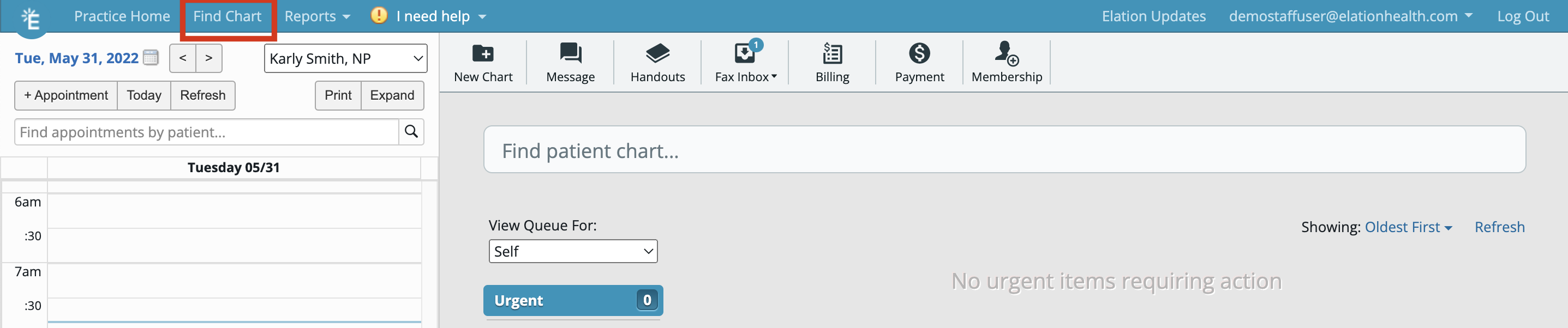
2. The **Find Chart** button in the blue bar at the top of any page in Elation
### Practice Home Search box
The image below shows you what the Search box at the top of the
[Practice Home](https://app.elationemr.com/patients/)
looks like:
 ### "Find Chart" button
The image below shows you what the **Find Chart** button looks like in Elation:
### "Find Chart" button
The image below shows you what the **Find Chart** button looks like in Elation:
 ## Tips for searching for patients
There are a few ways to search for patients using one of the two search options listed above:
1. You can use any combination of letters for the patient's legal name or full name and you can type the first and last name in any order
2. You can type in a patient's phone number as stored in their chart (search works for both primary and secondary phone numbers):
3. with or without the area code; however including the area code will yield more accurate results
4. with or without dashes
5. You can type in a patient's Date of Birth in the **MMDDYYYY** format (with or without dashes)
6. You can type in a patient's Elation patient chart ID number
## Frequently Asked Questions (FAQ)
### Can I hide inactive patients from the search results?
Inactive patients will continue to appear in search results. We recommend using the
[Patient Tag feature](/articles/adding-patient-tags)
to apply an **Inactive** tag to inactive patient charts. You will be able to see patient tags in search results and use patient tags to distinguish active patients from inactive patients.
## Related Articles
* [Patient Chart Guide- Creating a new patient chart](/articles/Patient-Chart-Guide-Creating-a-new-patient-chart)
* [Patient Demographics Guide](/articles/Patient-Demographics-Guide)
* [Patient Tags Guide- Classifying patients for administrative efficiency](/articles/adding-patient-tags)
## Tips for searching for patients
There are a few ways to search for patients using one of the two search options listed above:
1. You can use any combination of letters for the patient's legal name or full name and you can type the first and last name in any order
2. You can type in a patient's phone number as stored in their chart (search works for both primary and secondary phone numbers):
3. with or without the area code; however including the area code will yield more accurate results
4. with or without dashes
5. You can type in a patient's Date of Birth in the **MMDDYYYY** format (with or without dashes)
6. You can type in a patient's Elation patient chart ID number
## Frequently Asked Questions (FAQ)
### Can I hide inactive patients from the search results?
Inactive patients will continue to appear in search results. We recommend using the
[Patient Tag feature](/articles/adding-patient-tags)
to apply an **Inactive** tag to inactive patient charts. You will be able to see patient tags in search results and use patient tags to distinguish active patients from inactive patients.
## Related Articles
* [Patient Chart Guide- Creating a new patient chart](/articles/Patient-Chart-Guide-Creating-a-new-patient-chart)
* [Patient Demographics Guide](/articles/Patient-Demographics-Guide)
* [Patient Tags Guide- Classifying patients for administrative efficiency](/articles/adding-patient-tags)